Skip to Main Content
Sam's Club
Sam's Club
All Departments
All Services
Customer reviews for SAMSUNG 32” Class H5000F Series LED HD Smart Tizen TV for
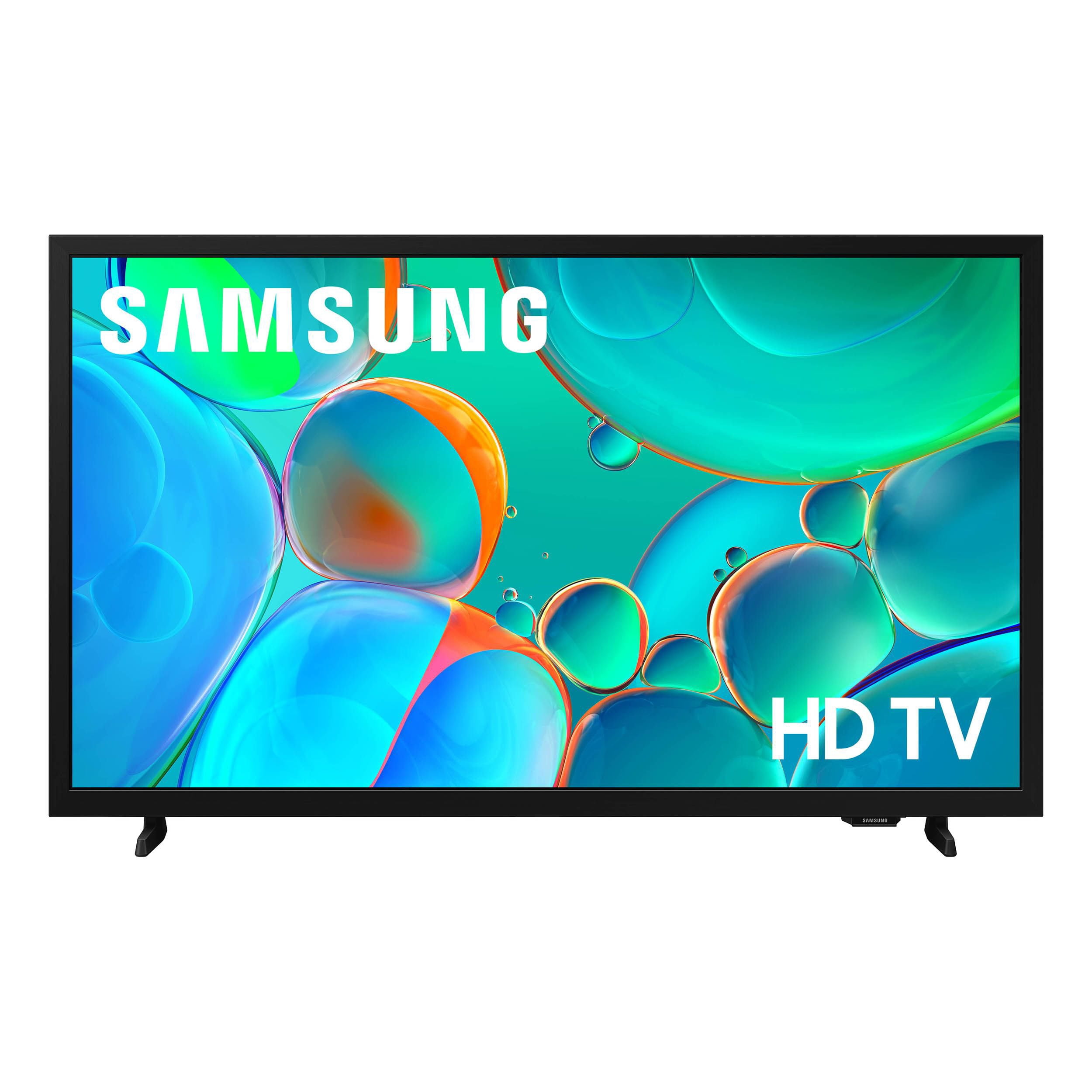
SAMSUNG 32” Class H5000F Series LED HD Smart Tizen TV
4.6 out of 5 stars
stars
3,092 ratings3,089 reviews
  1. 5 stars76% (2,344)
  2. 4 stars16% (501)
  3. 3 stars4% (126)
  4. 2 stars2% (53)
  5. 1 star2% (68)
Sort by |
Showing 1,001-1,010 of 3,089 reviews
May 21, 2026
Reviewer name: Adriana
2 out of 5 stars
2 out of 5 stars review

Volume stops working and TV goes MUTE by itself.

[This review was collected as part of a promotion.] My problem with its TV was the sounds volume. After using the TV for a few hours the volume was off completely mute. I had to turn Off The TV for a few minutes and then turn on again so the volume will work again. It is very frustrating When you're watching a show and the TV goes mute by itself. I want a TV that has a good sounds good volume In a good image Quality .

Review from Samsung US
Helpful?3BXE5P3J9PH420390161112
reply from Samsung Advisor

Hi Adriana, Thank you for your review and for sharing your experience with your H5000F TV. If you’re not hearing any sound, whether using TV speakers or an external audio device, here are several steps that can help get things working again. 1. Start with Basic Checks • Make sure the TV isn’t muted and the volume is turned up. • If using an external audio device, ensure it’s powered on, set to the correct source, and the volume is turned up there as well. • Unplug your TV for 30 seconds, then plug it back in and power it on. 2. HDMI ARC / eARC Connection • Use a certified High-Speed HDMI cable with Ethernet. Connect it to the HDMI eARC ports on both the TV and the soundbar/receiver. • Enable these settings: o Settings > All Settings > Sound > Expert Settings > HDMI eARC Mode = Auto o Settings > All Settings > General & Privacy > External Device Manager > Anynet+ (HDMI-CEC) = On • Check the digital audio format: Settings > All Settings > Sound > Expert Settings > Digital Output Audio Format o If you're not sure what your connected device supports, set it to Auto. 4. Bluetooth Audio Connection • Pair your Bluetooth device: Settings > All Settings > Sound > Sound Output > Bluetooth Speaker List • If your Bluetooth device doesn’t appear or won’t connect, move it closer to the TV, ensure it’s in pairing mode, and select Scan. • If paired but no sound, unpair the device and try reconnecting. 5. Wi-Fi / Wireless Speakers • Confirm the speakers and the TV are on the same Wi-Fi network. Use: Settings > All Settings > Sound > Sound Output > Wi-Fi Speaker Surround Setup • Reboot both the TV and the Wi-Fi speakers, and check your router for connection strength. 6. Other Helpful Tips • Run a Sound Test: Settings > Support > Device Care > Self Diagnosis > Sound Test • Update TV firmware to rule out compatibility issues: Settings > Support > Software Update > Update Now • If using a cable box or external streaming device, double-check that the device’s audio output settings are set to HDMI or the appropriate output. If you still don’t hear sound after following these steps, please don’t hesitate to reach out so we can assist further. You can call Samsung Support at 1-800-SAMSUNG, available from 8AM – 9PM EST Mon – Fri, 8AM – 6PM Sat – Sun. You can also visit the Samsung website and click on ‘Support’ for: • Live Chat • Manuals, Software, & Warranty Info ~ Samsung Advisor

Apr 16, 2026
Reviewer name: Bahamaroot
4 out of 5 stars
4 out of 5 stars review

Nice Budget Friendly TV

[This review was collected as part of a promotion.] Excellent picture quality, bright and sharp, vibrant colors. Sound quality is acceptable but could be better though expected with this size television. Has all the features I need and navigating is pretty straightforward.

Review from Samsung US
Helpful?3BXE5P3J9PH420390161112
May 23, 2026
Reviewer name: Chris
4 out of 5 stars
4 out of 5 stars review

Great

[This review was collected as part of a promotion.] I had a Vizio TV and it was it was okay and so but I made the switch to Samsung and the quality is amazing I love it will make me a customer for I had a Vizio TV and it was it was okay so but I made the switch to Samsung and the quality is amazing I love it will make me a customer for life

Review from Samsung US
Helpful?3BXE5P3J9PH420390161112
Mar 28, 2026
Reviewer name: Roxee
4 out of 5 stars
4 out of 5 stars review

Office TV

[This review was collected as part of a promotion.] Loyal Samsung TV & phone Consumer due to the bright, clear screen. This one doesn't disappoint. Setup is easy. Only exception is the channel interface. It's either me or the TV, but it randomly let's me select a channel from the guide. Otherwise, it's a great TV for picture and sound.

Review from Samsung US
Helpful?3BXE5P3J9PH420390161112
Apr 20, 2026
Reviewer name: DustyBoots
4 out of 5 stars
4 out of 5 stars review

Dinner after work

[This review was collected as part of a promotion.] After a long day at work, tired, dirty, and just wanting to sit down and eat, this TV has honestly been a good thing to have in the kitchen. I got this bad boy mounted up on the kitchen wall, and it's been real nice to have on while I eat dinner and unwind a little before calling it a night. What I like most is the brightness and the contrast. Even with the kitchen light on, the picture still looks good and bright enough to see clearly. The contrast is solid too, so when I'm watching a movie or a show, the dark parts don't just turn into a big blurry mess. It makes everything look better and gives it a more immersive feel, especially when you're trying to just zone out for a bit after busting your tail all day. The interface is also simple enough that it doesn't get on my nerves. That matters when you come home worn out and don't feel like messing with a bunch of confusing menus just to find something to watch. It gets the job done and lets me get right into eating and relaxing. As for security, that's something I think about with smart devices in general. I like knowing it's not just some junk TV with internet features slapped onto it. If I'm putting something connected up in my house, I want to feel like it's built right and not sketchy. Overall, it's been a good kitchen TV. Nothing fancy in the way I use it, but after work, sitting there with a hot plate and watching something while I eat, it does exactly what I need it to do.

Review from Samsung US
Helpful?3BXE5P3J9PH420390161112
Mar 24, 2026
Reviewer name: Italian boss
4 out of 5 stars
4 out of 5 stars review

How samsung thirty two inch h d has effectively se

[This review was collected as part of a promotion.] Set a review on a samsung thirty two inch h d television.I want to speak about the contrast.The brightness and how well the product has served usWe have been very pleased with the performance of our television. The picture quality is exceptional, offering vibrant colors and sharp details. Brightness and contrast levels have consistently met our expectations, even in well-lit rooms. The overall viewing experience has been truly enjoyable. We appreciate the excellent visual experience this television provides.

Review from Samsung US
Helpful?3BXE5P3J9PH420390161112
Mar 24, 2026
Reviewer name: BWPrice
5 out of 5 stars
5 out of 5 stars review

❤️SAMSUNG❤️

[This review was collected as part of a promotion.] I love the way my TV's brightness was able to set at a certain level so that I didn't have any dark areas the contrast is really good helps me see all the great detail it feels like I'm actually there surround by whatever I'm watching. the interface that it has makes it really easy to find whatever I'm interested in watching the security that it has keeps people from being able to get to my information.

Review from Samsung US
Helpful?3BXE5P3J9PH420390161112
Feb 20, 2026
Reviewer name: BooG
5 out of 5 stars
5 out of 5 stars review

HD

[This review was collected as part of a promotion.] near the contract is very clear and Chris the contract is very clear and crisp the quality of the pictures it's in death it's very like surreal I'm security I'm Security on settings I'm security settings my security for the child proof and stuff pretty cool the brightness is clear and you can see it the contrast is okay it helps picture immersion the Stray is going across the screen in the interface

Review from Samsung US
Helpful?3BXE5P3J9PH420390161112
Mar 23, 2026
Reviewer name: Gamera
5 out of 5 stars
5 out of 5 stars review

It's good!

[This review was collected as part of a promotion.] As an HD TV you couldn't go wrong. It's got a good screen, with a bright enough picture. I will suggest finding a preset that works for you, or if you are into the real thick of it go into the settings and set your own.the interna l speakers are surprisingly nice for a flat screen.

Review from Samsung US
Helpful?3BXE5P3J9PH420390161112
Feb 17, 2026
Reviewer name: Manders88
5 out of 5 stars
5 out of 5 stars review

Great purchase

[This review was collected as part of a promotion.] TV has beautiful picture with great contrast. Playing videos, games, or just watching a peaceful screen saver ypu can viwe great ddetail. I love that it has power saving mode and shuts down after the TV has been not in use to a period of time.

Review from Samsung US
Helpful?3BXE5P3J9PH420390161112