Skip to Main Content
Sam's Club
Sam's Club
All Departments
All Services
Customer reviews for Shokz OpenDots Air Open-Ear Clip-On Earbuds for
Shokz OpenDots Air Open-Ear Clip-On Earbuds
3.5 out of 5 stars
stars
8 ratings5 reviews
  1. 5 stars38% (3)
  2. 4 stars13% (1)
  3. 3 stars25% (2)
  4. 2 stars13% (1)
  5. 1 star13% (1)

Member photos

Sort by |
Showing 1-5 of 5 reviews
Oct 12, 2026
Reviewer name: BROCK
5 out of 5 stars
5 out of 5 stars review

Great Quality

These airbuds are great! The charge lasts forever and the base and sound quality are amazing. Pairing was extremely easy and very intuitive. These are not noise cancelling, so if that's what you're looking for, these are not the ear buds for you.

Helpful?56426E1PLFE120294252484
Jul 4, 2026
Reviewer name: JANA
5 out of 5 stars
5 out of 5 stars review

I would definitely buy again

I waited until I had gotten a chance to get used to them and really see what battery life was etc. After having these for a few weeks I will tell you they are different from my open run shokz that I previously had but I really love them. I don't have to worry about if I'm putting it in the wrong ear I just literally grab one and stick it on my ear either side and it somehow knows which side it's on. it took a little bit longer to get used to pausing music or volume up and down but once I got used to it it's really responsive. If you take one out and set it like on your desk it will stop music in both ears but if you put The second one back in the case then it will play the music in just one year. I haven't hooked up to my laptop for phone usage and my phone for music and it will play my music until I get a phone call and then pause and restart after my phone call. I think they are super comfortable and most of the time I completely forget I have them on. I typically take them off at lunch and charge them in the case and they last all day without a problem and my case is typically only at like 60% at the end of the day. They charge super fast and have the same sound quality that my previous shokz had. I think these are easier to adjust the equalizer settings on. overall I would definitely buy again.

Helpful?56426E1PLFE120294252484
Sep 8, 2026
Reviewer name: anonymous
3 out of 5 stars
3 out of 5 stars review

No charging cord

Received the shokz and there's no charging cord. I'm not sure what I like or dislike. I haven't used them yet, but when I get them cgarged, setup and usable. Ivwoukd return with a more updated review.

Helpful?56426E1PLFE120294252484
Oct 5, 2026
Reviewer name: anonymous
2 out of 5 stars
2 out of 5 stars review

Disappointed

I was excited about these. They auto paired with my phone but when trying to pair with another device they would not go into pairing mode again even though disconnected from my phone. I followed instructions over and over and got helped from other sources and nothing worked. For this type of money pairing instructions are usually pretty intuitive. I am returning these. The sound is okay. They also do not come with a charger so make sure you have a few extras.

Helpful?56426E1PLFE120294252484
reply from Shokz

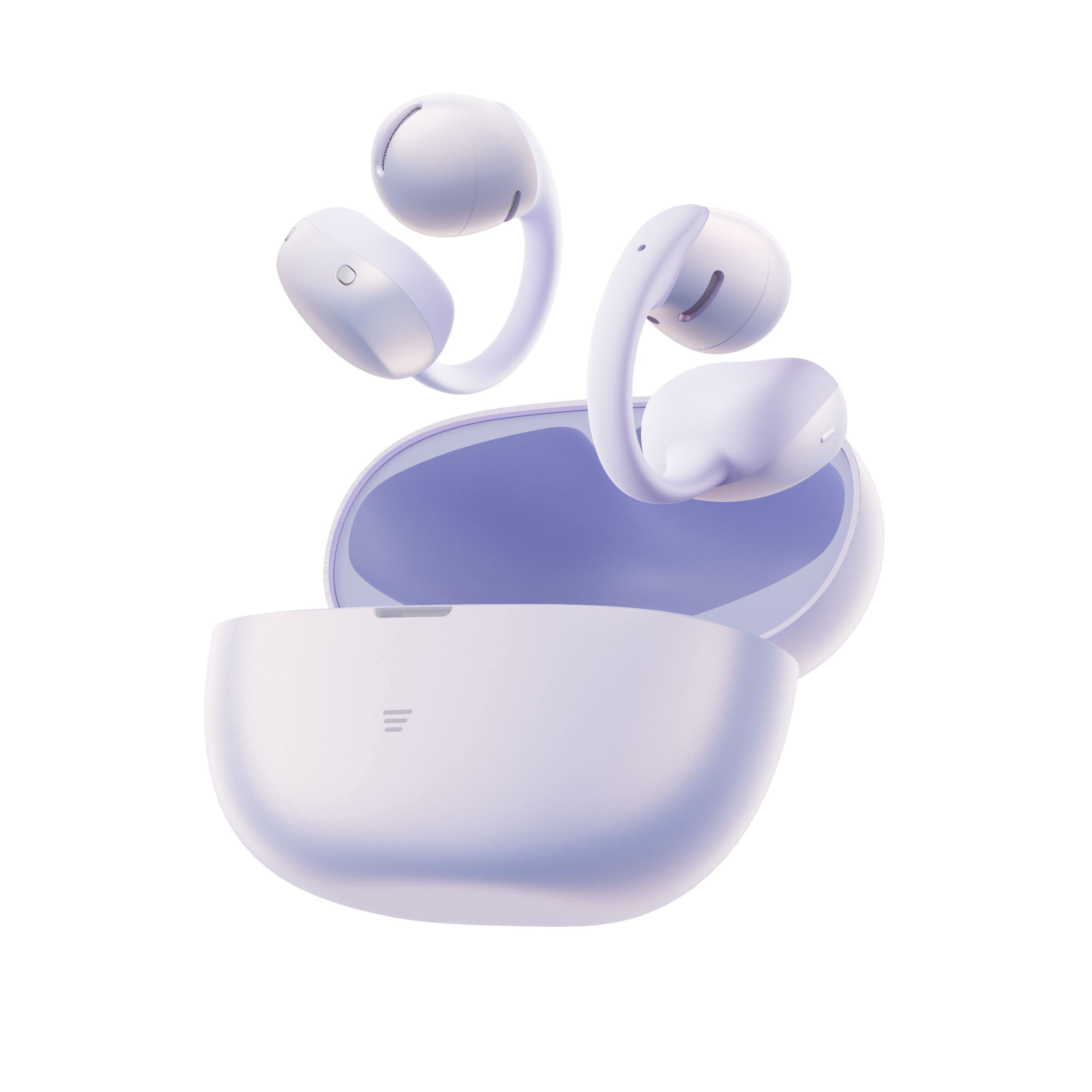
Hi there- Shokz here! We're very sorry to hear this has been your experience. The OpenDots Air by Shokz relies entirely on its charging case to trigger pairing mode. Because they auto-paired to your first phone right out of the box, they won't automatically do it again unless forced. If they are refusing to flash orange and green, a simple factory reset will clear the internal memory and force them back into setup mode. Step 1: Perform a Factory Reset 1. Turn off Bluetooth completely on your first phone so it stops interacting with the earbuds. 2. Put both earbuds back inside the charging case. 3. Leave the charging case lid wide open. 4. Locate the function button on the case (it has a three-line icon on the front or back depending on production batch). 5. Press and hold this button down continuously for 15 to 20 seconds. 6. Do not let go until you see the internal indicator light flash orange three times (or blink rapidly) and then stop. Step 2: Re-enter Pairing Mode Once the reset is finished, close the lid, wait 5 seconds, and open it again. 1. Leave the earbuds in the open case. 2. Press and hold the function button for just 3 to 5 seconds. 3. The light should now start alternating orange and green. This means they are actively searching for a device. 4. Immediately open the Bluetooth settings on your new device and select OpenDots Air by Shokz Please reach out to our Customer Happiness Team if you'd like further assistance. Thank you!

Oct 6, 2026
Reviewer name: patron since 1997
1 out of 5 stars
1 out of 5 stars review

Verified Purchase

Returning

Returning

Helpful?56426E1PLFE120294252484