
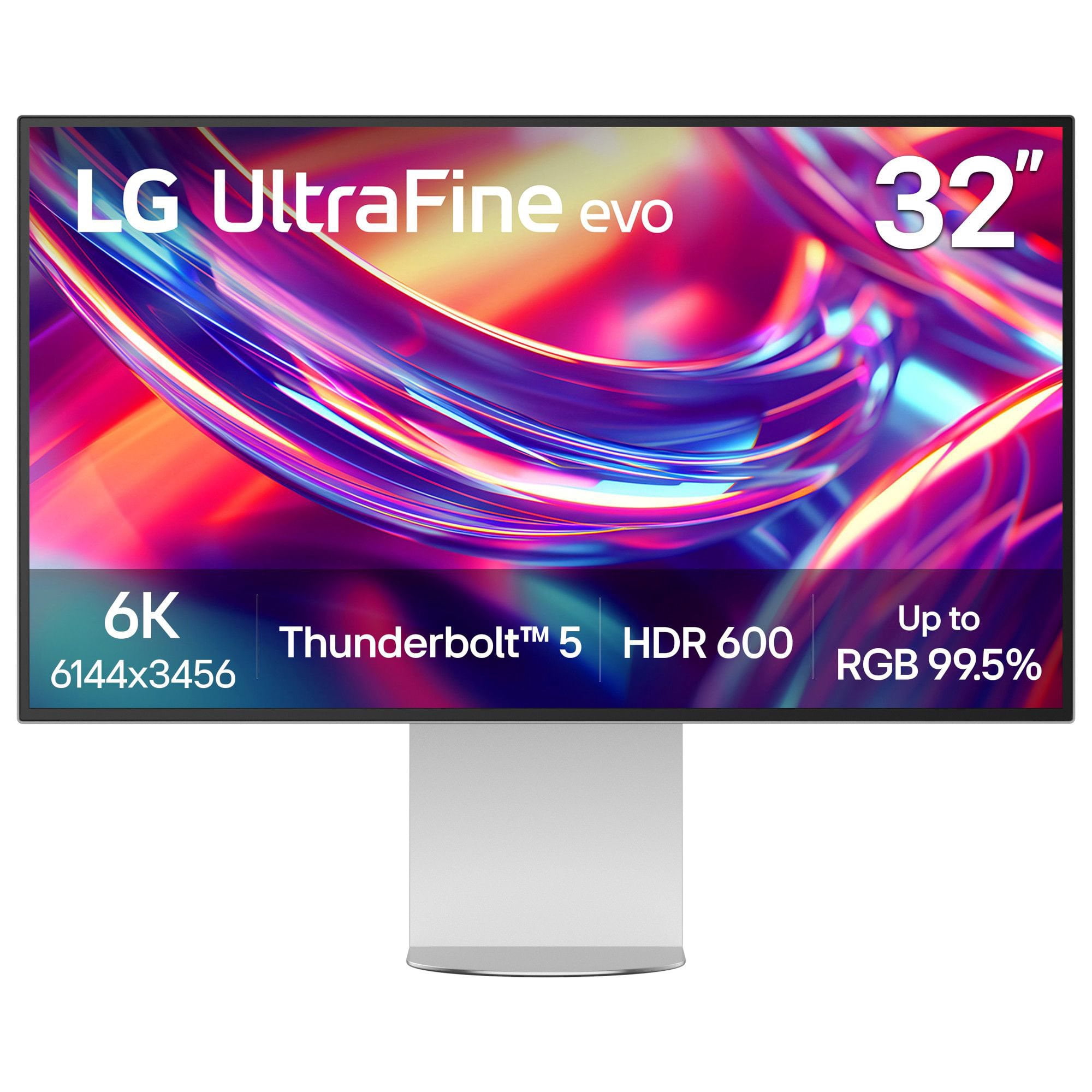
 Customer reviews for LG 32" UltraFine™evo 6K Nano IPS Black Monitor with Thunderbolt™ 5 for
Member photos
 +12 images
Verified Purchase
Great High End Monitor
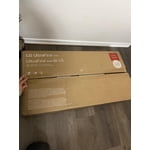
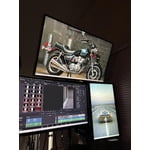
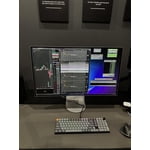
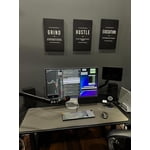
Great packaging, I purchased two monitors for my desk setup. They definitely fill up a lot of desk space, so a large desk is required. The text quality is unmatched for a high end office setup. Super easy TB5 cable connections make setup a breeze with my Caldigit Docking station. I can switch between Mac and PC extremely easy.
Hello, Joel! Thank you so much for the fantastic review! We are thrilled to hear that your two 32U990A-S monitors are hitting the mark for your desk setup. It is great to know that the packaging met your expectations and that the text quality is delivering that crisp, high-end office performance you were looking for. We also love hearing that the TB5 cable connections and seamless Mac/PC switching are making your workflow with the Caldigit dock smooth and effortless. As you noted, these large screens definitely command some real estate, so we are glad your desk space is up to the task! If you ever need any assistance or have questions down the road, please don't hesitate to reach out to our LG Support Team, we are always here for you. We truly appreciate your support and hope your amazing setup continues to make your workday a breeze. Have a wonderful day! Life's Good! https://www.lg.com/ca_en/support/contact-us/
Verified Purchase
Brilliant screen
[This review was collected as part of a promotion.] Works very well with a Mac mini, 6K resolution gives loads of screen space, have to adjust fonts to make it usable. The speakers not so good; I have an external amp and wall mount speakers to compete with. The usb hub in the back is excellent and has improved desk clutter from my old dual 4k screen setup. Power save works very well.
Verified Purchase
Excellent product
[This review was collected as part of a promotion.] Excellent process, price and product- well done. Extra space on monitor is very valuable
Verified Purchase
Gorgeous displays
[This review was collected as part of a promotion.] The display panel is beautiful. It's also easy to setup because there's not a huge amount of terrible smart software. This is just a monitor, and it's better for it. The only downside is they are very power hungry and warm - I have 2 of these and can feel the heat off the panels!
Verified Purchase
Expensive and Nearly Works...
[This review was collected as part of a promotion.] It's a really nice monitor and complements my MacBook Pro well (I just hope it will be as good with a Mac mini in due course). Downsides are that the auto-brightness setting is too dim. Likewise the M control function has only just started working. The main issue is the price and lack of 120MHz refresh rate.
Verified Purchase
Nice monitor shame about the updates
[This review was collected as part of a promotion.] Lovely picture for writing on a Mac. The speakers aren't great and to update the firmware seems impossible. It can't do it through Thunderbolt and demands you use a USB a to c cable. Who has USB A these days? And anyway it doesn't work.
Verified Purchase
Uneven panel after a week of regular use
[This review was collected as part of a promotion.] The monitor looks almost great. It was bought to replace a 32” 4K Ergo that is moving to another desk. However, the panel has what is starting to appear like backlight banding. On solid back grounds (like documents that I am reading and writing) there is vertical banding. I had hoped this unevenness was a side effect of the manufacturing process (the Ergo had unevenness as well that disappeared in the first week or so) but it hasn't begun to change. I'll give it this second week of continual use to see if there is any change, but otherwise it will be headed back to LG.
We’re sorry to hear that you’re experiencing vertical banding on your LG 32U990A-S, particularly when viewing solid backgrounds. We understand how noticeable and distracting this can be when using the monitor for documents and everyday work. The unevenness you’ve described is not something we would expect from the display, and we’d like to help. Rather than waiting to see if the issue changes over time, we’d recommend contacting our UK support team on 0344 847 5454 so they can discuss the issue with you and advise on the next steps. We appreciate you taking the time to share your detailed feedback and hope we can help resolve this for you.
Did Not Meet Expectations
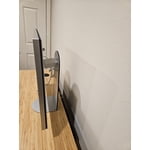
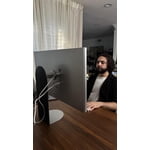
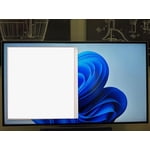
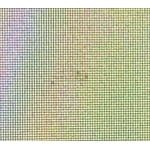
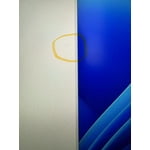
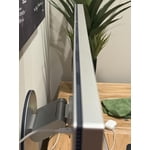
In summary, this monitor's 6K resolution is nice, but it suffers from poor build quality. The back of the case is wavy/warped an indication of poor workmanship. The stand is not very stable and shakes quite easily AND is especially problematic when adjusting the monitor height. Again, the stand is just another shortcut taken on what could be a great monitor. As for the actual panel, it is not very bright. The matte finish makes this even worse as it not only doesn't stop glare, it's impossible to make out what's on the screen when you do have glare. On top of that, mine had a cluster of about 7-8 dead/deformed pixels near the center of the screen.
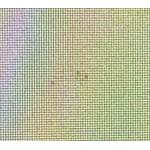
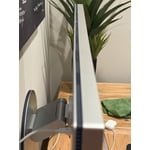
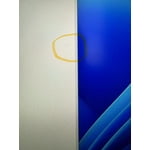
Hi. Thank you for sharing your experience with your LG Monitor. The details you provided about the case finish, stand stability, panel brightness, glare, and the cluster of dead pixels help us understand what you’ve encountered with your specific unit, and we’d like to review this further for you. To allow us to properly investigate the details of your specific product model and to see how we can assist with your display‑quality issue being encountered, please send us an email at lgdigitalcare@lg.sprinklrsupport.com if you need further assistance. You can also refer to these helpful links for reference on the specific issues you're encountering: https://www.lg.com/us/support/help-library/lg-monitor-troubleshooting-the-monitor-screen--20153192527480 & https://www.lg.com/us/support/help-library/lg-tv-troubleshooting-pixel-outage-or-colored-dots-on-screen--20150933240306 ^James
Not as expected
In summary, this monitor's 6K resolution is nice, but it suffers from poor build quality. The back of the case is wavy/warped an indication of poor workmanship. The stand is not very stable and shakes quite easily AND is especially problematic when adjusting the monitor height. Again, the stand is just another shortcut taken on what could be a great monitor. As for the actual panel, it is not very bright. The matte finish makes this even worse as it not only doesn't stop glare, it's impossible to make out what's on the screen when you do have glare. On top of that, mine had a cluster of about 7-8 dead/deformed pixels near the center of the screen.
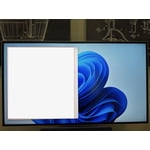
Hi. Thank you for sharing your experience with your LG Monitor. We appreciate the clear and detailed feedback about the 6K panel, the build quality concerns, the stability of the stand, the matte finish performance, and the cluster of dead or deformed pixels you found near the center of the screen. Your comments help us understand what you’ve encountered with your specific LG unit, and we want to take a closer look at this for you. To allow us to properly investigate the details of your specific product model and to see how we can assist with the issues you’re experiencing, please send us an email at lgdigitalcare@lg.sprinklrsupport.com if you need further assistance. You can also refer to this helpful link for LG monitor support: https://www.lg.com/us/support/help-library/lg-tv-troubleshooting-pixel-outage-or-colored-dots-on-screen--20150933240306 ^James
Had potential but ultimately fell very, very short
I really wanted to like this product. I had my previous LG 32BL95U for 6 years and wanted an upgrade. I came back to LG after my good experience with the previous monitor. The 32U99A-S boats good connectivity options, has a good menu system with lots of options, and an exceptional 6k resolution. It has great color accuracy. BUT, the resolution, the color accuracy, etc., are all completely negated by the horrendous coating LG chose to use on this display. The display looked grainy and things never seemed to look good no matter the lighting or adjustments I made with both the monitor's settings and the settings with both my Macbook Pro and my PC. After doing some research, this has been the case for many people.For me, the choice of coating turned this monitor into a complete dud. The brightness level is also unacceptable for a monitor like this, it is nowhere near bright enough. What is the point of having good color accuracy and clear text if you can't see anything because of how dark this monitor is? There also needs to be a glossy option if you want this monitor to really mesh well with Mac users and the whole experience. I really just feel like LG completely missed the market here for this display. This would have been a huge success had they executed better. Some additional notes: The power brick is massive but the larger problem is the cord that goes from the power brick and plugs into the back of the monitor. The cord is too short. This is the only monitor I've ever used where I had to lay the power brick on my desk behind the monitor because the power cord wasn't long enough to reach the outlet on the floor from my desk. People who look for premium products pay attention to the details; they don't want massive power bricks that can't be hidden, dull display coatings, low-brightness, bad speakers, etc. If you're going to charge a premium price you better make sure you have a premium product that aligns and people will consider to be worth it. That just wasn't the case here.
Hello there, thank you for taking the time to share your feedback with us. We understand how important it is to have clear visuals, ideal brightness, and a seamless setup for your workspace, and we recognize your experience with the LG Monitor model 32U990A-S. This monitor is designed to deliver incredible detail with its 6K Nano IPS Black display and powerful Thunderbolt 5 connectivity. To help optimize display performance and image clarity, please try these care steps: ⦁ Adjust the screen brightness and contrast settings using the OSD menu control joystick or via the LG Switch app. ⦁ Open Studio Mode presets or calibrate the color and brightness settings to best match your ambient room lighting. ⦁ Ensure the display cable is securely connected via Thunderbolt™ 5, DisplayPort 2.1, or HDMI to verify proper resolution output. ⦁ Check that your connected device's graphics driver and operating system display profiles are set to the native 6K resolution. You can check the manual link for more helpful guidance: https://www.lg.com/us/support/product/lg-32U990A-S.AUS?tab=1 If you need further assistance, feel free to email lgdigitalcare@lg.sprinklrsupport.com. -Rich