Skip to Main Content
Sam's Club
Sam's Club
All Departments
All Services
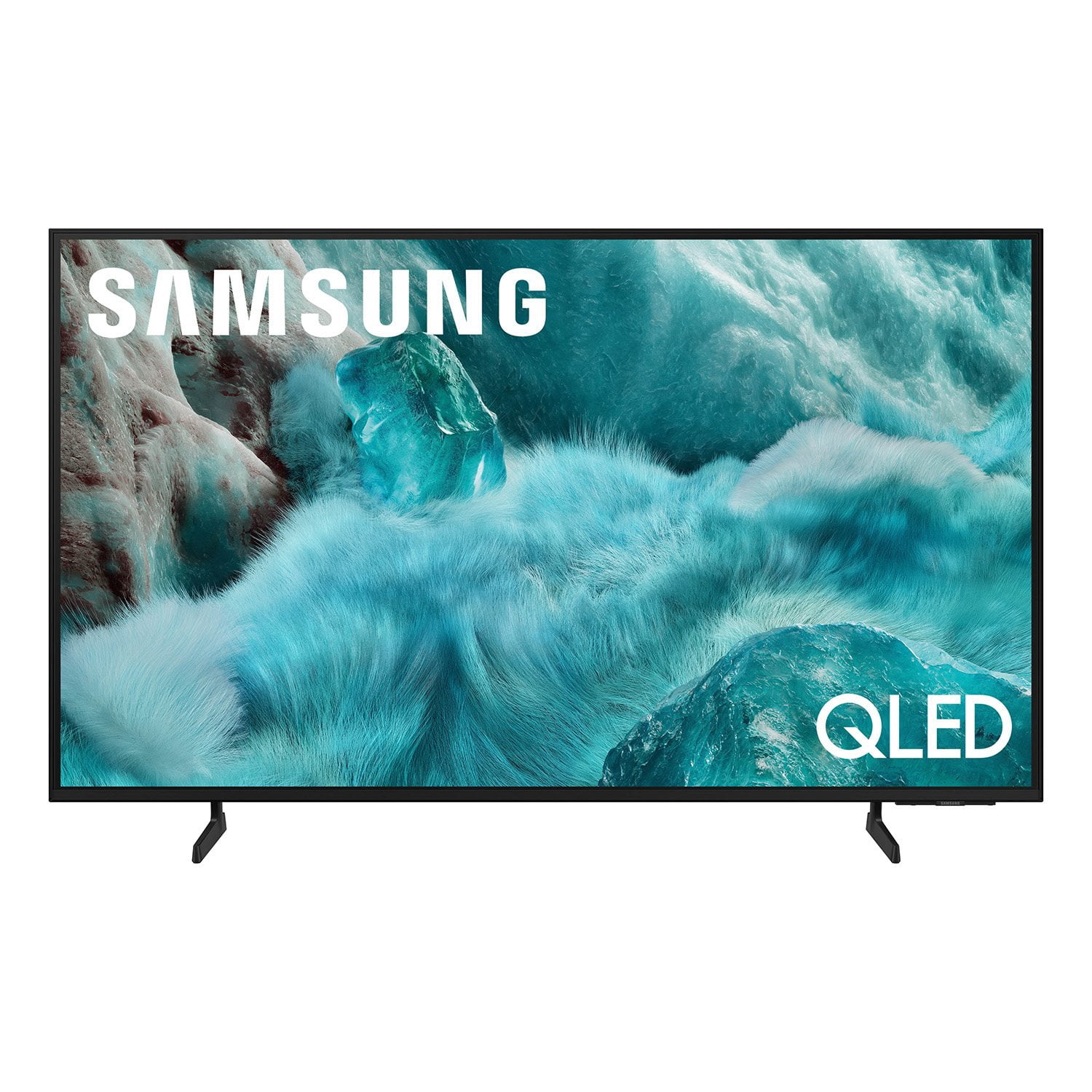
Customer reviews for SAMSUNG 98” Class Q7FD Series QLED 4K UHD Vision AI Smart Tizen TV for
SAMSUNG 98” Class Q7FD Series QLED 4K UHD Vision AI Smart Tizen TV
4.7 out of 5 stars
stars
3,337 ratings3,337 reviews
  1. 5 stars78% (2,600)
  2. 4 stars15% (488)
  3. 3 stars4% (141)
  4. 2 stars1% (43)
  5. 1 star2% (65)
Sort by |
Showing 1,221-1,230 of 3,337 reviews
Jun 22, 2026
Reviewer name: Shahin
5 out of 5 stars
5 out of 5 stars review

Great Quality

[This review was collected as part of a promotion.] The best TV ever I bought. The resolution is really high. Premium quality of sounds. It fits with our home really mive.

Review from Samsung US
Helpful?1Y0A5D9ENOZG20182819134
May 2, 2026
Reviewer name: Samsnglvr
5 out of 5 stars
5 out of 5 stars review

No Regrets!!

[This review was collected as part of a promotion.] Great resolution, picture, color is vibrant! Has user friendly design, features and interface! Teen daughter loves using it in her room!

Review from Samsung US
Helpful?1Y0A5D9ENOZG20182819134
Jun 5, 2026
Reviewer name: Nanc
4 out of 5 stars
4 out of 5 stars review

Controller

[This review was collected as part of a promotion.] The controller is ridiculously small. It's slippery and like a toy. Please let me know when a bigger one is available. Hard to see and easy to lose!

Review from Samsung US
Helpful?1Y0A5D9ENOZG20182819134
May 27, 2026
Reviewer name: Vonnie
5 out of 5 stars
5 out of 5 stars review

Love!

[This review was collected as part of a promotion.] Great picture. Clear no distortion. Easy setup. Colors are vibrant. Resolution is clear. Picture is bright. Contrast is clear. Interface is great.

Review from Samsung US
Helpful?1Y0A5D9ENOZG20182819134
May 11, 2026
Reviewer name: Timothy
5 out of 5 stars
5 out of 5 stars review

Amazing product

[This review was collected as part of a promotion.] The brightness and color quality leaves the resolution top notch and security is making me feel well with overall contrast sublime

Review from Samsung US
Helpful?1Y0A5D9ENOZG20182819134
Jun 11, 2026
Reviewer name: Love Samsung Faithfull
5 out of 5 stars
5 out of 5 stars review

Great qual/ity!@@

[This review was collected as part of a promotion.] Samsung products are amazing, excellent and divine tech that keeps improving overtime to bring us joy in these modern times

Review from Samsung US
Helpful?1Y0A5D9ENOZG20182819134
Jun 18, 2026
Reviewer name: Robert
5 out of 5 stars
5 out of 5 stars review

Television

[This review was collected as part of a promotion.] Samsung TVs are generally considered some of the best mainstream televisions on the market. They are known for bright, colorful displays, sleek designs, and excellent gaming features

Review from Samsung US
Helpful?1Y0A5D9ENOZG20182819134
Jun 1, 2026
Reviewer name: Beccol20
5 out of 5 stars
5 out of 5 stars review

Great picture and features

[This review was collected as part of a promotion.] Samsung continues to deliver with enhanced features and quality resolution, vibrancy, brightness, contrast and processing.

Review from Samsung US
Helpful?1Y0A5D9ENOZG20182819134
Jun 6, 2026
Reviewer name: TVman
1 out of 5 stars
1 out of 5 stars review

DISAPPOINTED!!!

[This review was collected as part of a promotion.] The picture is a big disappointment. And programming it is confusing. I will be returning it. I don't know if I'll be buying another Samsung TV again. Don't buy this tv. It's not worth it.

Review from Samsung US
Helpful?1Y0A5D9ENOZG20182819134
reply from Samsung Advisor

Hi TVman, We appreciate your feedback on the picture quality of Samsung’s Q7F TV. If the image doesn’t quite match your preferences, there are several adjustments you can make to better suit your viewing environment and content type. First, please ensure your TV is running the latest firmware, as updates may include important picture quality enhancements. Go to: Home > Left directional button > Settings > Support > Software Update > Update Now To explore picture mode options, navigate to: Home > Left directional button > Settings > All Settings > Picture > Picture Mode. Options include: • Standard – Ideal for general viewing • Dynamic – Brighter and more vibrant for well-lit spaces • Eco – Optimized for energy efficiency • Movie – Best for viewing in low light • Filmmaker Mode – Preserves the content creator’s intent and disables motion smoothing for supported content You can further customize your image by going to: Settings > All Settings > Picture > Expert Settings, where you can adjust Brightness, Contrast, Color Tone, Sharpness, Contrast Enhancer and more. If you’d like help finding the best picture settings for your preferences, please don’t hesitate to contact Samsung Support at 1-800-SAMSUNG (8AM – 9PM EST Mon – Fri, 8AM – 6PM Sat – Sun). You can also LiveChat with an agent or explore additional resources on our website by clicking the ‘Support’ link. ~ Samsung Advisor

Jun 20, 2026
Reviewer name: lynn
3 out of 5 stars
3 out of 5 stars review

sweet and sour

[This review was collected as part of a promotion.] TV has good picture. Clarity and sound could be better. The remote stopped working and refused to take a charge very soon

Review from Samsung US
Helpful?1Y0A5D9ENOZG20182819134
reply from Samsung Specialist

We appreciate you taking the time to let us know about your experience. So that we can better troubleshoot this issue and provide steps towards a solution, please contact Samsung Support at 1-800-SAMSUNG (8AM – 9PM EST Mon – Fri, 8AM – 6PM Sat – Sun), or visit our website for LiveChat. ~ Samsung Specialist