Skip to Main Content
Sam's Club
Sam's Club
All Departments
All Services
Customer reviews for Epson EcoTank ET-2418 Wireless All-in-One Color Supertank Printer for
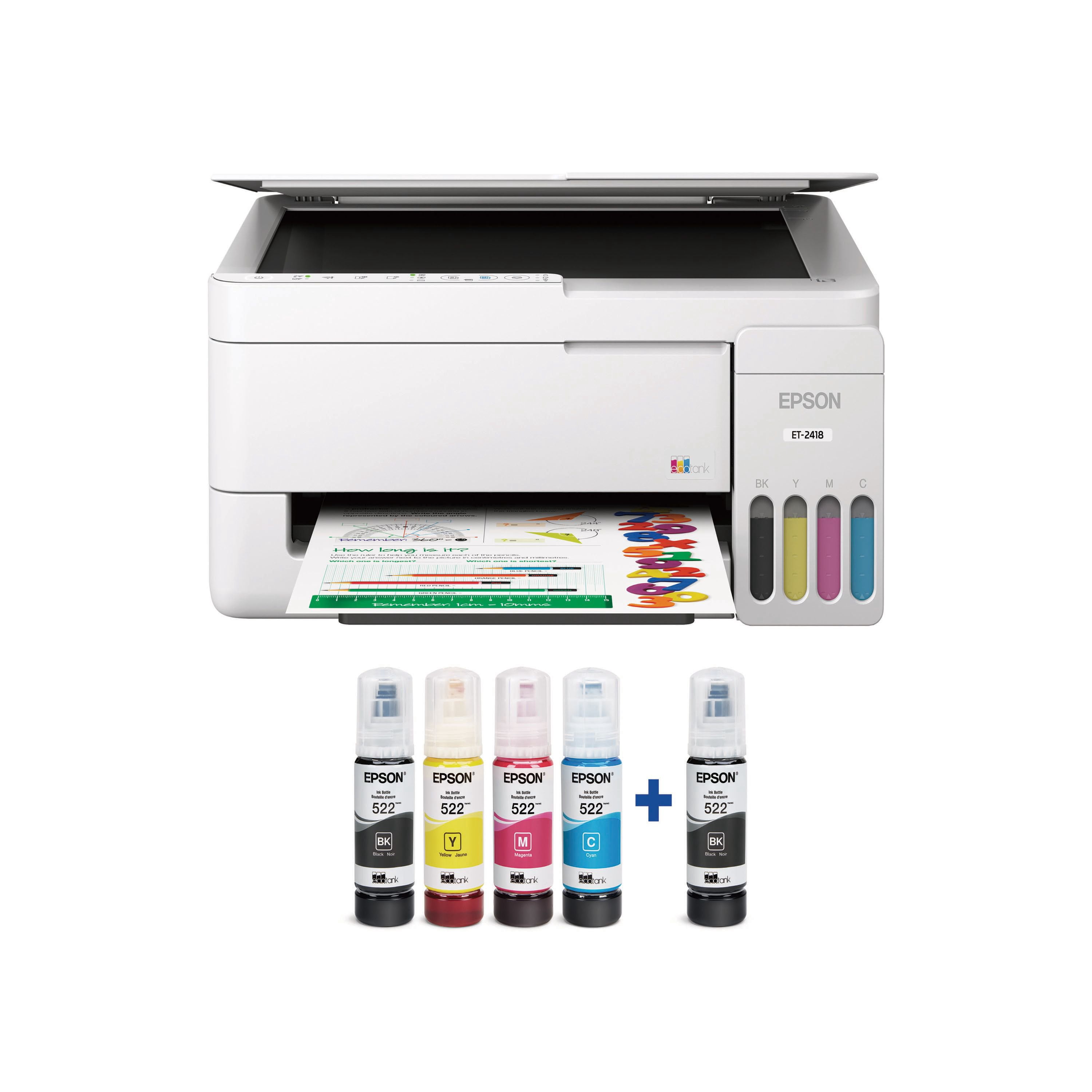
Epson EcoTank ET-2418 Wireless All-in-One Color Supertank Printer
3.6 out of 5 stars
stars
35 ratings24 reviews
  1. 5 stars51% (18)
  2. 4 stars11% (4)
  3. 3 stars6% (2)
  4. 2 stars6% (2)
  5. 1 star26% (9)
Sort by |
Showing 1-10 of 24 reviews
Aug 7, 2026
Reviewer name: Stephanie
5 out of 5 stars
5 out of 5 stars review

Verified Purchase

Life changing

Wish I would have bought this sooner

Helpful?5CPSJLU4WP1V20176368820
Oct 13, 2026
Reviewer name: VanessaR
5 out of 5 stars
5 out of 5 stars review

Vibrant colors!

[This review was collected as part of a promotion.] This is probably the best wireless all in one color printers that I’ve ever had and used. It’s so easy to use! The colors come out so vibrant! It’s really easy to use to print and copy papers and images. I’m absolutely blown away by the quality of this printer! I definitely recommend this!!

Review from epson.com
Helpful?5CPSJLU4WP1V20176368820
Aug 31, 2026
Reviewer name: AlexisE
5 out of 5 stars
5 out of 5 stars review

Workhorse of my wedding!!!

[This review was collected as part of a promotion.] As a 2026 bride, this was a lifesaver. I DIY matchbooks my invitations and many other things!! It’s very lightweight and has been durable throughout all of my crafting projects throughout the wedding season. It’s been super reliable too and the ink dries very quickly so there’s no wait time. The ink has such vibrant colors and I appreciate that it is an inkjet. And I can see when the ink is visibly getting low versus trusting a cartridge, which was very nice. It was also nice to scan and any images! Would definitely recommend this printer it is definitely a tank! 

Review from epson.com
Helpful?5CPSJLU4WP1V20176368820
Aug 25, 2026
Reviewer name: JayP
5 out of 5 stars
5 out of 5 stars review

Great printer with easy to refill ink! I trashed my cartridge printer 😂

[This review was collected as part of a promotion.] Soon as I opened the printer, it was fairly easy to setup and fill up the ink tank. It took about 15-20 to setup but then it was pretty smooth and fast in terms of printing. The compact design allows the printer to fits anywhere but since the paper needs to be fed from the top, you will need to ensure you place it where there are no obstruction above it. The print quality is up to the par and it does not consume more ink. Since this model doesn’t come with a display, it takes some time for you to learn all the buttons but once you do is pretty straightforward. With Windows laptop you do not need to install any additional Driver. You can simply add a printer from the setting to copy and scan .

Review from epson.com
Helpful?5CPSJLU4WP1V20176368820
Aug 4, 2026
Reviewer name: AnneG
4 out of 5 stars
4 out of 5 stars review

Pretty good with room for improvement

[This review was collected as part of a promotion.] Setup was a bit intimidating because the ink is in small bottles instead of the cartridges I’m accustomed to. Also, you have to download the Epson app in order to print properly from your phone. Once the printer is set up, though, the functionality is pretty good! I didn’t have trouble printing or scanning. Printing wirelessly was great, since my old printer needed to be physically connected to my computer. The app itself could be improved. The interface feels dated, and I get a lot of pop-up alerts each time I use it.

Review from epson.com
Helpful?5CPSJLU4WP1V20176368820
Aug 10, 2026
Reviewer name: AlexandraO
4 out of 5 stars
4 out of 5 stars review

Compact

[This review was collected as part of a promotion.] I love that it’s compact and the setup was fairly straightforward except for the loading paper issue I had where it wasn’t grabbing the paper and I kept getting an error. But besides that I like the fact that you can just refill the ink and it comes with a good amount of ink and an extra black ink which is great! I love that I can easily print from my phone as well.

Review from epson.com
Helpful?5CPSJLU4WP1V20176368820
Aug 4, 2026
Reviewer name: anonymous
2 out of 5 stars
2 out of 5 stars review

Won’t print color after short time

I had no issues with connectivity; immediately connected. I use it with my computer and my phone. That part wasn’t an issue. The problem is, that it did not take very long before I started having trouble with the print, particularly the colors. There’s lots of ink left. that’s not the issue. I ran it through every test and cleaning process and wasted a huge amount of paper doing tests … The magenta won’t work, then the blue won’t work… I can’t get a color print. Printing in black-and-white finally started working again after multiple cleaning and test cycles. I still can’t get anything color to work and I’m not wasting a ream of paper trying. I already wasted a great deal of . It’s a great concept, well worth the money if it actually printed. The flower print shows what happens when it’s printed. The picture that was printed is also attached.

Helpful?5CPSJLU4WP1V20176368820
Oct 25, 2026
Reviewer name: Tami
1 out of 5 stars
1 out of 5 stars review

Verified Purchase

Terrible printer

The printer had issues connecting to WiFi. Edson help desk had issues. Finally connected and printed then disconnected. Wouldn’t connect other people tried it wouldn’t work. Took it back on a HP and had no issues.

Helpful?5CPSJLU4WP1V20176368820
Aug 15, 2026
Reviewer name: Anonymous
1 out of 5 stars
1 out of 5 stars review

Verified Purchase

Epson printer:

Worst experience we have ever had with a product. Impossible to connect printer to computer.

Helpful?5CPSJLU4WP1V20176368820
Sep 8, 2026
Reviewer name: Leomoon
1 out of 5 stars
1 out of 5 stars review

Verified Purchase

Junk

Not worth the money

Helpful?5CPSJLU4WP1V20176368820