Skip to Main Content
Sam's Club
Sam's Club
All Departments
All Services
Customer reviews for SAMSUNG 75” Class M70H Series Mini LED 4K UHD Vision AI Companion Smart Tizen TV for
SAMSUNG 75” Class M70H Series Mini LED 4K UHD Vision AI Companion Smart Tizen TV
4.5 out of 5 stars
stars
324 ratings314 reviews
  1. 5 stars70% (227)
  2. 4 stars15% (50)
  3. 3 stars7% (23)
  4. 2 stars5% (17)
  5. 1 star2% (7)

Member photos

  • +81 images
Sort by |
Showing 251-260 of 314 reviews
Jul 27, 2026
Reviewer name: Anonymous
5 out of 5 stars
5 out of 5 stars review

Love this TV!!
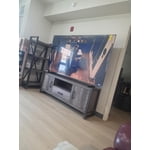
[This review was collected as part of a promotion.] Best tv I've ever owned!! Highly recommend!! The picture is amazing and the color is superb.

Review from Samsung US
Helpful?5O410ST4GD5019920056303
Aug 5, 2026
Reviewer name: Jennifer
4 out of 5 stars
4 out of 5 stars review

Easy to use!

[This review was collected as part of a promotion.] Love the brightness and very easy to use! Has access to lots of apps and channels.

Review from Samsung US
Helpful?5O410ST4GD5019920056303
Jul 5, 2026
Reviewer name: Jafh
5 out of 5 stars
5 out of 5 stars review

Great features!
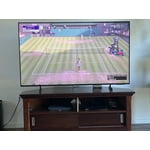
[This review was collected as part of a promotion.] Color and brightness are beautiful! I recommend this gizmo!

Review from Samsung US
Helpful?5O410ST4GD5019920056303
Jun 20, 2026
Reviewer name: Dogs
5 out of 5 stars
5 out of 5 stars review

Great overall Tv

[This review was collected as part of a promotion.] Great product, picture is so clear, brightness and the colors are excellent.

Review from Samsung US
Helpful?5O410ST4GD5019920056303
Jul 5, 2026
Reviewer name: Kevin
4 out of 5 stars
4 out of 5 stars review

Picture Quality
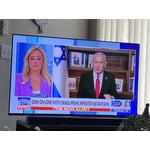
[This review was collected as part of a promotion.] The quality of the picture does not appear to be as good as I observed in the store.

Review from Samsung US
Helpful?5O410ST4GD5019920056303
Jul 6, 2026
Reviewer name: Nickname
4 out of 5 stars
4 out of 5 stars review

Need to be better designed for older users

[This review was collected as part of a promotion.] Not easy to set up. Not easy to use for senior citizens. Hard to find things and set up to use.

Review from Samsung US
Helpful?5O410ST4GD5019920056303
Aug 6, 2026
Reviewer name: Eschermom
3 out of 5 stars
3 out of 5 stars review

Just OK

[This review was collected as part of a promotion.] I had hoped for a brighter picture. Considered returning it, but too much trouble

Review from Samsung US
Helpful?5O410ST4GD5019920056303
reply from Samsung Advisor

Hi Eschermom, We’re sorry to hear you’re not fully satisfied with the picture quality on your Samsung M70HD TV. If the image appears too dark, we suggest disabling certain energy-saving features, which can automatically adjust brightness and affect how the screen looks. Go to: Settings > All Settings > General & Privacy > Power and Energy Saving, then turn off Brightness Optimization, Energy Saving Solution, Motion Lighting, and/or Contrast Enhancer. You can also adjust the Picture Mode to better suit your environment: Settings > All Settings > Picture > Picture Mode • Standard – Default mode for general viewing • Dynamic – Brighter and clearer, ideal for well-lit rooms • Movie – Best for dark room viewing • Eco – Energy-saving mode • Filmmaker Mode – Preserves content as intended by creators To fine-tune brightness, go to: Home > left directional key > Settings > All Settings > Picture > Expert Settings, then adjust the Brightness level (0–50) to your preference. Lastly, please make sure your TV is running the latest firmware: Home > Home > left directional key > Settings > Support > Software Update > Update Now We hope these tips help improve your viewing experience. If you need further support, feel free to contact us at 1-800-SAMSUNG (8AM – 9PM EST Mon – Fri, 8AM – 6PM Sat – Sun). LiveChat is also available via the ‘Support’ link on our website. ~ Samsung Advisor

Jul 27, 2026
Reviewer name: Jammichael25
5 out of 5 stars
5 out of 5 stars review

Awesome quality and great dark colors

[This review was collected as part of a promotion.] Great product, everything that I wanted on a TV. Love the dark colors on the TV.

Review from Samsung US
Helpful?5O410ST4GD5019920056303
Aug 5, 2026
Reviewer name: Todd H
2 out of 5 stars
2 out of 5 stars review

color quality

[This review was collected as part of a promotion.] Very poor picture color quality with reds and greens.

Review from Samsung US
Helpful?5O410ST4GD5019920056303
reply from Samsung Advisor

Hi Todd H, We appreciate your feedback on the picture quality of Samsung’s M70HD TV. If the image doesn’t quite match your preferences, there are several adjustments you can make to better suit your viewing environment and content type. First, please ensure your TV is running the latest firmware, as updates may include important picture quality enhancements. Go to: Home > Left directional button > Settings > Support > Software Update > Update Now To explore picture mode options, navigate to: Home > Left directional button > Settings > All Settings > Picture > Picture Mode. Options include: • Standard – Ideal for general viewing • Dynamic – Brighter and more vibrant for well-lit spaces • Eco – Optimized for energy efficiency • Movie – Best for viewing in low light • Filmmaker Mode – Preserves the content creator’s intent and disables motion smoothing for supported content You can further customize your image by going to: Settings > All Settings > Picture > Expert Settings, where you can adjust Brightness, Contrast, Color Tone, Sharpness, Contrast Enhancer and more. If you’d like help finding the best picture settings for your preferences, please don’t hesitate to contact Samsung Support at 1-800-SAMSUNG (8AM – 9PM EST Mon – Fri, 8AM – 6PM Sat – Sun). You can also LiveChat with an agent or explore additional resources on our website by clicking the ‘Support’ link. ~ Samsung Advisor

Jun 13, 2026
Reviewer name: Brandy
5 out of 5 stars
5 out of 5 stars review

Great product

[This review was collected as part of a promotion.] Best product Great quality Great price Great picture

Review from Samsung US
Helpful?5O410ST4GD5019920056303