Join Now
Skip to Main Content
Sam's Club
Sam's Club
All Departments
All Services
Customer reviews for HP OmniDesk Desktop PC | Intel Core i7‑14700 Processor | 16GB RAM | 1TB SSD | Windows 11 Home for
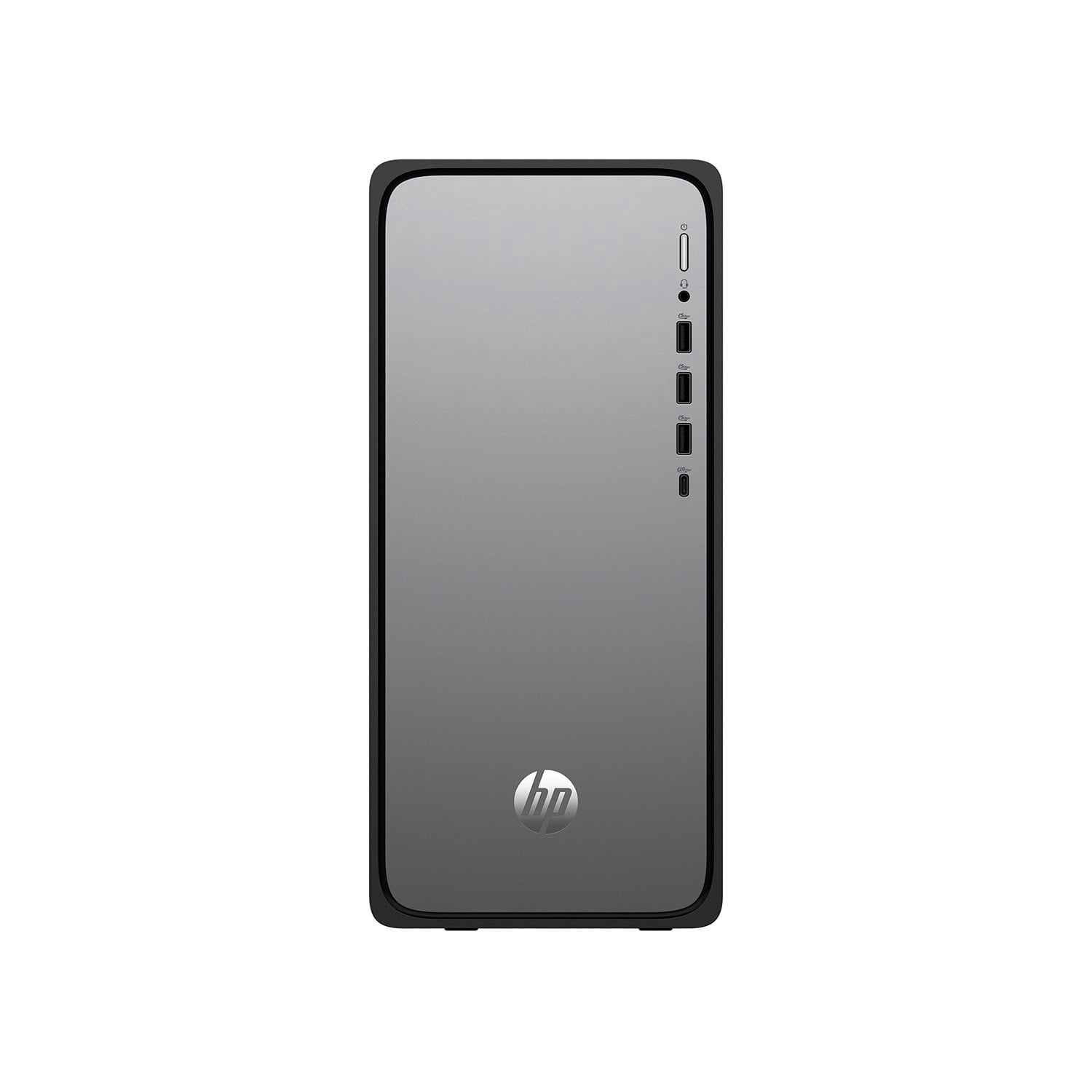
HP OmniDesk Desktop PC | Intel Core i7‑14700 Processor | 16GB RAM | 1TB SSD | Windows 11 Home
4.3 out of 5 stars
stars
368 ratings176 reviews
  1. 5 stars65% (241)
  2. 4 stars17% (63)
  3. 3 stars8% (29)
  4. 2 stars3% (12)
  5. 1 star6% (23)

Member photos

Sort by |
Showing 21-30 of 176 reviews
Sep 5, 2026
Reviewer name: Ed
5 out of 5 stars
5 out of 5 stars review

Verified Purchase

Excellent choice for desktop computer

I was upgrading from 11 year old Windows 10 desktop. What an improvement. This one starts fast, works smoothly, updates easily. Seamless integration with MS Office and other apps. I had used HP laptops at work and so felt confident this would be a good product.

Review from hp.com
Helpful?6S86C2SPT9CO19907271642
Aug 14, 2026
Reviewer name: LM - Los Angeles
4 out of 5 stars
4 out of 5 stars review

Verified Purchase

Standard Desktop - faster than previous HP, wish it had more storage

I purchased this new computer after my old HP desktop (purchased in 2021) slowed down and stopped functioning properly. The old computer still had plenty of storage space (only used 261 MB of 1 TB), but most likely slowed down because of the lack of RAM. This happened even when only running 1-2 programs at the same time. Thus far the HP Omni Desktop is working fine and is fast, but I wish it had more storage. Hopefully I'll get 5 years out of it. I removed (uninstalled) the HP AI Companion which I found annoying, as well as the 30-day free trial of McAfee since I already have virus detection software.

Review from hp.com
Helpful?6S86C2SPT9CO19907271642
Aug 15, 2026
Reviewer name: raisin
4 out of 5 stars
4 out of 5 stars review

Verified Purchase

A Solid Performer

I went from an HP Pavilion all in one with 118 gb's of storage to this desktop with 2 tb's of storage with a far better processor and RAM largely because I was always having to delete files etc. to clear up space. This more than solves that problem. However I also use Adobe Elements editing tools for my photo files and with the HP Pavilion it would often freeze up. Sadly even with all this extra upgrade in the AI M03-0049 I still have the freezing problem from time to time. Haven't been able to pinpoint just where the glitch is ie. is it the HP working with Adobe and some incompatibility or just Adobe? Otherwise I really have no complaints. There have been minor issues like my caps lock light refusing to go out on my keyboard but that somehow resolved itself independent of all the fixes suggested to me using Google Gemini. I set everything up myself for the first time thanks to AI being there to assist but really this unit is pretty simple to operate. I like the quantity of ports that are on the back and front. It's not overly heavy or big either. All in all I'm happy with this purchase so far. I've really only had it for about a month now but I feel it is a trustworthy piece of equipment.

Review from hp.com
Helpful?6S86C2SPT9CO19907271642
May 6, 2026
Reviewer name: L Mack
5 out of 5 stars
5 out of 5 stars review

Verified Purchase

Great Machine

Great desktop machine. Lots of ports to charge other devices. Clean lines, lots of space. Setup was easy.

Review from hp.com
Helpful?6S86C2SPT9CO19907271642
Sep 3, 2026
Reviewer name: Jean
1 out of 5 stars
1 out of 5 stars review

Verified Purchase

It doesn't work. Windows orignally never loaded correctly.

I haven't been able to use it. It needs the entire windows program reloaded.

Review from hp.com
Helpful?6S86C2SPT9CO19907271642
Sep 21, 2026
Reviewer name: Anonymous
5 out of 5 stars
5 out of 5 stars review

Verified Purchase

Work Horse!

I was using an older laptop with just 8gb RAM for photo editing. It was slow especially with larger files. Decided to go to a desktop with 32gb Ram and a large monitor. Editing is much faster and easier now.

Review from hp.com
Helpful?6S86C2SPT9CO19907271642
Jul 16, 2026
Reviewer name: WJ Stark
5 out of 5 stars
5 out of 5 stars review

Verified Purchase

Just a short note.

My computer seems to be working just fine. I haven't done a lot with it and normally use my computer for checking emails and doing online look ups for informational purposes.

Review from hp.com
Helpful?6S86C2SPT9CO19907271642
Mar 23, 2026
Reviewer name: Mr Oak
4 out of 5 stars
4 out of 5 stars review

Verified Purchase

Fast Even with Windows 11 but Videos Freeze System

Setup and installation of software has gone smoothly. The machine is fast, even with Windows 11. Boot speed is incredibly fast. The main problem is that videos, e.g. from YouTube or other embedded links, randomly freeze the system such that a reboot is required.

Review from hp.com
Helpful?6S86C2SPT9CO19907271642
Mar 19, 2026
Reviewer name: Anonymous
5 out of 5 stars
5 out of 5 stars review

Verified Purchase

Good Desktop [OmniDesk Desktop AI M03-0000t]

Purchased this OmniDesk to replace a 10+ year old HP Envy which did not meet requirements for updating to Windows 11. I chose this version because it allowed me to figure it for more RAM, more SSD and an upgraded processor. I wanted a desktop with sufficient capability to handle current and future applications and updates/upgrades. To date, I had no issues with setup or loading in applications. Have to admit I am not a fan of Office 365 being a web based subscription service (versus prior versions of Office which resided locally) or McAfee (as an organization, after having "issues" with their automatic renewal process). I will be evaluating alternative office suite software and I am still deciding about McAfee.

Review from hp.com
Helpful?6S86C2SPT9CO19907271642
Jun 27, 2026
Reviewer name: Larry ml
3 out of 5 stars
3 out of 5 stars review

Verified Purchase

Some settings and features change randomly and some things can not be set.

I don't know if it is a problem with the HP BIOS or Windows 11, but there are multiple problems that are somewhat frustrating. For example, drop down windows sometimes show as normal - black text on a white background. At other times they drop down as a blank white background with no text until the cursor enters the drop down. At still other times the drop down has a black background until the cursor enters the drop down. There are a number of personalization settings that don't stick or randomly change. For the most part the speed and usability is acceptable to good. However the fact that the settings in some cases cannot be controlled and in others change randomly do not inspire confidence. Some programs randomly freeze or do not start properly. Email connections are iffy, as are some internet connections. Again, is it HP, Windows, or even the internet provider? I don't know. What I do know is that I never had any of these problems on my previous desktop (Acer) running Win 8.2 with the same internet provider.

Review from hp.com
Helpful?6S86C2SPT9CO19907271642