Join Now
Skip to Main Content
Sam's Club
Sam's Club
All Departments
All Services
Customer reviews for SAMSUNG 43” Class U8000H Series Crystal UHD 4K Vision AI Companion Smart Tizen TV for
SAMSUNG 43” Class U8000H Series Crystal UHD 4K Vision AI Companion Smart Tizen TV
4.7 out of 5 stars
stars
772 ratings742 reviews
  1. 5 stars79% (607)
  2. 4 stars14% (110)
  3. 3 stars4% (31)
  4. 2 stars2% (16)
  5. 1 star1% (8)

Member photos

  • +207 images
Sort by |
Showing 61-70 of 742 reviews
Sep 5, 2026
Reviewer name: LL_Cooolk
5 out of 5 stars
5 out of 5 stars review

GO Samsung!!

[This review was collected as part of a promotion.] I’m extremely pleased with this Samsung TV! The picture quality is absolutely amazing—sharp, bright, and incredibly clear. The colors look vibrant and realistic, and everything from movies and sports to regular TV looks fantastic. The TV was very easy to set up, and the interface is smooth, responsive, and simple to navigate. Streaming apps load quickly, the sound quality is impressive, and I haven’t experienced any lag or issues with performance. I also really like the sleek, modern design. It looks great in the room and feels like a premium TV. Samsung did an excellent job with this model. The overall quality, performance, picture, and features have exceeded my expectations. I’m extremely happy with my purchase and would absolutely recommend this TV to anyone looking for a great combination of picture quality, reliability, and ease of use. Definitely a 5-star purchase!

Review from Samsung US
Helpful?5DGA54WPGP8K19891552175
Jul 27, 2026
Reviewer name: Bee83
5 out of 5 stars
5 out of 5 stars review

Great everything
[This review was collected as part of a promotion.] TV is superb have a very clear picture excellent quality and the graphics are amazingly on point. for the price we got an awesome television that has great features and also high quality options . easy to follow directions and easy setup

Review from Samsung US
Helpful?5DGA54WPGP8K19891552175
Aug 5, 2026
Reviewer name: Viewy
5 out of 5 stars
5 out of 5 stars review

Excellent picture quality! Great value
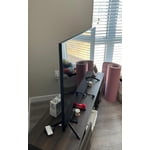
[This review was collected as part of a promotion.] The picture on this TV is excellent. I've always enjoyed Samsung displays. This one was easy to set up although it did not come with an instructions booklet, (I believe there was a QR on the quick start set up guide) so I had to do some online YouTube tutorials as well as referred to the Samsung site. It was a bit complicated to get understanding of how to change the default start/on experience so when I turn on it goes to the last HDMI input versus going to the no Samsung homepage menu that's preloaded.

Review from Samsung US
Helpful?5DGA54WPGP8K19891552175
Jul 27, 2026
Reviewer name: Dallas180
5 out of 5 stars
5 out of 5 stars review

Great buy

[This review was collected as part of a promotion.] 5/5. This 75-inch Samsung TV has an amazing picture with sharp detail and vibrant colors. The setup was easy, the smart features work great, and it's perfect for movies, sports, and gaming. The large screen makes everything feel more immersive. I highly recommend it."

Review from Samsung US
Helpful?5DGA54WPGP8K19891552175
Aug 6, 2026
Reviewer name: Cat lover
4 out of 5 stars
4 out of 5 stars review

Easy set up.

[This review was collected as part of a promotion.] Easy setup. Use with Fire TV. Fine set for the bucks. The only thing is I find colors a little washed out. I think the reds seem like pinks. I have a very old Sony and find the colors better. However I would buy this TV again no problem. Great price.

Review from Samsung US
Helpful?5DGA54WPGP8K19891552175
Aug 6, 2026
Reviewer name: Bob 1528
5 out of 5 stars
5 out of 5 stars review

Beautiful, clear picture!
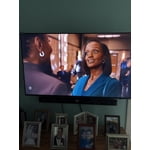
[This review was collected as part of a promotion.] I am extremely pleased with our new Samsung 50” TV. The picture is clear, bright and beautiful. I love the 3 dimensional picture and sharp color contrast. I would highly recommend this TV to anyone llooking for a high quality TV.

Review from Samsung US
Helpful?5DGA54WPGP8K19891552175
Sep 5, 2026
Reviewer name: Samy
5 out of 5 stars
5 out of 5 stars review

Best overall quality, picture, product

[This review was collected as part of a promotion.] I recently had no choice but to purchase a new television because my old television stop working. I wasn't sure of what brand was as reliable as my old tv. I wanted a tv with the newest version of technology, while prioritizing with the best overall picture quality. The obvious choice for me was samsung and their reputation for put out a quality product world wide.

Review from Samsung US
Helpful?5DGA54WPGP8K19891552175
Sep 6, 2026
Reviewer name: Mamaw
2 out of 5 stars
2 out of 5 stars review

Disappointed

[This review was collected as part of a promotion.] TV has an excellent picture but I am very disappointed with the lack of hookups on the back. Cannot connect my hubby's wireless headset, tried a bluetooth set and it hooks up when use and then when go back to watch TV, it's not responding. Hated the remote. Hubby has large hand and fingers and those remote was a nightmare to operate. I finally paired a remote I had from Samsung that has large buttons. Would love to clean up the screen too cause it has way too many apps we are not interested in. And to load an app (Angel) it was inconvenient to do. If hadn't burnt the box,, I probably would have returned it. I reviewed this TV and had reservations but thought Samsung was a good product but should have believed reviews.

Review from Samsung US
Helpful?5DGA54WPGP8K19891552175
reply from Samsung Advisor

Hi Mamaw, We appreciate you sharing your experience connecting Bluetooth audio devices to your U8000HD TV. To pair a Bluetooth speaker or soundbar, go to: Settings > All Settings > Sound > Sound Output > Bluetooth Speaker List – If your device isn’t found, move it closer to the TV and select Scan. – Once paired, your TV will automatically detect the device when it’s powered on and prompt you to connect. You can also refer to the Connection Guide for help: Home > left directional key > Connected Devices > Connection Guide > Audio Device > Bluetooth Please also make sure both your TV and the Bluetooth device are running the latest firmware: Settings > Support > Software Update Regarding your Home screen, while pre-installed apps can’t be deleted, please know that you can customize your Home screens by installing, removing or adding your favorite apps to Apps Home and/or For You Home screen. Here's how: Searching for & Installing Apps 1. Press Home on your remote > left directional key, then scroll up to the magnifying (search) icon at the top of the screen. 2. Using the search bar, enter the content or app you’d like to find. 3. Navigate to and select the app you’d like to install, then select Install. Note: Previously installed apps can be accessed on the Settings screen. Moving Apps Already on Home Screen 1. From the For You Home Screen’s App List, scroll to the end of the list and select List Edit. 2. Find the app you’d like to relocate, then press select. 3. You can now use the left or right directional keys to reposition the app, then press select. Managing & Adding Apps on Home Screen 1. Go to App Settings (these can be found at the bottom of the Apps screen) and select the app you want to move. The following options will be available: a. Add to Home: Move the app to your desired location on the Home screen. b. Delete: Delete app (applicable for manually installed apps only) c. Lock/Unlock: Lock the app with a PIN so only you can use it. When the app is selected again, you will be prompted to enter the PIN to unlock it. d. Reinstall: Reinstall the app. e. View Details: View the app’s information and details. For more help, please contact Samsung Support at 1-800-SAMSUNG (8AM – 9PM EST Mon – Fri, 8AM – 6PM Sat – Sun). LiveChat agents are also available on our website under ‘Support’. ~ Samsung Advisor

Aug 19, 2026
Reviewer name: Cely
4 out of 5 stars
4 out of 5 stars review

Remote sensor

[This review was collected as part of a promotion.] One thing I have to complain about is the remote control. I think it's sensitive and can easily change the channel. At one point it seemed like the TV was controlling itself and I'm not sure is it was the remote or the tv doing it. But to fix the issue we would have to turn the tv off and on several times one times. I love samsung TVs and we have samsung phones that connect so easy. Before we upgraded, we had our last tv for about 10 years so we hope we get the same amount of years hopefully more out of this one.

Review from Samsung US
Helpful?5DGA54WPGP8K19891552175
Aug 22, 2026
Reviewer name: ForeverSamsung
5 out of 5 stars
5 out of 5 stars review

All expectations met
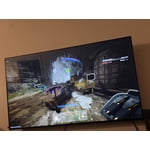
[This review was collected as part of a promotion.] I had previous bought a vizio and hisense but returned both because they were not to my expectations. I came across this Samsung and WOW! For the same price as the vizio and less than the hisense, i received much better quality! I play video games and dont feel like i lag. I watch movies and my tv shows with beautiful quality. I was skeptical at the beginning but this Samsung tv has met all if not more than all of my expectations. Thank you, Samsung!

Review from Samsung US
Helpful?5DGA54WPGP8K19891552175