Skip to Main Content
Sam's Club
Sam's Club
All Departments
All Services
Customer reviews for SAMSUNG 43” Class U8000H Series Crystal UHD 4K Vision AI Companion Smart Tizen TV for
SAMSUNG 43” Class U8000H Series Crystal UHD 4K Vision AI Companion Smart Tizen TV
4.7 out of 5 stars
stars
772 ratings742 reviews
  1. 5 stars79% (607)
  2. 4 stars14% (110)
  3. 3 stars4% (31)
  4. 2 stars2% (16)
  5. 1 star1% (8)

Member photos

  • +207 images
Sort by |
Showing 211-220 of 742 reviews
Oct 5, 2026
Reviewer name: JD117
3 out of 5 stars
3 out of 5 stars review

Great TV, but does not have voice command

[This review was collected as part of a promotion.] This tv is the perfect size and it looks great. The only issue we have is that it is not voice activated. We have to search for anything that we want to watch. The box did say that it has voice activation capability Hi, how are you good, but the remote does not offer it.

Review from Samsung US
Helpful?5DGA54WPGP8K19891552175
reply from Samsung Advisor

Hi JD117, Thank you for sharing your review. Your TV Works With Alexa, meaning you’ll need to connect a standalone Alexa device such as an Echo speaker, to control compatible smart home devices and some experiences on your TV. Here are the steps: 1. Download both the Amazon Alexa and Samsung SmartThings apps, if you don't already have them. Both are available for iOS or Android devices. 2. Make sure your Alexa device and TV are both connected to the same Wi-Fi network. 3. Your TV must be enabled within the SmartThings app. If not, make sure you are signed in with your Samsung account on the TV: Settings > All Settings > Samsung Account 4. Log in to the SmartThings app with the same Samsung account. Tap Devices, and if your TV isn’t already shown, tap + to add it to the app. 5. In the Alexa app, enable the SmartThings skill and sign into your Samsung account. This will automatically connect your Samsung TV to Alexa and let you use voice commands to control your television. If you need more help, we’re here. Give us a call at 1-800-SAMSUNG (8AM – 9PM EST Mon – Fri, 8AM – 6PM Sat). You can also connect with a LiveChat agent through the Support link on our website. ~ Samsung Advisor

Sep 21, 2026
Reviewer name: HalfDead
5 out of 5 stars
5 out of 5 stars review

Absolute Game Changer

[This review was collected as part of a promotion.] Absolute game-changer for clarity and immersion! ​Out of the box, this display completely elevates the entire setup. The brightness is striking without washing out the details, and the contrast levels deliver pitch-black darks alongside vibrant highlights that make every scene pop. Motion handling and responsiveness are exceptionally smooth—crucial when things get fast-paced—while the screen uniformity ensures there’s zero distracting backlight bleeding in the corners. Combined with incredible upscaling that breathes new life into standard content, it’s easily a five-star piece of hardware. Worth every single penny.

Review from Samsung US
Helpful?5DGA54WPGP8K19891552175
Oct 6, 2026
Reviewer name: Normansmum
4 out of 5 stars
4 out of 5 stars review

This TV has forced us to learn how to find manuals

[This review was collected as part of a promotion.] It’s been years since we bought a new tv so we were surprised there was no manual. We planned on transferring our dvd player and recorder, firestick, sound bar and our plug in ear phones but no connection for headphones and not enough hdmi for everything or no plug in spots for headset or sound bar. Learning how to fix all that has taken us time. After figuring out ways to get most hooked up and buying things to facilitate most of the rest being connected we are at a place where we can enjoy the new tv. We like everything else about this tv - just the set up was frustrating. I’m sure the younger set would have had less problems adjusting from their old set to the new systems. P

Review from Samsung US
Helpful?5DGA54WPGP8K19891552175
Oct 5, 2026
Reviewer name: MGoos
3 out of 5 stars
3 out of 5 stars review

Tv start up is too complicated and annoying

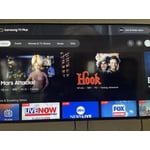
[This review was collected as part of a promotion.] I don’t like the opening home page that requires several steps to reach what you want to view. I wish you could set it so it opened to live tv or option to open to certain station . I’d like to not have to be prompted to Samsung tv always first because we rarely view it and it is an annoyance

Review from Samsung US
Helpful?5DGA54WPGP8K19891552175
reply from Samsung Advisor

Hi MGoos, Thank you for your review. While your U8000HD TV may currently default to Samsung TV Plus when powered on, you can customize what your TV does at startup by adjusting the Start Screen Options. To do this, navigate to: Settings > All Settings > Advanced Features > Start Screen Option and choose from the following: 1. Start with Smart Hub Home – Automatically launches Smart Hub when the TV is turned on. You can enable or disable this option based on your preference. 2. Autorun Samsung TV Plus – Automatically launches Samsung TV Plus when the TV is turned on. If this option is turned off, the last used source will be displayed instead. 3. Autorun Multi View Casting – If you cast YouTube content from your mobile device, the TV will automatically display the content using Multi View. 4. Autorun Multi View Mirroring – When you screen mirror your mobile device, Multi View will automatically open to show your device’s screen. 5. Autorun Last App: The last used app is automatically run when you turn on the TV. You can turn this function on or off. Press the Select button at the current menu If you need help adjusting these settings or have any other questions, please contact Samsung Support at 1-800-SAMSUNG (8AM – 9PM EST Mon – Fri, 8AM – 6PM Sat ). LiveChat agents are also available by clicking on the ‘Support’ link on our website. ~ Samsung Advisor

Sep 20, 2026
Reviewer name: Wanda
5 out of 5 stars
5 out of 5 stars review

Perfect for mom in Memory Care

[This review was collected as part of a promotion.] This television was purchased for my mother-in-law in memory care. The size is perfect for her room, but more importantly, the picture and clarity are good for her to see from her bed. The usb port was perfect to put in a flash drive with old home movies.

Review from Samsung US
Helpful?5DGA54WPGP8K19891552175
Sep 20, 2026
Reviewer name: Normansmum
5 out of 5 stars
5 out of 5 stars review

It’s reliable and bigger picture

[This review was collected as part of a promotion.] We appreciate the clarity and picture quality. There are a few things we had to adjust from our last tv - no plug in for our sound bar or headset, not enough HDMI ports. We bought Bluetooth headset and a hdmi multi conversion. We are pleased with our new setup. Biggest problem with today’s electronics is there is no manual and the set up steps require a lot of assumptions.

Review from Samsung US
Helpful?5DGA54WPGP8K19891552175
Sep 20, 2026
Reviewer name: Kurt
4 out of 5 stars
4 out of 5 stars review

Value Priced

[This review was collected as part of a promotion.] Good value for the money. The USB slideshow functionality is useful, but the slideshow interface needs an upgrade. I have never seen a Samsung remote control that I liked. Areas for Improvement: 1) A unified menu for slide (Data-USB) viewing. 2) Increase Transition speed between slides (it is jumpy and it seems the processor is not strong enough to handle the transition, even on a new TV!) 3) Additional slideshow features (display speed control, and extra display options) 4) The Remote. Just copy Apple.

Review from Samsung US
Helpful?5DGA54WPGP8K19891552175
Oct 5, 2026
Reviewer name: Andi
5 out of 5 stars
5 out of 5 stars review

Bigger is better!

[This review was collected as part of a promotion.] Love the tv. I went from 43” to 50”. Really happy with the size besides the quality. I chose Samsung because my mother gave me her Samsung which she had had for several years. Now I have it and use it in my bedroom for 19 years. Great Tv,. The one I replaced with the 50” replaced another brand that did not last a mere six years. My only complaint was with the set up. I did not sign up for what you offered in form of Samsung programming. Opting out made set up more confusing . Just to let you know, I am 80 years old. I am semi computer illiterate, but had a hard time bypassing your Samsung programming to get just to the TV programs. I got there, but it took me longer than I had to

Review from Samsung US
Helpful?5DGA54WPGP8K19891552175
Oct 6, 2026
Reviewer name: Julian s
5 out of 5 stars
5 out of 5 stars review

Great tv for the price

[This review was collected as part of a promotion.] This tv is really worth it for the price and game mode is the best mainly becuase I do a ton of gaming also I love that you can change screen modes and brightness plus the 4k chip that upscales some video to 4k.

Review from Samsung US
Helpful?5DGA54WPGP8K19891552175
Sep 20, 2026
Reviewer name: The Dude
5 out of 5 stars
5 out of 5 stars review

Great TV

[This review was collected as part of a promotion.] I love the TV I have only one flight annoyance. It is when I want to go to live channels or find them now but when I first plug the TV on and set it up and ignored live channels and I added an antenna and I had to use Gig to get the information on how to add them because we strength apps and I wanted to have access to local sporting events on network TV .

Review from Samsung US
Helpful?5DGA54WPGP8K19891552175