Skip to Main Content
Sam's Club
Sam's Club
All Departments
All Services
Customer reviews for SAMSUNG 65” Class M70H Series Mini LED 4K UHD Vision AI Companion Smart Tizen TV for
SAMSUNG 65” Class M70H Series Mini LED 4K UHD Vision AI Companion Smart Tizen TV
4.5 out of 5 stars
stars
254 ratings245 reviews
  1. 5 stars71% (181)
  2. 4 stars14% (36)
  3. 3 stars8% (21)
  4. 2 stars4% (11)
  5. 1 star2% (5)

Member photos

  • +55 images
Sort by |
Showing 91-100 of 245 reviews
Aug 5, 2026
Reviewer name: Bebe
5 out of 5 stars
5 out of 5 stars review

Great viewing

Color,clarity, and contrast is excellent. It was easy to install and integrate into my internet system. I’m still learning all the free benefits that came with it but I’m very satisfied.c

Review from Samsung US
Helpful?0XWIJWU36LZK19823766916
Aug 20, 2026
Reviewer name: Topguns66
4 out of 5 stars
4 out of 5 stars review

Soccer mode is pretty cool
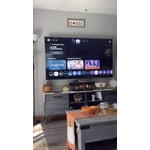
Great looking picture trying to understand some of the features so many of them to adjust the Picture starting to get to hang of it, but it does look amazing

Review from Samsung US
Helpful?0XWIJWU36LZK19823766916
Jul 27, 2026
Reviewer name: PCase
5 out of 5 stars
5 out of 5 stars review

Works great. Great color and like google features.

[This review was collected as part of a promotion.] Bright colors. Great definition and clarity with movies and TV shows. Responsive prompts and good contract. Easy to adjust for clean uniformity.

Review from Samsung US
Helpful?0XWIJWU36LZK19823766916
Aug 20, 2026
Reviewer name: Kermit
5 out of 5 stars
5 out of 5 stars review

75" Samsung Tv

This is a great TV. The problem is that there's not enough output ports on the back of the tv. I can't connect my wife's TV Ears. I have to turn up the volume.

Review from Samsung US
Helpful?0XWIJWU36LZK19823766916
Aug 21, 2026
Reviewer name: Iris
5 out of 5 stars
5 out of 5 stars review

Terrific Replacement

I bought this TV to replace my 10-year-old Samsung. The color and contrast is much better. It's easy to navigate. I wish my remote had a voice icon that I could use.

Review from Samsung US
Helpful?0XWIJWU36LZK19823766916
Aug 5, 2026
Reviewer name: Opsman
3 out of 5 stars
3 out of 5 stars review

Just OK

[This review was collected as part of a promotion.] Took me forever to figure out how to turn off the voice assist function. Very dark picture with Amazon Prime movies.

Review from Samsung US
Helpful?0XWIJWU36LZK19823766916
reply from Samsung Advisor

Hi Opsman, We’re sorry to hear you’re not fully satisfied with the picture quality on your Samsung M70HD TV. If the image appears too dark, we suggest disabling certain energy-saving features, which can automatically adjust brightness and affect how the screen looks. Go to: Settings > All Settings > General & Privacy > Power and Energy Saving, then turn off Brightness Optimization, Energy Saving Solution, Motion Lighting, and/or Contrast Enhancer. You can also adjust the Picture Mode to better suit your environment: Settings > All Settings > Picture > Picture Mode • Standard – Default mode for general viewing • Dynamic – Brighter and clearer, ideal for well-lit rooms • Movie – Best for dark room viewing • Eco – Energy-saving mode • Filmmaker Mode – Preserves content as intended by creators To fine-tune brightness, go to: Home > left directional key > Settings > All Settings > Picture > Expert Settings, then adjust the Brightness level (0–50) to your preference. Lastly, please make sure your TV is running the latest firmware: Home > Home > left directional key > Settings > Support > Software Update > Update Now We hope these tips help improve your viewing experience. If you need further support, feel free to contact us at 1-800-SAMSUNG (8AM – 9PM EST Mon – Fri, 8AM – 6PM Sat – Sun). LiveChat is also available via the ‘Support’ link on our website. ~ Samsung Advisor

Aug 20, 2026
Reviewer name: Deesdeuce
5 out of 5 stars
5 out of 5 stars review

Great screen & features

This mini-LED 55" TV is a wonderful value with beautiful screen quality & features. The brightness and color are top notch. Only negative is Samsung's log-on process to receive free Samsung Plus channels as it was very cumbersome.

Review from Samsung US
Helpful?0XWIJWU36LZK19823766916
Aug 7, 2026
Reviewer name: Marklisf
5 out of 5 stars
5 out of 5 stars review

Great features

This is an excellent TV for most people for their normal dally watching. Its brightness, color, contrast and responsiveness are all good enough for everyday use. It came with Samsung live TV, and some free premier movies.

Review from Samsung US
Helpful?0XWIJWU36LZK19823766916
Jul 24, 2026
Reviewer name: Kathleen
5 out of 5 stars
5 out of 5 stars review

Colors are perfect

[This review was collected as part of a promotion.] We returned a new 65” tv because it wasn't working properly and went back to our tried and true Samsung product. This is the only TV product we truly trust.

Review from Samsung US
Helpful?0XWIJWU36LZK19823766916
Aug 5, 2026
Reviewer name: blueracer
3 out of 5 stars
3 out of 5 stars review

its ok - priced right

TV looks good however i don't like the fact i have to register with my email and all my info to get the tv up and running. I'd also expect the navigation to be faster on a 2026 model.

Review from Samsung US
Helpful?0XWIJWU36LZK19823766916
reply from Samsung Advisor

Hi blueracer, Thank you for your review and for sharing your concerns. A Samsung Account is required to access Smart Hub, which powers the core smart features of your TV - including app access (like Netflix and YouTube), service updates, and content personalization. Without signing in and accepting the Terms and Conditions, your TV will function in a basic mode - supporting external devices (such as HDMI and over-the-air antenna), but streaming apps and Smart Hub services will be unavailable. We understand this requirement may not be ideal for all users, but it’s necessary for full access to Samsung’s smart features and connected services. If you need assistance creating or logging into a Samsung Account, we’re here to help. Please contact Samsung Support at 1-800-SAMSUNG (8AM – 9PM EST Mon – Fri, 8AM – 6PM Sat – Sun). LiveChat and additional support resources are also available through the Support link on our website. ~ Samsung Advisor