
 Customer reviews for SAMSUNG Music Frame Dolby ATMOS Smart Speaker HW-LS60D/ZA for
Member photos
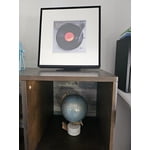
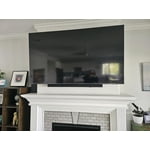
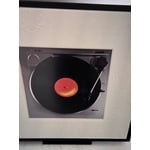
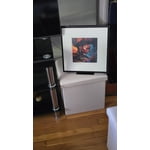
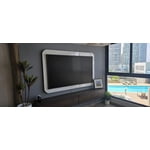

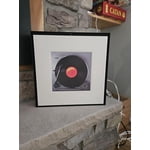

 +144 images
Nice design but poor Q symphony performance
[This review was collected as part of a promotion.] I wanted to like these music frames. I bought two. On their own they are fine speakers. However I got them to pair with my Samsung oled. I heard about Q symphony and how you would be immersed in total surround sound... Q symphony was an easy setup. Then I say back to enjoy alien romulus in full Q symphony surround sound.... Unfortunately there wasn't any...a very faint sound was coming out of the music frames... I tried everything nothing worked.... Then I read the other reviews..... Anyways a big disappointment
Hi proheart, We appreciate you taking a few moments to review the Samsung Music Frame. Here are some tips to help improve your audio experience. First, update the software. The latest Music Frame software will improve the sound quality. The easiest way to update is by using the SmartThings app, selecting the Music Frame, then tapping the 3 dots in the upper right and selecting Information. From here, you can select to update the software. Second, try using Adaptive sound mode setting. It will automatically adjust the sound based on the content, which makes it “set and forget”. However, if you are only using the Music Frame for music, I suggest Music sound mode for its clarity and faithful reproduction. If using it for listening to vocals (like podcasts, news, etc.,) I like Voice Enhancement mode. Finally, you can modify your sound settings to tailor the sound to your liking. First, turn on SpaceFit sound so your Music Frame can adjust to your room acoustics, next go to the Equalizer, and adjust the lows/high/mids to your satisfaction. If you’d like more help with settings, please know we’re here to help! Call us at 1-800-SAMSUNG (Ask for Soundbars), 8AM - 12AM EST, 7 days a week. Or visit us on the Samsung website and click on the ‘Support’ link for: • Live Chat • Manuals, Software, & Warranty Info • Creating a service ticket ~ Samsung Solutions
Surprisingly good!
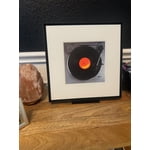
[This review was collected as part of a promotion.] The Music Frame blew us away.. This little frame packs quite the punch. We have tried quite a few different steaming devices on it and they all sound excellent. Also, Siri and Alexa can be enabled (through the app) so that you can utilize the Music Frame as an Alexa extension, this is amazing. We have tried it during work calls as well, and it pairs excellent to hear your calls through the frame. We are looking to customize the picture within the frame to one of our own, but the one that it comes with (a record player) looks and fits in beautifully with our decor. I think Samsung hit it out of the park with this innovative music frame and we are very happy we got it. Also if you own a frame TV, you can purchase two of these and hang close to the TV so it looks like an art gallery but in reality you have some serious Dolby Atmos surround sound. Don't miss out, this is amazing!
Speaker that everyone should buy
[This review was collected as part of a promotion.] I love this speaker and it's a must have. Anyone that wants a high quality speaker with a cool look on the wall should buy this. I really love how easy the setup was connecting with my Samsung television. The dolby digital sound coming from the speaker is of high quality and rich with detailed audio. I highly recommend this for anyone to have in their home to make their home look more elegant. It gives a good bass of audio as well during action scenes when playing audio from the loud bass and surround sound coming from shooting scene with sword fighting and explosions.
Missing a display to be 5 Star
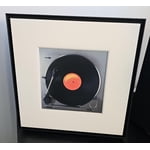
The sound quality is really great, has great features that connect to smart things and air play. The only thing it’s missing is a display. If it had a oled display instead of just a glass panel it would be absolutely perfect, being able to change images effortlessly, instead we have to print out images and change them out of the frame. Would be cool if it had an option for hdmi though usb c.
Thank you for sharing your review of Samsung’s Music Frame. Your feedback is valuable to us and will be shared with our product teams. The Music Frame allows you to swap a different color bezel to match your space and showcase your artwork, printed photos, and more with this innovative photo frame speaker. You will get multi-dimensional surround sound from one simple speaker with Dolby Atmos Music and Sound. When the Music Frame is connected to Wi-Fi, you will gain access to streaming platforms like Spotify Connect and Tidal (Hi-Fi) Connect. You simply open their apps and connect to the Music Frame to enjoy your favorite music or podcasts. If you need more help, Samsung is here for you. Please call us at 1-800-SAMSUNG, 8AM - 12AM EST (Ask for Soundbars), 7 days a week. Our Live Chat agents are also available by clicking on the ‘Support’ link on our website. ~ Samsung Solutions
Great sound in a small footprint
[This review was collected as part of a promotion.] I use my Music Frame while streaming movies and TV on my UST projector. I have the sound from the Frame (which is positioned behind me) synced with the sound from the projector's built-in speakers. The result is an immersive, full surround sound. The sound from the Frame is clear and the highs and lows are separated. The amount of bass is impressive, given the size. I couldn't be happier with my Samsung Music Frame.
Great speaker blend in perfectly
[This review was collected as part of a promotion.] We hooked up our frame speaker to our frame TV. Our frame TV is surrounded by artwork making it look seamless and therefore the speaker was a brilliant idea on the part of Samsung. It sits on the credenza with a beautiful family photo providing outstanding sound! A perfect edition to the Samsung lineup

Fantastic Sound
[This review was collected as part of a promotion.] Got 2 speakers and the sound is fantastic, grouping them and using smart things has been a bit of a learning curve and the app can be a little frustrating to use but can't complain about the speakers' quality and build. Frame options are gorgeous (attaching images)

Great Concept...
[This review was collected as part of a promotion.] I have two of the frames. Was hoping to use them with my frame TV in lieu of a bar speaker or bookshelf speakers. I'm probably going to list them for sale soon because I just can't figure out how to get any type of quality audio. When they are paired with the TV and set to be used as external speakers, they just don't really amplify the sound nor add depth. It's almost like the TV speaker is the main channel and the frame speakers are auxilliary speakers with very little detectable audio. Tried many options and really got no actionable help with Samsung tech help.
Hello Elliott, We appreciate you taking a moment to review the Samsung Music Frame. Here are some tips for optimizing your audio experience. First, update the software. The latest Music Frame software will improve the sound quality. The easiest way to update is by using the SmartThings app, selecting the Music Frame, then tapping the 3 dots in the upper right and selecting Information. From here, you can select to update the software. Second, try using Adaptive sound mode setting. It will automatically adjust the sound based on the content, which makes it “set and forget”. However, if you are only using the Music Frame for music, I suggest Music sound mode for its clarity and faithful reproduction. If using it for listening to vocals (like podcasts, news, etc.,) I like Voice Enhancement mode. Finally, you can modify your sound settings to tailor the sound to your liking. First, turn on SpaceFit sound so your Music Frame can adjust to your room acoustics, next go to the Equalizer, and adjust the lows/high/mids to your satisfaction. If you need more help, Samsung is here for you. Please call us at 1-800-SAMSUNG, 8AM - 12AM EST (Ask for Soundbars), 7 days a week. Our Live Chat agents are also available by clicking on the ‘Support’ link on our website. ~ Samsung Solutions
It sounds really nice, but alexa feature is buggy.
[This review was collected as part of a promotion.] I just set recieved and set up my Samsung Music Frame about a week ago. The first thing I noticed was how nice it looked. It was kind of heavy but when properly mounted to the wall it will be just fine. Setting it up was easy enough when I used the Smartthings app on my phone. The only problem I had with the set up was getting Alexa to work on the music frame. And then once I finally got it to work, it would respond to commands but I could not get music to play from alexa commands. Next how the music frame sounds. It sounds incredible. The music frame gets insanely loud. I played some music over bluetooth and the bass is amazing also. You would never know that such sound can come from such a tiny frame that blends in so well with the room. Someday I plan on buying a Samsung Frame TV to go with the music frame and I can imagine it would take my setup to the next level. Being able to use Q Symphony with both devices is going to be awesome. I am pretty sure someday the software update with fix the alexa feature not being able to play music. Once they fix that I would highly recommend this to anyone looking for a sound system that blends in perfectly with the rest of your room.


Hello jason156, We appreciate you taking a moment to review Samsung's Music Frame. Please try these tips to to help with setting up and using Alexa with your new Music Frame. In order for Alexa to play music, you have to link your music accounts (Amazon Music, Apple Music, Spotify, Tidal , etc.,) to Alexa. To link your music accounts open the Alexa app, then go to Settings> Music & Podcasts > Link New Service I hope these tips help you enjoy your new product. You can always contact us for further help at 1-800-SAMSUNG (Ask for Soundbars), 8 AM – 12 AM EST, 7 days a week. Our Live Chat agents are also available by clicking on the ‘Support’ link on our website. ~ Samsung Solutions
The big hoax!
[This review was collected as part of a promotion.] I joyfully ordered a pair of these thinking they'd be an awesome way to provide stereo sound to a room or even as Q-symphony front speakers in my home theater. Neither worked as I had hoped and I'm pretty confident Samsung was aware of this before they began marketing these with next to no easily available information about their lack of capability in this area. Essentially, they buried this lack of capability... and still do. I mean, how hard would it be to list a disclaimer saying "No stereo option with Q-symphony when run along side a soundbar."? When I run one speaker on a stand, the sound is Meh. I haven't mounted on wall yet, but I'm hoping the sound may improve for some weird reason. All in all, probably the biggest waste of money I've ever spent on Samsung product. Very disappointed. Still in their ecosystem (just bought new dryer), but looking to move on if they continue to just get more greedy. Over-priced product that really doesn't improve my life is becoming the norm.
Hi Ready2LeaveEcosystem, Thank you for taking a few moments to review the Samsung Music Frame. We value your feedback and will share it with our teams. Here are a few tips to help improve your audio experience. First, update the software. The latest Music Frame software will improve the sound quality. The easiest way to update is by using the SmartThings app, selecting the Music Frame, then tapping the 3 dots in the upper right and selecting Information. From here, you can select to update the software. Second, try using Adaptive sound mode setting. It will automatically adjust the sound based on the content, which makes it “set and forget”. However, if you are only using the Music Frame for music, I suggest Music sound mode for its clarity and faithful reproduction. If using it for listening to vocals (like podcasts, news, etc.,) I like Voice Enhancement mode. Finally, you can modify your sound settings to tailor the sound to your liking. First, turn on SpaceFit sound so your Music Frame can adjust to your room acoustics, next go to the Equalizer, and adjust the lows/high/mids to your satisfaction. If you need more help, Samsung is here for you. Please call us at 1-800-SAMSUNG, 8AM - 12AM EST (Ask for Soundbars), 7 days a week. Our Live Chat agents are also available by clicking on the ‘Support’ link on our website. ~ Samsung Solutions