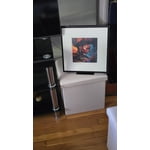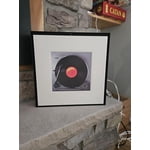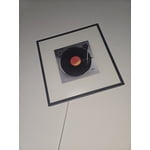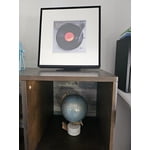
Customer reviews for SAMSUNG Music Frame Dolby ATMOS Smart Speaker HW-LS60D/ZA forCustomer photos


+113 images
Perfect Blend of Style and Sound
[This review was collected as part of a promotion.] I recently purchased the Samsung Music Frame HW-LS60D, and I must say, I’m thoroughly impressed! This device is a game-changer for anyone who loves both music and a touch of style in their home. First off, the design is sleek and modern. It literally looks like a piece of art, blending seamlessly with my home décor. The setup was a breeze, I had it out of the box and playing music in no time. The sound quality is fantastic, especially when paired with a Samsung TV using the Q-Symphony feature. It synchronizes with the TV’s built-in speakers, enhancing the overall audio experience and making movie nights truly cinematic. Whether I’m listening to music or watching a movie, the clarity and richness of the sound are outstanding. The bass is deep and powerful without overpowering the mid and high tones. The wireless connections via Bluetooth and WiFi are flawless. I can easily stream music from my smartphone or connect the soundbar with my TV without any messy cables. It’s super convenient and user-friendly. What I love most is that I can add Alexa and how it doubles as a decorative piece when not in use. It doesn’t just sit there like a regular speaker. Instead, it displays beautiful art or personal photos, making it a real conversation starter. Overall, I would highly recommend the Samsung Music Frame HW-LS60D to anyone looking to elevate their listening experience while adding a splash of sophistication to their living space. It’s definitely worth the investment!
Someone had to do it
[This review was collected as part of a promotion.] This is how you do modern home right. I got it as a gift from a friend and initially didn't really care for it but when i had some guests over and my niece mentioned how my house was like a ninja tech house and they felt the speakers made it a way cooler ninja house. Tech blending into household architecture is the future and the frame speakers do exactly that. Samsung is doing innovative stuff when it comes to making our homes smart
The Samsung Music Frame is a gem
[This review was collected as part of a promotion.] The Samsung Music Frame is a gem. Its photo frame design blends perfectly into any space. Goodbye ugly speakers! Its sound is powerful and immersive thanks to its multiple speakers and Dolby Atmos. The Q-Symphony feature with Samsung TVs is amazing, providing synchronized and immersive audio. It also connects easily via Wi-Fi and Bluetooth. With Alexa built in, seamless voice control makes it a speaker that both looks great and sounds incredible.
A good idea, but not for me
[This review was collected as part of a promotion.] I received the Music Frame free with the purchase of my second Frame TV. The concept follows the Frame TV great, but the aesthetic appeal and the sound quality were lacking for my taste. My Music Frame was given to family members to use in their game room; they are going to showcase their own art in the Music Frame.
Hello Annabelle1, Thank you for taking a few moments to review the Samsung Music Frame. The Music Frame allows you to swap a different color bezel to match your space and showcase your personal artwork, printed photos and more with this innovative photo frame speaker. You will get multi-dimensional surround sound from one simple speaker with Dolby Atmos Music and Sound. When the Music Frame is connected to Wi-Fi, you will gain access to streaming platforms like Spotify Connect and Tidal (Hi-Fi) Connect. You simply open their apps and connect to the Music Frame to enjoy your favorite music or podcasts. If you need more help, Samsung is here for you. Please call us at 1-800-SAMSUNG, 8AM - 12AM EST (Ask for Soundbars), 7 days a week. Our Live Chat agents are also available by clicking on the ‘Support’ link on our website. ~ Samsung Solutions
Great when works great
[This review was collected as part of a promotion.] I got 2 music frames to act as surround speakers for my new Frame TV. When they are integrated they work really well. The sound is fantastic. But there are issues with them going offline and disconnecting and the new Frame which is supposed to be integrated to the music Frames remembering the settings. So have to reconnect and reconfigure almost every time. I like that can put your own photos in it
Nice Decor with Amazing Sound!
[This review was collected as part of a promotion.] I'm loving the Samsung Music Frame! Upon unboxing, everything was neatly wrapped and the frame was secure and free from damage. The frame is heavy and a nice quality and comes with a stand or you can wall mount the frame. The box included a frame but you could add your own photos and change out the frame option if you wanted to in the future. Connecting the frame to my Samsung phone was a breeze. I did have a harder time trying to connect my 2024 Samsung TV to the frame using the Q-Symphony function (never quite figured out how to get that to work) but I was able to connect it via wifi and bluetooth with no problems. The sound from the Dolby Atmos sound feature was clear, crisp and loud! I am happy using this as my main speaker when streaming music in my open living area space. Way to go Samsung!
lesliekirkley, Thank you for your review! It’s great to hear you are enjoying the sound quality of Samsung’s Music Frame. Here are some tips to help set up Q-Symphony on your 2024 Samsung TV with Music Frame. First, make sure both your 2024 Samsung TV and Music Frame are connected to the same wi-fi network and band. Then, on your TV go to Settings → All Settings → Sound →Sound Output and select TV + Music Frame and enjoy a more robust audio experience with Q-Symphony. If you need more help, Samsung is here for you. Please call us at 1-800-SAMSUNG, 8AM - 12AM EST (Ask for Soundbars), 7 days a week. Our Live Chat agents are also available by clicking on the ‘Support’ link on our website. ~ Samsung Solutions
Outstanding device...
[This review was collected as part of a promotion.] This device has incredible sound, only limited by its form factor as a frame. Sound is rich and deep and definitely gives the impression of a larger, more powerful room filling speaker. I thoroughly enjoy listening to it. My only reason for the 4 star was the frame style form factor that limits it's potential but works well to disguise the speaker itself. Great idea, Samsung!!
Close, but not quite a final product to me
[This review was collected as part of a promotion.] So I have a bit of mixed feelings about the music frame. Before I got it, I figured it was a digital frame with speakers. I just figured there was no way that Samsung would just take a static frame and just put speakers on it. I was expecting an improvement on the current digital frames on the market, hence why I'm a bit disappointed that it's only a regular picture frame with nice speakers on it. I feel they missed the mark on what could have been an outstanding picture and music frame. Now don't get me wrong, the frame does look nice and the speakers sound really good. I especially like that you can sync it to your Samsung TV and Q-Symphony, IF you have a 2024 tv, and also have your tv play through the music frame. Even better would be if you had multiple frames all sync'd to the tv. The Music Frame has some pretty good weight to it, and it is FAR from feeling cheap in build or materials. Like most of Samsung's smart devices, you can also control this Music Frame through the SmartThings app, so that's not really a surprise there and is always a welcome feature. And like most of their smart devices, it was super easy to connect the Music Frame to the SmartThings app as well. Despite everything I like about it, I still can't get over my disappointment that this is not a digital frame and I just can't fathom WHY they didn't make this a digital frame. I'm hoping their next version will have digital photo capabilities to it, then it would feel like it's a more final product to me. For now, it feels like it's going in a good direction, but it still needs features/capabilities added to it to make it complete.
Hello PanthersDen1, We appreciate you taking a moment to review Samsung’s Music Frame. Your feedback is valuable to us and will be shared with our product teams. Here are a few tip to optimize your Music Frame's audio: First, update the software. The latest Music Frame software will improve the sound quality. The latest version is v1011.2. The easiest way to update is by using the SmartThings app, selecting the Music Frame, then tapping the 3 dots in the upper right and selecting Information. From here, you can select to update the software. Second, try using Adaptive sound mode setting. It will automatically adjust the sound based on the content, which makes it “set and forget”. However, if you are only using the Music Frame for music, I suggest Music sound mode for its clarity and faithful reproduction. If using it for listening to vocals (like podcasts, news, etc.,) I like Voice Enhancement mode. Finally, you can modify your sound settings to tailor the sound to your liking. First, turn on SpaceFit sound so your Music Frame can adjust to your room acoustics, next go to the Equalizer, and adjust the lows/high/mids to your satisfaction. If you need more help, Samsung is here for you. Please call us at 1-800-SAMSUNG, 8AM - 12AM EST (Ask for Soundbars), 7 days a week. Our Live Chat agents are also available by clicking on the ‘Support’ link on our website. ~ Samsung Solutions
Simply Amazing!
[This review was collected as part of a promotion.] I bought my Music Frame because I love how innovative it is! It's a peice of art that doubles as a speaker! Infinite ways to change out the background! Amazing sounds quality! And seamless switching from my phone to TV! Amazing! I can't say enough good things about it!
Audio and visual piece of art
[This review was collected as part of a promotion.] The Music Frame is definitely a unique package, not much else out there like it. Most people wouldnt realize its a speaker. It's really well made and premium materials. The style is clean and modern. The controls on the device are simple and easy to use. You have to use the SmartThings app to manage it, or you can simply connect to it with Bluetooth. The fact that you can change out the face panel to show any of your print photogrphs is cool, though in this day and age an LED panel that shows digital images would make for a more interesting product, especially given the pricepoint. I like the fact you can mount it flat on the wall or even if you set it on a table it stands upright with a very sturdy snap-on stand. I was concerned that it would vibrate on loud volume, but the stand is pretty stable. The sound quality is mediocre, I had to mess with the equalizer quite a bit to find some decent settings for playing music. But it still doesnt sound super crisp. The bass is strong, the treble is a bit edgy and some songs get noisy with all the mid tones. The volume range is quite impressive, I haven't gone higher than 50%. Overall, for the price I would expect better sound quality, but I do like the the Frame concept and love looking at it sitting on my console, it's a piece of art.
salman1025, Thank you for sharing your review of Samsung’s Music Frame. Your feedback is valuable to us and will be shared with our product teams. Here are a few tips to optimize your audio experience. First thing: update the software. The latest Music Frame software includes improvement to the sound. The latest version is v1011.2. The easiest way to update is by using the SmartThings app, select the Music Frame, then tap the 3 dots in the upper right and select Information. From here you can select to update the software. Second, use Adaptive sound mode. It automatically adjusts the sound based on the content which makes it “set and forget”. However, if you are only using the Music Frame for music, try using the Music sound mode for its clarity and faithful reproduction. If using for listening to vocals (like podcasts, news, etc.,) utilize Voice Enhancement mode. Finally, there are “tweaks” you can make to tailor the sound to your taste. First, turn on SpaceFit sound so your Music Frame can adjust to your room acoustics, then go to the Equalizer and adjust the lows/high/mids to your taste. I hope this tip helps improve your enjoyment. For more help, please call us at 1-800-SAMSUNG (Ask for Soundbars), 8 AM – 12 AM EST, 7 days a week. Live Chat with an agent as well as manuals, software, and warranty info can be found at the ‘Support’ link on our Samsung website. ~ Samsung Solutions