
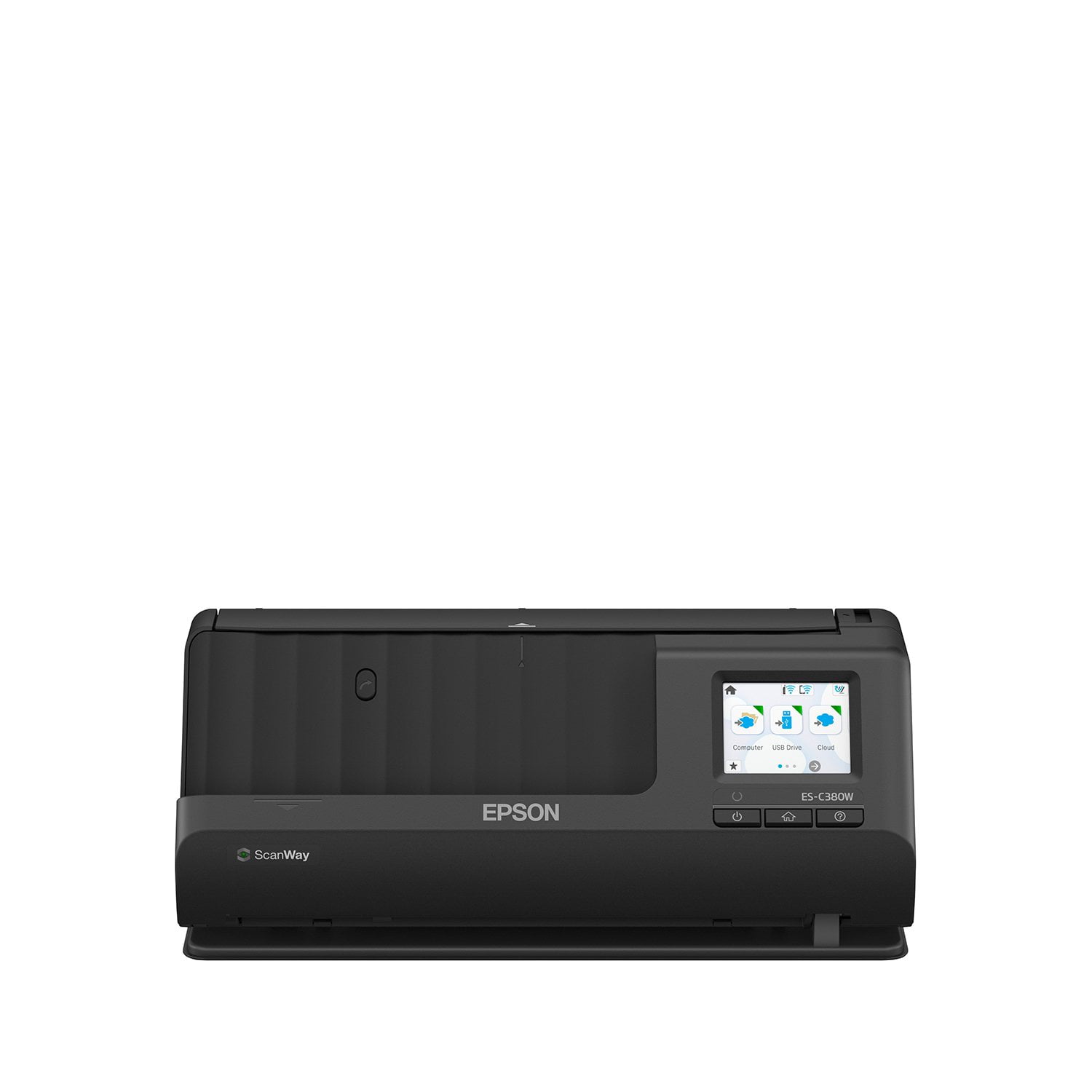
 Customer reviews for Epson WorkForce ES-C380W Wireless Compact Desktop Document Scanner for
Compact size and big performance
This is a review for the Epson WorkForce ES-380W Wireless document scanner that I received free of charge to do a beta test and review. This is a compact document scanner that takes up very little space. It fits easily on a desktop or workspace. The initial setup is quick and you will have it up and running in no time at all. The scanner connects to wifi so that the ES-380W can be conveniently placed. Operation of the scanner is very intuitive. The Epson ScanSmart app is easy to work with and allows for image adjustment so your scans come out perfectly. You have the ability to save your scans to computer, email or to several different cloud services such as DropBox, One Drive or Google Drive. The scans are completed and uploaded in a very fast manner. The document feed can be adjusted for various sizes of originals such as receipts, legal size, etc. I use this scanner on a daily basis for saving important paperwork to the cloud for safe keeping. The ES-380W is perfect for preserving your important documents. The build quality and small footprint along with exceptional performance make the ES-380W the right choice for a home office environment.
Great product
I work in higher education development and have used a variety of scanners from copier machines to small scanners like this one. I've scanned thousands of documents. This scanner is by far my favorite. To be transparent, I recieved this scanner free from Epson, but my review is entirely unbiased. I am currently traveling and don't have any pictures to upload but the setup takes minutes. I did have some difficulty connecting the scanner to the internet. Our internet for such devices is heavily restricted and I had trouble finding a MAC address for the device. The scanner showed itself as being connected to the wifi once I plugged it into my computer, but it could not find the scanner once I unplugged it from the computer. The scanning itself is great. I scanned documents with stickers, I scanned thicker paper, and it all came out clean and straight. No jams, no fus. I did not scan mutliple documents at one time, however. This is one area that I will test in the future and add my review to. It's an important feature for scanners. This particular scanner has two scanning features. I was able to scan my driver's license by adjusting the tilt of the scanner and not only did it do it instantly and without any difficulty, it cropped the image of my ID and allowed me to export in jpg or png. It worked wonderfully. Overall, I highly recommend this scanner. It is sturdy, and not cheaply fabricated. It works efficently and is worth its weight in gold.
Excellent Home Office or Small Business Scanner
This is a review for the Epson WorkForce ES-380W Wireless Document scanner that I received free of charge to do a beta test and review. I have been using the Epson ES-C380W desktop scanner for the past few weeks and have to say that there is so much to love about this scanner. I have been thoroughly surprised at all the features packed into this small device. Unboxing and set up of the scanner is extremely simple. I was able to set up the scanner, connect it to my Wi-Fi network, and scan my first few documents within ten minutes. One of the things I’m most impressed about the device it doesn’t require attachment to a computer to scan. Once it is setup with your network, you can scan to Cloud, USB drive, directly to email, or even set it up to send scanned output to an FTP site. Cloud scanning options are numerous including Dropbox, OneDrive, Google Drive, Box and Evernote. Configuration of these various cloud options is simple and straightforward through the Epson Connect web site and for me they all worked seamlessly. Setting up scan direct to email was a little finicky, but after creating an an App Password for my Google account, it was good to go. Of course, if you do want to scan directly to your computer, that is an option as well, both wired and wireless. Personally, I’m not a fan of all the software, drivers and utilities that Epson requires to be installed for most of its products. However, I did install the supporting drivers and software for the ES-C380W, and they all worked without issue. As for actual scanning options, there is a lot to say. Probably first and foremost is the fact that this scanner scans two-sided documents in a single pass. Impressive. Secondly, with a scan speed of up to 30 pages per minute, it is extremely fast. However, one limiting factor is that the document feeder capacity is only twenty sheets of paper. I had no issues scanning multiple documents of various shapes and sizes including letter, legal, half sheet, receipts and even photos. There are two options for scan paths – vertical and straight path. With the vertical path you can scan plain paper, business cards, and receipts. With the straight path you can scan longer paper, plastic cards, passports, and envelopes. When scanning you can select from jpeg or PDF (single or multi page) and choose from an array of many other options including resolution, text enhancement, background and shadow removal, and the like. All in all, this is an impressive device. It has a nice, small form factor, but doesn’t skimp on options. If you’re looking for a scanning solution that offers network connectivity out of the box, doesn’t require tethering to a computer, and provides 2-sided, speedy scanning for a variety of documents, then I would recommend the Epson ES-C380W as a great option for you.
Easy set up and fast scan
This is a review for the Epson WorkForce ES-380W Wireless Document scanner that I received free of charge to do a beta test and review. The box arrived with a little damage in the corners, but otherwise was in good shape. The packaging was a combination of Styrofoam and folded cardboard, which securely held the unit in place. The packaging also separated the accessories (various cords) from the scanner in a cardboard section at the top. Each component, including the set-up manual, was sealed in plastic. The power cord and USB adapter were also secured with a twist tie. The AC adapter cord was held in place with a Velcro strap. The unit was also secured with seven pieces of blue tape. To remove several pieces of tape, the top of the unit needed to be opened. This is very clear in the image in the start guide. Connecting the unit to the AC adapter and power cable was easy. Once powered on, the menus walked through connecting it to my Wi-Fi network. While the software download/update installed, which took only a minute or so. I downloaded the Epson Smart Panel app to my phone. Through the app, I connected the scanner to a cloud storage service and entered several emails. Next, I extended the input and output extension arms and set the paper guides to “letter” size paper. Loading a document into the tray and selecting a “destination”, was all that was required to scan my first document. Success!
Incredible wireless office or portable color scanner!
This is a review for the Epson WorkForce ES-380W Wireless Document scanner that I received free of charge to do a beta test and review. This Epson WorkForce ES-380W has become my constant office companion! I work remotely from home, but I also have to travel to work sites that are without cell signal and all I have is a laptop. Part of that job is to collect reports that are printed as there is very weak to no internet signal in these locations. The Epson scanner sits on my desk right under my monitors and it has taken up very little space with the small footprint it was designed around. I can also take this scanner with me to these remote locations and use it to scan those documents in and I use a USB drive to store them all. Once I am back with either a cell signal or internet, I simply upload the files from my USB drive. This has saved me hours of working when I return from these sites to copy these documents and distribute the copies as needed. I am extremely impressed with the speed of the scanner when it comes to processing documents. It doesn't matter if the pages have color graphics or just plain text, it processes at the same speed. Resolution is also key in my line of work. I used to use my cell phone to take a picture and then convert that to a PDF. That was not ideal and the image quality can be very bad if the lighting isn't perfect. All of those days are gone now that I have my Epson WorkForce ES-380W. The scanner is also very quiet and efficient. You will hardly hear it running for the few seconds it takes to scan in your documents. I have had excellent success with the wireless capabilities of the scanner and I also utilize the Android app from Epson as a remote control of sorts. I have had no issues with connecting or operation of the app and it has worked flawlessly. I could go on about the specs of the scanner, but you can read all about those on the Epson web site. I will say that you have multiple cloud upload options like Google Drive and Dropbox, you can use USB, Wifi, etc. This is a workhorse of a scanner and I'm not sure how I lived without it with all of my travels. You cannot go wrong with the Epson WorkForce ES-380W. It is worth it's weight in gold if you scan business cards, receipts, full page documents, or anything else you can think of. Thank you, Epson. This was a homerun!
Not bad, just pricey
Disclaimer: This is a review for the Epson WorkForce ES-380W Wireless Document scanner that I received free of charge to do a beta test and review. Now that that's out of the way, here is my actual review: I've been using the scanner for about 2 weeks and maybe because my desktop is a bit older (ok a LOT older), it made setup take longer than I would've liked, but I got it connected and it seems to work well. Things I liked: Easy to use Lightweight and can be easily moved around Scan to USB Things that need work: Construction- it feels a bit cheap, and moves around when loading documents because there aren't any "feet" to keep it in place. The default DPI is only 200, so while it scans fast at that output, the quality is poor and you'll have to adjust that. The screen is a bit too small for those with bigger fingers. I had no problem with it, but my husband would get annoyed with it not registering what he was touching. I feel like this is definitely a decent scanner for those that work from home because it does everything you need it to, but the price is where I feel is unjustified. It's not incredibly high tech and the fact that I had to change the default settings to make the quality better was laughable. I'd rather have clearly scanned images the first time, than be able to poorly scan documents rapidly.
This so easy to use!
This is a review for the Epson WorkForce ES-380W Wireless Document scanner that I received free of charge to do a beta test and review.” I have been using this now for a little over a week and I love it! It makes scanning documents so much easier and clears up space on you desk. I work with alot of invoices and receipts and depending on the day my desk can get pretty full. Now all i do is scan them, name them and they are saved for when I have time to check them or if I need the they are all right there. I have also thought about getting one for my brother who has alot of medical bills and receips that he needs to turn in each year. This would make that job so much easier for him and he wont lose them or have to hunt for them. I cant recommend this more. You dont need to have a business to own one. It can make anyones life easier and save those important receipts, warranties and documents.
Garbage Product... Licensing Deal For Sure!
If you load more than 1 page it won't stop the 2nd page from falling into the feed. Garbage.