
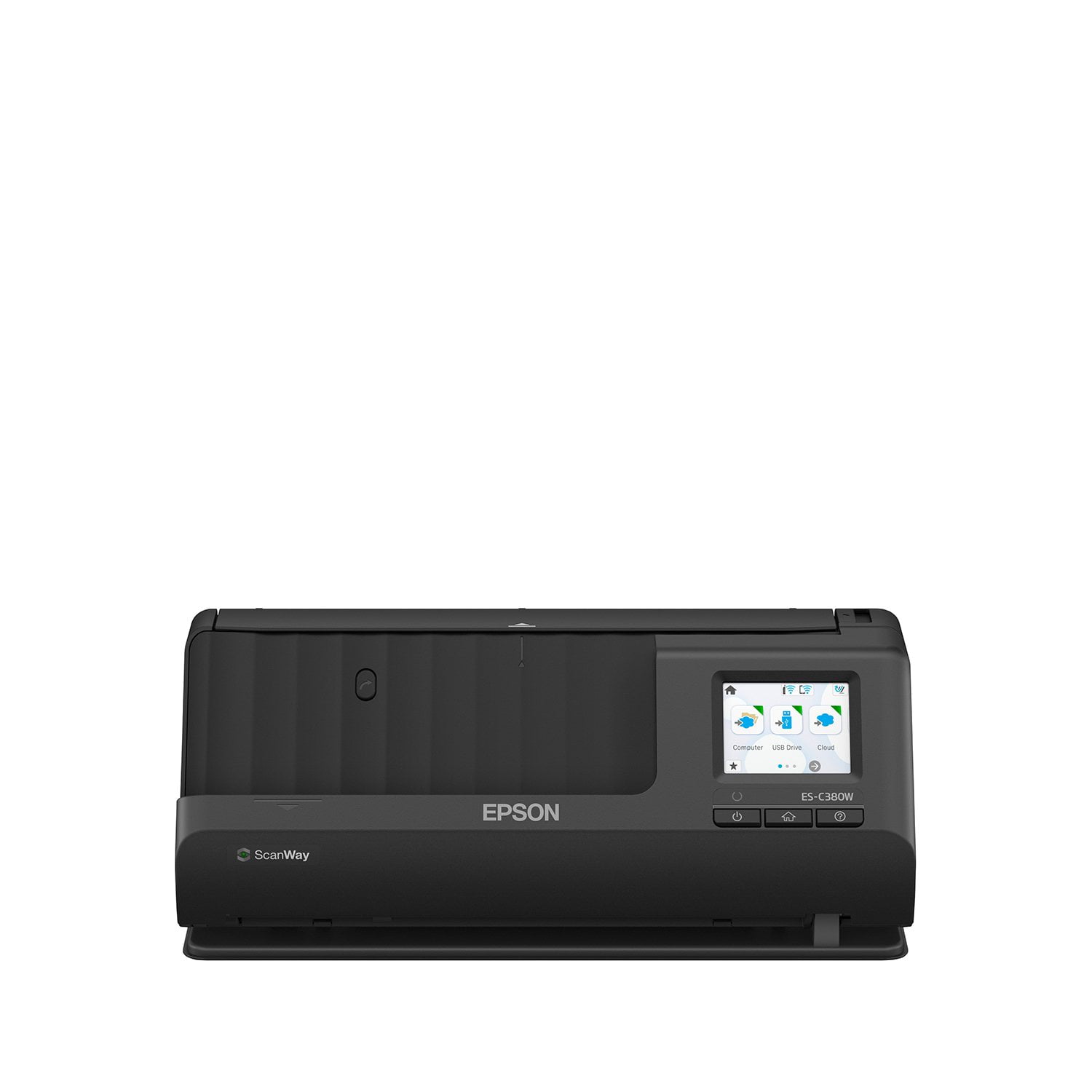
 Customer reviews for Epson WorkForce ES-C380W Wireless Compact Desktop Document Scanner for
Verified Purchase
set up was easy. app makes it easy to scan directly to your Android, PC OS. skins very quickly. roll up to carry in my briefcase for work. absolutely love it
Fast and Easy to use Scanner
I was gifted the Epson WorkForce ES-380W Wireless Document Scanner for free in exchange as a beta tester to review. When it arrived, I set it up really fast so that was automatically a benefit. It easily connects to Wifi. Over the past few weeks I've tried out the scanner for work when working from home. I find its actually much faster than the usual one I use. The way it works is pretty convenient. You can start it up and scan to a USB drive, or a network folder. You can also scan and email it to yourself. I have various online cloud saving accounts such as Google Drive I use for work, Dropbox I have from my college days, Microsoft OneDrive and even iCloud. You can make an account on through Epson connect and sync scanned docs to your choice of online drive if you want to do it that way. When trying it out to see how easy it is to scan from my computer, I installed the software and necessary drivers. Once that was done it worked as one would expect and had no problems. One of the things I had issues with on old scanners was when I had to scan a 2 sided document. This was no problem with the WorkForce ES-C380W. You don't have to interact to flip the document to scan the other side as it just does it on the initial scan. You can choose the orientation to be horizontal or vertical. Once you do that, it can easily take larger and smaller sized standard documents like legal, tabloid, receipt, It will take 20 sheets at a time when loading, and lives up to the promise of up to 30 pages per minute. I didn't actually count the sheets but was able to get through some huge stacks that I needed to scan, pretty quickly. For such a small scanner, I was pretty impressed. I also tried scanning color photos in smaller sizes, as well as my driver's license and passport to try and it handled it quickly, no problem. The quality of the scan was excellent, with little noise. You can change the settings of the output to for example pdf for documents and then single scan or multiple pages. I tried jpeg and other options for pictures, and tweaked various other options. I liked that I could change the resolution if I want it to take up less space or if I want higher quality. It allows you to enhance the scan to better pick up and recognize text which was super helpful because I use OCR text recognition on my scans through a different software related to my work. It also cleans up by removing flecks on the scan, can change the contrast, brightness, remove background, etc. Right out of the box this was a handy small space scanner that connects and sets up quickly, then delivers any scan you need to whatever storage with quality, options and speed. I would recommend this scanner.
Excellent quality scans
This is a review for the Epson WorkForce ES-380W Wireless Document scanner that I received free of charge to do a beta test and review. After receiving this scanner and using it for a few weeks, I can definitely say I'm impressed. I've used copy/scanner combos before and the can be slow and annoying to scan with. Especially with multiple pages. With the Epson compact scanner it's a breeze. Just stack them in and scan. Setup is simple on the pc or phone. If everything is on the same wifi network the scanner will be able to scan to either wirelessly. Or there is even a scan to cloud or usb option. I have scanned normal size pages, pictures, and even long and short receipts. All the scans come out perfectly clear. It can scan both sides of the document at the same time which is a great time saver. The paper input guide is easily adjustable to accommodate the smallest receipts. It's very small in size so it doesn't take up much desk space at all or it can be easily stowed in a document drawer. If you do alot of scanning for work or home I would definitely recommend this scanner. It will save you time over conventional combo scanners.
Conquering Paperwork with the Epson WorkForce ES-C380W
Say goodbye to overflowing inboxes and document chaos! The Epson WorkForce ES-C380W scanner has become my personal hero in the fight against paper clutter. This little powerhouse packs a serious punch, transforming my document management from a disorganized mess to a streamlined dream. Space-Saving Superhero My desk space is precious real estate, and the ES-C380W's compact design is a game-changer. It takes up minimal room, leaving me more space for the things I actually need while working. Don't let its size fool you, though. This scanner is a workhorse, handling even hefty workloads with ease. Wireless Wizardry Gone are the days of tangled cables and frustrating connections. Scanning with the ES-C380W is a breeze thanks to its seamless wireless functionality. I can scan directly to my phone, tablet, or computer without ever having to worry about cords getting in the way. Plus, the Epson Smart Panel app makes mobile scanning a snap, allowing me to capture documents on the go and send them straight to where they need to be. Double-Duty Efficiency Two-sided scanning is a must-have for me, and the ES-C380W delivers flawlessly. It tackles both sides of a document in a single pass, saving me precious time and effort. No more flipping pages or running scans twice – this scanner gets the job done right the first time. Batching Bonanza The 20-page auto document feeder is a lifesaver when I have a stack of papers to scan. No more tedious one-page-at-a-time feeding. I can simply load my documents, press scan, and let the ES-C380W work its magic. It efficiently processes batches, keeping my workflow moving smoothly. Smarter Scanning The included software is the icing on the cake. Epson ScanSmart allows me to preview, edit, and organize my scans with ease. Automatic file naming makes keeping track of everything a breeze, while OCR (Optical Character Recognition) lets me convert scanned documents into editable text files – a huge time-saver! The Verdict: A Must-Have for Busy Professionals The Epson WorkForce ES-C380W scanner is more than just a scanner; it's a productivity powerhouse. From its space-saving design to its wireless convenience and efficient scanning features, this scanner has transformed the way I manage my documents. Whether you're a home office warrior or a busy professional, the ES-C380W is a fantastic investment that will help you conquer paperwork and reclaim your sanity. Highly Recommend!
Excellent compact scanner, very fast
This is a review for the Epson WorkForce ES-380W Wireless Document scanner that I received free of charge to do a beta test and review. Excellent scanner, i replaced my bunch of Documates with this one, and it's a day and night difference in terms of performance and interface. It's exceptionally fast for compact document scanner, does color duplex scan, and one of the features i liked is its ability to scan thicker documents. Very easy to set up, works flawlessly on WiFi (can be connected via USB as well). It has LCD touchscreen, so can be controlled either from the app or without computer. Also can be controlled from mobile device (no need for PC), so this unit can be called portable as well.
This so easy to use!
This is a review for the Epson WorkForce ES-380W Wireless Document scanner that I received free of charge to do a beta test and review.” I have been using this now for a little over a week and I love it! It makes scanning documents so much easier and clears up space on you desk. I work with alot of invoices and receipts and depending on the day my desk can get pretty full. Now all i do is scan them, name them and they are saved for when I have time to check them or if I need the they are all right there. I have also thought about getting one for my brother who has alot of medical bills and receips that he needs to turn in each year. This would make that job so much easier for him and he wont lose them or have to hunt for them. I cant recommend this more. You dont need to have a business to own one. It can make anyones life easier and save those important receipts, warranties and documents.
Verified Purchase
The Epson scanner is very compact and doesnt take up much space. I purchased it for my home office. The set up eas easy, but learning how to connect it to wifi and scanned eith the Epson app wasnt so easy. I found the instructions to be lacking in explanation. The documents scanned are high quality and look very professional al.
Verified Purchase
Good but overpriced
It’s fine but very overpriced for the functionality. All scanners should come with these features standard, not having to pay extra for basic stuff.
Not bad, just pricey
Disclaimer: This is a review for the Epson WorkForce ES-380W Wireless Document scanner that I received free of charge to do a beta test and review. Now that that's out of the way, here is my actual review: I've been using the scanner for about 2 weeks and maybe because my desktop is a bit older (ok a LOT older), it made setup take longer than I would've liked, but I got it connected and it seems to work well. Things I liked: Easy to use Lightweight and can be easily moved around Scan to USB Things that need work: Construction- it feels a bit cheap, and moves around when loading documents because there aren't any "feet" to keep it in place. The default DPI is only 200, so while it scans fast at that output, the quality is poor and you'll have to adjust that. The screen is a bit too small for those with bigger fingers. I had no problem with it, but my husband would get annoyed with it not registering what he was touching. I feel like this is definitely a decent scanner for those that work from home because it does everything you need it to, but the price is where I feel is unjustified. It's not incredibly high tech and the fact that I had to change the default settings to make the quality better was laughable. I'd rather have clearly scanned images the first time, than be able to poorly scan documents rapidly.
Do not buy this
I would never recommend this scanner to anyone. I bought it thinking it was user friendly but it is not unless you are tech savvy. It look a long time to connect when it finally did it didn't separate the pages correctly and I had to manually go back and rescan them. I was hoping this scanner would be portable and I would able to easily connect it on travel but that is not the case. Beware - this is not a good product.