
 Customer reviews for SAMSUNG 70" Class U7900F Series 4K Crystal UHD Smart TV for
Member photos









 +1528 images
Great for TV, gaming, and as a laptop monitor
[This review was collected as part of a promotion.] My bedroom is also my office, and I use this TV for both business and pleasure. It makes a terrific monitor for my laptop, with super crisp definition, accurate color, and the brightness and contrast adjustments I need to make my work day easy on the eyes. It's big enough that I can open many windows to multitask on my screen. Then it transitions nicely to my evening TV and movie watching. The brights are nice and bright, the colors are vivid, the shadows are rich and dark, and the definition and refresh rate make video smooth, which I especially appreciate because I also use it for video gaming. I also make and sell t-shirts, and when I create the artwork the images have the color accuracy and detail level I need for my artwork. The TV is light and flat enough that it mounts easily on a standard wall mount, which I need in order to have a large TV in a small space. I took off a half star each for two minor inconveniences. The first is that there are some aspects of the "smart" navigation that I wish I could change, to adapt it more to my preferences. The second is that I hate the remote control - in particular the volume toggle, which I find difficult to work comfortably. I ended up replacing the remote with a compatible universal one that has buttons with a better feel. If not for those two small annoyances, I would have easily given this TV 5 stars.
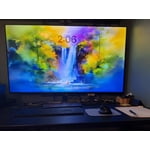
A TV for everyone.
[This review was collected as part of a promotion.] The true color pop on this TV is just outstanding. Watching this aesthetic TV during the day matches the room. With how bright this TV is viewing during the daytime makes you feel just as secure as the security Samsung puts behind the TV itself. And last of all, playing games a full resolution is one of the best features with the included game mode.
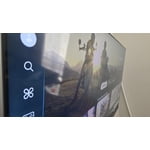
Great features but inconsistent picture quality
[This review was collected as part of a promotion.] I’m giving this 4 out of 5 stars. The aesthetics of the unit are sleek, but the color and resolution aren't always consistent. It’s frustrating when the picture quality shifts on certain streaming apps or movies, and after trying to troubleshoot it online, we still haven't found a permanent fix. On a positive note, the security features and privacy settings are easy to navigate, which gives us peace of mind. It’s a good product, but I wish the display settings were more reliable across different types of content.
A television to be in Aww of
[This review was collected as part of a promotion.] What an amazing television. it's so clear and the huge screen makes everything look like your experiencing it in real life like you're a part of it. also the sound is unbelievable. easy to control and easy to navigate. I love it!
Great TV
[This review was collected as part of a promotion.] I’m a 60 year old and very electronically challenged and setting up an connecting up was relatively simple and I know the picture isn’t the top of the line but I have no issues with it especially for the price point I just hope it last for many years i had two Samsung plasma tvs prior for well over 13 years and they were still working perfectly when I gave them to my needy relatives
Screen Timed Out Remote
[This review was collected as part of a promotion.] while watching the live stTV, the screen froze. It froze for several hours, even with turning it off and on overnight the next day I had to unplug the power supply to get the TV screen to show. The remote control should have numbers to make it easier to navigate
Hi TV 95 inch, If your U7900F TV’s Smart Hub is freezing, lagging, or not loading properly: 1. Reset Smart Hub – Home > left directional key > Settings > Support > Device Care > Self Diagnosis > Reset Smart Hub (This will sign you out of apps and reset Smart Hub to factory default.) 2. Update firmware – Home > left directional key > Settings > Support > Software Update > Update Now 3. Run Device Care – Home > left directional key > Settings > Support > Device Care > Start Device Care If the issue persists, contact Samsung Support at 1-800-SAMSUNG, 8AM – 12AM EST, 7 days a week. LiveChat is available under the ‘Support’ link on our website. ~ Samsung Advisor
Hardware malfunction
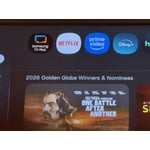
The first 4-6 weeks, the TV had no issues other than a slower interface. As I write this, I am roughly 2 months in and there is a hardware issue; a line runs across the top and there is a green dot. Save yourself a headache and do not purchase this item. First photo shows the green spot and part of the line. The second photo shows the entire line running across the TV.

Hi Frankie, We regret to hear about your experience with the Samsung U7900F TV. Samsung stands behind the quality and performance of our products and offers a 1-year limited warranty covering manufacturer defects when purchased new from an authorized seller. You can enter your model number to review the full terms here: https://www.samsung.com/us/support/warranty/ If you haven’t already, please contact Samsung Customer Support at 1-800-SAMSUNG (available 8AM – 12AM EST daily) or via LiveChat on our website under the ‘Support’ section. We’d welcome the chance to assist. ~ Samsung Specialist
Best tv ever!
[This review was collected as part of a promotion.] The tv powers on very quickly ive had it for months now. The picture is very clear i can watch any show real good and the brightness is perfect. The gaming hub on this tv is super cool to use i bought a controller and connected to tv and i get to play xbox games on it.
All in all a good entry level TV.
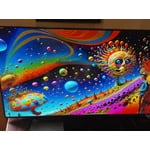
[This review was collected as part of a promotion.] It's a decent TV with a good picture but is very laggy on controls when pushing a button on the remote. It takes a long time to register which button was pressed. Also when I turn my Xbox on, it either takes a long time to realize it was turned on or doesn't come on at all and there's no selection to choose the Xbox even when I try different or new HDMI cords from the Xbox to the TV. I do enjoy being able to seamlessly connect my phone and galaxy buds pro3 to the TV. It's also very thin and lightweight. Picture is very bright and the colors pop. The resolution with my Xbox is pretty good and I love the built in live tv with Samsung tv. Also very secure on keeping people from connecting their phones without permission.
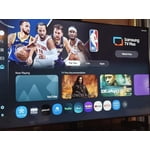
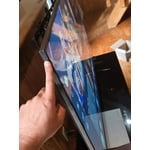
Hi SamsungFan, We appreciate your feedback regarding response time. For optimal performance, please ensure your U7900F TV is running the latest firmware. You can check this by going to: Home > left directional key > Settings > Support > Software Update To further optimize performance, try running Device Care, which checks memory, clears unused cached data, and closes background apps: Home > left directional key > Settings > Support > Device Care > Start Device Care If issues continue, please reach Samsung Support at 1-800-SAMSUNG, available 8AM – 9PM EST Mon – Fri, 8AM – 6PM Sat – Sun. LiveChat is also available via the ‘Support’ link on our website. ~ Samsung Advisor
might be better off saving your money
[This review was collected as part of a promotion.] I'm not sure if it's a software problem but whatever operating system is on this TV is very slow and laggy even with the best of the best internet I've tried it on fiber and I've also tried it with the most expensive star link plan there's no difference there that's how I know it's the TV and not a internet connection. The interface itself also is very disappointing there's all these recommended garbage things that I don't want and I actually have to scroll down through the trash to find my actual apps or the actual features that I'm looking for which is very inconvenient for me I like to be able to turn on a TV and go instantly to where I want kind of like the Roku settings are. So keep that in mind when you're designing other things. There's also an issue with a lot of the pre-downloaded programs. They will not let you delete them you can go through the whole deleting process and you can click okay to delete and it still stays there as well as new things you download you have to delete them three maybe five times before they'll actually be removed from your TV. The lack of an input section is fairly confusing I'm young so I was able to figure it out pretty quickly but for an elderly person I do not think this thing would be a good choice. I also don't like the fact that Samsung monitors everything I play on the TV for advertisement purposes and sells that data that's very bothersome and disturbing to me and if I would have known that before I spent the money I would not have purchased this TV. I am sick of being tracked with every little thing I do! Honestly if this TV wasn't so difficult to hang I would have returned it because of what I have described above.
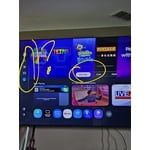
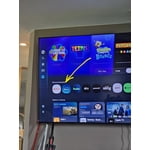
Hi ktmrider77, We appreciate your detailed feedback. Please know your opinion is important to us and will be shared with our internal teams. We recommend ensuring your TV is running the latest Firmware, version 1132.0. Go to Settings> Support> Software Update. If this firmware version is not yet available on your TV, you can download the update on a USB drive and manually update your TV: 1. On Samsung's website (upper right corner), go to: Support > Manual & Software > Find your TV model, and click on the Firmware – Upgrade File. 2. When the file has finished downloading, locate it and then unzip it. There is normally one folder inside but there may be multiple files. 3. Copy or move all of the files that were included in the zip file to a USB flash drive, but do not place them inside any other folders. If you place the software folders inside a folder on the USB flash drive, the TV or monitor will not find them. 4. Connect the USB drive containing the software upgrade into a USB port on your device. 5. Using your device's remote, navigate to and select Settings, then select All Settings, and then select Support. Select Software Update, select Update Now, and then select Yes if prompted. Your device will search the USB drive for update files. Follow the on-screen instructions to install the updated software. Updates usually take a few minutes; please do not turn off the TV until the update is complete. When the update is finished, it will restart automatically. If you need additional support, Samsung is here to help. Please call us at 1-800-SAMSUNG, available 8AM – 9PM EST Mon – Fri, 8AM – 6PM Sat – Sun. You can also chat with a LiveChat agent by clicking the ‘Support’ link on our website. ~ Samsung Advisor