Skip to Main Content
Sam's Club
Sam's Club
All Departments
All Services
Customer reviews for SAMSUNG 70" Class U7900F Series 4K Crystal UHD Smart TV for
SAMSUNG 70" Class U7900F Series 4K Crystal UHD Smart TV
4.6 out of 5 stars
stars
3,126 ratings3,119 reviews
  1. 5 stars75% (2,329)
  2. 4 stars15% (471)
  3. 3 stars6% (174)
  4. 2 stars2% (64)
  5. 1 star3% (88)

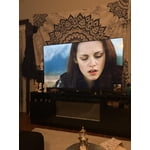
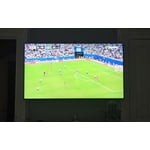
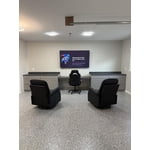
Member photos

  • +1248 images
Sort by |
Showing 2,761-2,770 of 3,119 reviews
Feb 9, 2026
gatorboy
5 out of 5 stars review

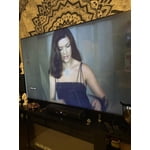
so sharp the image

[This review was collected as part of a promotion.] this product is so awesome the images just incredible immaculate

Review from Samsung US
Helpful?519VMKO7QPOP17358505999
Feb 17, 2026
LUIS
5 out of 5 stars review

AWESOME

[This review was collected as part of a promotion.] amazing TV with great sound and visual quality. Would recommend

Review from Samsung US
Helpful?519VMKO7QPOP17358505999
Mar 23, 2026
Jennifer
5 out of 5 stars review

Samsung TV review

[This review was collected as part of a promotion.] Great features like live TV make it an easier purchase. All apps included are easily accessible.

Review from Samsung US
Helpful?519VMKO7QPOP17358505999
Feb 17, 2026
Richy Rich
5 out of 5 stars review

Nice size, easy app selections, picture perfect

[This review was collected as part of a promotion.] Amazing TV & pic. The sound is perfect, lite weight. Love it

Review from Samsung US
Helpful?519VMKO7QPOP17358505999
Feb 17, 2026
Tiff
5 out of 5 stars review

EXCELLENT PICTURE

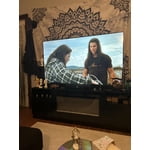
[This review was collected as part of a promotion.] This TV has a great picture and the price was great for the quality.

Review from Samsung US
Helpful?519VMKO7QPOP17358505999
Feb 14, 2026
NickM
5 out of 5 stars review

Great

[This review was collected as part of a promotion.] Omg what a great tv, love it so much best one ever lemme get another♡

Review from Samsung US
Helpful?519VMKO7QPOP17358505999
Mar 2, 2026
Living
5 out of 5 stars review

Love it

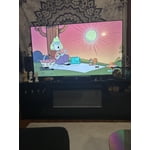
[This review was collected as part of a promotion.] Its a great picture color is awesome setting make it even better

Review from Samsung US
Helpful?519VMKO7QPOP17358505999
Feb 17, 2026
Samsungguru27
3 out of 5 stars review

Good tv

[This review was collected as part of a promotion.] Its okay cheap tv would recommend a higher model tv

Review from Samsung US
Helpful?519VMKO7QPOP17358505999
reply from Samsung Advisor

Hi Samsungguru27, We appreciate your feedback on the U7900F TV. If you ever have questions or need support, we’re here to help. Call us at 1-800-SAMSUNG, available from 8AM - 12AM EST, seven days a week. You can also connect with a LiveChat agent by clicking the ‘Support’ link on our website. ~ Samsung Advisor

Feb 9, 2026
Norm
5 out of 5 stars review

Great features love the picture

[This review was collected as part of a promotion.] Love the brightness of the picture very easy to operate

Review from Samsung US
Helpful?519VMKO7QPOP17358505999
Feb 17, 2026
TanL
3 out of 5 stars review

Good price

[This review was collected as part of a promotion.] It is good for the price, but it is not that good of the quality though

Review from Samsung US
Helpful?519VMKO7QPOP17358505999
reply from Samsung Advisor

Hi TanL, We appreciate your feedback on the picture quality of Samsung’s U7900F TV. If the image doesn’t quite match your preferences, there are several adjustments you can make to better suit your viewing environment and content type. First, please ensure your TV is running the latest firmware, as updates may include important picture quality enhancements. Go to: Home > Left directional button > Settings > Support > Software Update > Update Now To explore picture mode options, navigate to: Home > Left directional button > Settings > All Settings > Picture > Picture Mode. Options include: • Standard – Ideal for general viewing • Dynamic – Brighter and more vibrant for well-lit spaces • Eco – Optimized for energy efficiency • Movie – Best for viewing in low light • Filmmaker Mode – Preserves the content creator’s intent and disables motion smoothing for supported content You can further customize your image by going to: Settings > All Settings > Picture > Expert Settings, where you can adjust Brightness, Contrast, Color Tone, Sharpness, Contrast Enhancer and more. If you’d like help finding the best picture settings for your preferences, please don’t hesitate to contact Samsung Support at 1-800-SAMSUNG, available 8AM – 12AM EST, 7 days a week. You can also LiveChat with an agent or explore additional resources on our website by clicking the ‘Support’ link. ~ Samsung Advisor