Skip to Main Content
Sam's Club
Sam's Club
All Departments
All Services
Customer reviews for SAMSUNG 70" Class U7900F Series 4K Crystal UHD Smart TV for
SAMSUNG 70" Class U7900F Series 4K Crystal UHD Smart TV
4.5 out of 5 stars
stars
3,901 ratings3,894 reviews
  1. 5 stars73% (2,860)
  2. 4 stars15% (592)
  3. 3 stars6% (240)
  4. 2 stars2% (91)
  5. 1 star3% (118)

Member photos

  • +1527 images
Sort by |
Showing 261-270 of 3,894 reviews
Aug 20, 2026
Reviewer name: Dgarner
1 out of 5 stars
1 out of 5 stars review

Screen jumping

Screen begins to wiggle or jump about 5 minutes into programming. Took first TV back to store and exchanged for another one same model. Second one returned because of same problem

Review from Samsung US
Helpful?519VMKO7QPOP17358505999
reply from Samsung Specialist

We're sorry to hear that your experience with the U7900F TV led to a return. Your feedback matters to us and will be shared with our product team. If you decide to explore Samsung TVs again in the future, we’re always here to support you - whether it’s setup, features, or troubleshooting. Reach us anytime at 1-800-SAMSUNG (8AM – 9PM EST Mon – Fri, 8AM – 6PM Sat – Sun)or visit the ‘Support’ section of our website for LiveChat, manuals, and more. ~ Samsung Specialist

Aug 23, 2026
Reviewer name: Jjjjj
5 out of 5 stars
5 out of 5 stars review

Solid tv

The TV is fast to responses and rarely ever lags. The blacks are surprisingly deep ad the colors are vibrant. Ive enjoyed the brightness of how low it can get in a dark room as well.

Review from Samsung US
Helpful?519VMKO7QPOP17358505999
Aug 20, 2026
Reviewer name: Jeppydan
5 out of 5 stars
5 out of 5 stars review

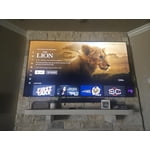
Bright and Clear pictures when watching movies
[This review was collected as part of a promotion.] Brightness and contrast makes my family look forward to watching a movie every night.This TV was the best thing I have ever watched.

Review from Samsung US
Helpful?519VMKO7QPOP17358505999
Aug 6, 2026
Reviewer name: deanwtenn
3 out of 5 stars
3 out of 5 stars review

The response of this TV with the remote is bad

When using the remote for this TV to get around on the menu is terrible. I have three other samsumg TV and it is the same on them too. when access the menu to select a app the response is very slow.

Review from Samsung US
Helpful?519VMKO7QPOP17358505999
reply from Samsung Advisor

Hi Deanwtenn, Thank you for your feedback. If your remote isn’t responding, here are a few quick steps to help determine if it’s working correctly: 1. Check the batteries: Remove the back cover of your remote and replace the batteries with a fresh set, ensuring they are inserted in the correct direction. 2. Test for infrared signal: Point the front of the remote at your smartphone camera. While holding down any button, you should see a flashing light through the camera screen. (For iPhone users, the front-facing camera works best.) If you see the light, your remote is working and may need to be re-paired with your TV. 3. Point the remote correctly: Try pointing the remote directly at the TV from about 5-6 feet away. This can help ensure a clearer signal between the remote and the TV. 4. Clean the remote: Gently wipe the top edge of the remote (where the infrared sensor is located) with a soft, dry cloth to remove any dust or debris that could interfere with functionality. If you still need assistance, please contact Samsung Support at 1-800-SAMSUNG (8AM – 9PM EST Mon – Fri, 8AM – 6PM Sat – Sun), or visit the ‘Support’ link on our website to start a LiveChat session. ~ Samsung Advisor

Aug 20, 2026
Reviewer name: Racer1691
1 out of 5 stars
1 out of 5 stars review

Stinks

I'm not a fan of the only one HDMI port. I'm not a fan of the stupid game mode that pops up every time I'm trying to play my PlayStation. I wouldn't buy it again

Review from Samsung US
Helpful?519VMKO7QPOP17358505999
reply from Samsung Specialist

Thank you for your review. If there’s anything we can assist with, please don’t hesitate to call us at 1-800-SAMSUNG (8AM – 9PM EST Mon – Fri, 8AM – 6PM Sat – Sun), or reach us via text anytime. You can also visit ‘Support’ on our website for: • Live Chat • Manuals, Software, & Warranty Info ~ Samsung Specialist

Aug 20, 2026
Reviewer name: So slow
3 out of 5 stars
3 out of 5 stars review

Showing Age

My Samsung was a choice for quality and features, but now it is very slow when using the remove. The Samsung app is always buffering and freeizing. The internet option is a plus, but I may opt for another brand; to slow when responding.

Review from Samsung US
Helpful?519VMKO7QPOP17358505999
reply from Samsung Specialist

We appreciate your feedback regarding response time. For optimal performance, please ensure your TV is running the latest firmware. You can check this by going to: Home > top directional key > Settings > Support > Software Update To further optimize performance, try running Device Care, which checks memory, clears unused cached data, and closes background apps: Home > top directional key > Settings > Support > Device Care > Start Device Care If issues continue, please reach Samsung Support at 1-800-SAMSUNG (8AM – 9PM EST Mon – Fri, 8AM – 6PM Sat – Sun). LiveChat is also available via the ‘Support’ link on our website. ~ Samsung Specialist

Aug 5, 2026
Reviewer name: Shaegirl
3 out of 5 stars
3 out of 5 stars review

Not sure I would ever purchase another Samsung

Television is overall great, however when watching movies or series some scenes are so dark you can hardly tell what is going on. I hate that about Samsung. We have never had that with other TV’s we have owned.

Review from Samsung US
Helpful?519VMKO7QPOP17358505999
reply from Samsung Advisor

Hi Shaegirl, We’re sorry to hear you’re not fully satisfied with the picture quality on your Samsung U7900FD TV. If the image appears too dark, we suggest disabling certain energy-saving features, which can automatically adjust brightness and affect how the screen looks. Go to: Settings > All Settings > General & Privacy > Power and Energy Saving, then turn off Brightness Optimization, Energy Saving Solution, Motion Lighting, and/or Contrast Enhancer. You can also adjust the Picture Mode to better suit your environment: Settings > All Settings > Picture > Picture Mode • Standard – Default mode for general viewing • Dynamic – Brighter and clearer, ideal for well-lit rooms • Movie – Best for dark room viewing • Eco – Energy-saving mode • Filmmaker Mode – Preserves content as intended by creators To fine-tune brightness, go to: Home > Settings > All Settings > Picture > Expert Settings, then adjust the Brightness level (0–50) to your preference. Lastly, please make sure your TV is running the latest firmware: Home > Home > left directional key > Settings > Support > Software Update > Update Now We hope these tips help improve your viewing experience. If you need further support, feel free to contact us at 1-800-SAMSUNG (8AM – 9PM EST Mon – Fri, 8AM – 6PM Sat – Sun). LiveChat is also available via the ‘Support’ link on our website. ~ Samsung Advisor

Aug 20, 2026
Reviewer name: Cleggo
5 out of 5 stars
5 out of 5 stars review

Awesome tv

[This review was collected as part of a promotion.] Setup was easy and the picture is great. Looks great in my man cave and I am looking forward to football season to watch the games.

Review from Samsung US
Helpful?519VMKO7QPOP17358505999
Aug 20, 2026
Reviewer name: Candy
5 out of 5 stars
5 out of 5 stars review

Samsung television
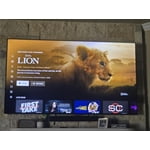
I purchased for my husband's birthday and he loves it, the color,picture and sound are great! Overall a great value for the purchase. Easy setup and easy to navigate.

Review from Samsung US
Helpful?519VMKO7QPOP17358505999
Aug 27, 2026
Reviewer name: DSL91
5 out of 5 stars
5 out of 5 stars review

65” Samsung TV
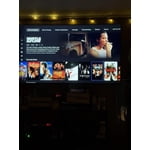
Great TV, Has a good picture and sound. And has amazing HD!!! And I absolutely love the Samsung Live TV.. I would highly recommend this television too Family & Friends..

Review from Samsung US
Helpful?519VMKO7QPOP17358505999