
 Customer reviews for SAMSUNG 65" Class Q6FD Series 4K QLED Smart TV for
Member photos

 +473 images
Exceptional Quality
[This review was collected as part of a promotion.] I recently purchased the Samsung 75-inch Smart 4K OLED TV, and I couldn't be happier with my choice. The picture quality is absolutely stunning, with vibrant colors and deep blacks that make every scene come to life. Watching movies and shows in 4K resolution is a game-changer, providing an immersive experience like no other. The smart features are incredibly user-friendly, giving me easy access to all my favorite streaming services. Plus, the sleek design fits perfectly in my living room. While it was a significant investment, the performance and quality make it worth every penny. I highly recommend it!
Fantastic tv
[This review was collected as part of a promotion.] the brightness is amazing and tools in the settings will help you in the future of any movie that you want to watch. It has a matching soundbar the adapts to any movie or anything that you want to watch like action or musical movie. Fits every family member.

Best gift ever
[This review was collected as part of a promotion.] I purchased a 55" TV for my son. He uses it with an Xbox and said it was the "Best gift ever" Beautiful visually and the detail is amazing. I have a 55" OLED and I don't believe I could be more impressed. But I'll wait a few years and see what the developers come up with and probably change my impression.
Amazing purchase, definite recommendation!
[This review was collected as part of a promotion.] This Product has vivid color with amazing contrast. The brightness is also a wonder because I can see the screen clearly with direct sunlight on it. I love the resolution and have been watching 4K content non stop. The interface is simple and easy to use. Overall I would highly recommend.


Great picture !
[This review was collected as part of a promotion.] color is fantastic brightness is very good contrast is out of sight and the interface is all right is okay is a resolution really brings out the picture and on the TV very satisfied with the television in Michigan City Indiana thank you .
Audio lacking
Totally no options for optical or RCA audio outputs. This TV destroyed my home theater feeling, although I admit that I failed to research and discover the inadequacy of this platform. Would not recommend for anyone that wanted to create a satisfactory sound environment. Disappointed that I purchased a Samsung product while expecting quality.
JON, Thank you for sharing your thoughts on the available inputs for the Q6FD. If an Optical port is a crucial part of your setup needs, you’ll find that connection starting with our Q8FD Series and above. For future purchases, we recommend double-checking the product specs on Sam's Club's site to ensure the model you choose has the ports you need. You’ll find the full list under Specifications: https://www.samsclub.com/ip/samsung-65-class-q6fd-series-4k-qled-smart-tv/17341154888 Should you ever need assistance with your TV, Samsung is here for you. Reach out by calling 1-800-SAMSUNG between 8AM - 12AM EST, any day of the week. You can also chat with us online by visiting the ‘Support’ section of our website. ~ Samsung Specialist
Excellent Picture with a Learning Curve
[This review was collected as part of a promotion.] I've been using the Samsung Q6F for a bit now, and overall I'm impressed — especially with the picture quality. The resolution is extremely sharp, even with standard streaming content. Native 4K content looks excellent, and upscaling does a solid job with lower-resolution material. Colors are vibrant without looking artificial, and the brightness is one of the standout features. It handles bright rooms very well, and HDR content really pops. Blacks are solid for a non-OLED panel, and contrast is strong enough that movies and sports both look great. Where the experience starts to slip a bit is with the interface design. It feels noticeably different from other Samsung products I own (phones, tablets, etc.), and not in a good way. The layout isn't as intuitive as I expected, and certain settings feel buried behind multiple layers of menus. Some actions that should be quick take more steps than necessary. It doesn't feel as streamlined or cohesive as Samsung's mobile ecosystem. The remote is another weak point. It's larger than it needs to be and not especially intuitive. Button placement isn't very ergonomic, and some frequently used functions require more thinking than they should. Compared to Samsung's sleeker remotes in past years, this one feels like a step backward in design. Overall, the Q6F delivers where it matters most — picture quality, brightness, and resolution are excellent. If you primarily care about visual performance, it's a strong choice. Just be prepared for a user interface and remote that may take some getting used to.

A bit disappointed
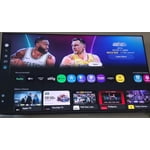
[This review was collected as part of a promotion.] This TV is great. Wonderful picture color and quality. For me their is no visible difference to the much more expensive oled/qled differences. Seems exactly how one would brightness and contrast. Resolution makes all the old movies need to be rewatched for this amazing experience. The Ai is a bit tricky, seems to not like me switching to my roku device on the remote and random opens some different platform on it each time I go there. Also, after reviewing dozens of tech articles and reviews before I chose Samsung again like 12yrs ago for a 45". It said all the tvs for the last 5yrs had PIP and that being 1 of top reasons to buy it. Well this one for blackfriday didn't, such a disappointment.
Terrible Controls
[This review was collected as part of a promotion.] Regrettably, my purchase of a 75" QLED Q6F 4K Smart TV is one of the worst consumer product decisions I have ever made. It is enormously complicated to operate the controls. Simply checking the listings requires one to reach out and up three buttons from selection ("enter") control. Paging through the listing requires a button push for every station on the list, as there is no option to page up or down the list. The basic keys are are widely spaced. The buttons on the remote control are poorly laid out with almost tactile clues on the buttons that would enable making basic controls accessible by touch. Since the controls are not illuminated, it is not possible to make basic selections without brightly lighting the room, which is not desirable when watching tv. My cable provider furnishes a remote that is illuminated and easily operated in the dark by placing nibs and different shaped keys that can be recognized by touch alone. Then there is the Samsung interface with the cable service that requires at least 10 strokes to access the cable system within a large array of other services that I do not use. If the tight key spacing leads one to erroneously hit another key, the entire process must begin again. When operating the unit through the Samsung software, the information on a program is a truncated version of the cable system's information. One must scroll down to a more detailed description. That will not work If a program is an episode of a series, as scrolling down will produce a brief description of the series, but nothing further on the episode. There is no day/date/time indicator on the system, but if you pull up the tv listings and scroll to the right, the current time will appear at the top right of the listings. This control system drives me nuts, and I feel like an idiot trying to work with it even though I have a university degree and years of experience with data systems. I take some comfort in knowing that I am at least smarter than the person that designed this terrible user interface.
ezharleyman, We appreciate you sharing your experience. To help you get the most from your TV and remote functions, you can download the full e-Manual and more by visiting Samsung’s website then navigating to: Support > Manual & Software > TVs & Home Theater. From there, you can search for and select your Q6F TV model to view or download the available guides. The e-Manual & Remote Control Guide are also conveniently built into your TV: Settings > Support > Tips and User Guides. For additional guidance, your TV also includes Accessibility features designed to assist with navigation and remote use. • Learn Menu Screen provides audio guidance for on-screen menus by announcing the name and function of each item as you scroll – without making any changes. This is especially helpful for users who are visually impaired or new to Smart TV menus. Enable via: Settings > All Settings > General & Privacy > Accessibility > Learn Menu Screen. To exit, press the Return key twice. • Learn TV Remote helps users become familiar with the layout and function of each button on the Samsung remote. Pressing a button (other than Power) will prompt the TV to announce its name and purpose, again without affecting TV operation. Enable via: Settings > All Settings > General & Privacy > Accessibility > Learn TV Remote. To exit, press the Return key twice. If you’d like more assistance with these features, please reach Samsung Support at 1-800-SAMSUNG, available 8AM – 12AM EST, 7 days a week. LiveChat agents are also available through the ‘Support’ link on our website. ~ Samsung Specialist
plain awsome tv
[This review was collected as part of a promotion.] this tv and its curved screen has best 4 k resolution i cant stop wat hing movies or gaming everythibg is so briggt and viberente the sound is exsolent it auto updates im in love with my samsung tv