Skip to Main Content
Sam's Club
Sam's Club
All Departments
All Services
Customer reviews for SAMSUNG 65" Class Q6FD Series 4K QLED Smart TV for
SAMSUNG 65" Class Q6FD Series 4K QLED Smart TV
4.7 out of 5 stars
stars
1,263 ratings1,244 reviews
  1. 5 stars76% (956)
  2. 4 stars18% (228)
  3. 3 stars3% (44)
  4. 2 stars1% (14)
  5. 1 star2% (21)

Member photos

  • +402 images
Sort by |
Showing 661-670 of 1,244 reviews
Mar 20, 2026
Reviewer name: JCN1970
5 out of 5 stars
5 out of 5 stars review

Exceptional quality!

[This review was collected as part of a promotion.] Tv has been flawless. Adapts well to ambient light. The colors are awesome and crisp. Love the smart TV options and accessibility.

Review from Samsung US
Helpful?7DLNSAICO7GM17341154888
Feb 17, 2026
Reviewer name: Yadi
5 out of 5 stars
5 out of 5 stars review

My QLED

[This review was collected as part of a promotion.] I was amazed, actually blown away by the picture quality and smart features! Seamless when you already own a Samsung phone! Smart things is genius! Plus the price point was phenomenal!

Review from Samsung US
Helpful?7DLNSAICO7GM17341154888
May 22, 2026
Reviewer name: Dman
5 out of 5 stars
5 out of 5 stars review

Great reception

[This review was collected as part of a promotion.] the television has a great picture my father enjoys watching the Atlanta Braves play on it then local news and that's it

Review from Samsung US
Helpful?7DLNSAICO7GM17341154888
May 11, 2026
Reviewer name: Micky
4 out of 5 stars
4 out of 5 stars review

Great experience

[This review was collected as part of a promotion.] upgraded to a 75-in qled and was not disappointed with the contrast and color settings highly recommend. coming from a Roku it's a major upgrade

Review from Samsung US
Helpful?7DLNSAICO7GM17341154888
Mar 23, 2026
Reviewer name: GuySmiley
5 out of 5 stars
5 out of 5 stars review

The Picture Quality and Sound are Second too None!
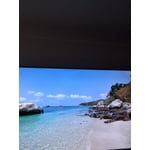
[This review was collected as part of a promotion.] The Resolution on this TV is Excellent !! I can honestly say this is the Best TV I've ever Owned !!! The Sound is Awesome Also!!!

Review from Samsung US
Helpful?7DLNSAICO7GM17341154888
Mar 23, 2026
Reviewer name: Alsojustin
3 out of 5 stars
3 out of 5 stars review

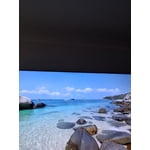
Burn

[This review was collected as part of a promotion.] About to give this television a five-star rating however the screen had burned in issues right off the bat. Such a let down.

Review from Samsung US
Helpful?7DLNSAICO7GM17341154888
reply from Samsung Specialist

Alsojustin, It’s unfortunate to hear about your experience with Samsung’s Q6F TV. We’re committed to delivering quality, value, and the best possible product experience. This TV is backed by a 1-year limited manufacturer’s warranty, which includes authorized repair for eligible defects when purchased brand-new from an authorized retailer. To review full warranty terms, you can enter your model number here: https://www.samsung.com/us/support/warranty/ We’d appreciate the opportunity to assist further. Please contact Samsung Customer Support at 1-800-SAMSUNG (8AM – 12AM EST, 7 days a week), or connect with a LiveChat agent by clicking the ‘Support’ link on our website. ~ Samsung Specialist

Feb 21, 2026
Reviewer name: JohnLock
1 out of 5 stars
1 out of 5 stars review

Not as expected

Picture quality is awful and not sharp to think this is 4K and QLED. I had Samsung before but this one is really disappointing. Will definitely return asap.

Helpful?7DLNSAICO7GM17341154888
reply from Samsung

JohnLock,<br /><br />We appreciate your feedback on the picture quality of Samsung’s Q6FD TV. If the image doesn’t quite match your preferences, there are several adjustments you can make to better suit your viewing environment and content type.<br /><br />First, please ensure your TV is running the latest firmware, as updates may include important picture quality enhancements. Go to: Home &gt; Left directional button &gt; Settings &gt; Support &gt; Software Update &gt; Update Now<br /><br />To explore picture mode options, navigate to: Home &gt; Left directional button &gt; Settings &gt; All Settings &gt; Picture &gt; Picture Mode. Options include:<br />• Standard – Ideal for general viewing<br />• Dynamic – Brighter and more vibrant for well-lit spaces<br />• Eco – Optimized for energy efficiency<br />• Movie – Best for viewing in low light<br />• Filmmaker Mode – Preserves the content creator’s intent and disables motion smoothing for supported content<br /><br />You can further customize your image by going to: Settings &gt; All Settings &gt; Picture &gt; Expert Settings, where you can adjust Brightness, Contrast, Color Tone, Sharpness, Contrast Enhancer and more.<br /><br />If you’d like help finding the best picture settings for your preferences, please don’t hesitate to contact Samsung Support at 1-800-SAMSUNG, available 8AM – 12AM EST, 7 days a week. You can also LiveChat with an agent or explore additional resources on our website by clicking the ‘Support’ link.<br /><br />~ Samsung Specialist

Mar 1, 2026
Reviewer name: AriesGoddeSS6232
5 out of 5 stars
5 out of 5 stars review

Love the realistic look this TV displays

[This review was collected as part of a promotion.] I love the color definition and sharpness thisbtv has along with the amazing features. I recommebt getting thisbtv or any Samsung brand TV for that matter

Review from Samsung US
Helpful?7DLNSAICO7GM17341154888
May 21, 2026
Reviewer name: Eds TV
5 out of 5 stars
5 out of 5 stars review

My favorite TV
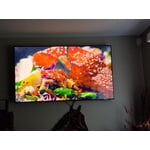
[This review was collected as part of a promotion.] This is the best TV I've ever owned. Picture quality is is excellent, clear and sharp. Easy to use features and clear tutorial instructions made this product a breeze to setup.

Review from Samsung US
Helpful?7DLNSAICO7GM17341154888
Feb 17, 2026
Reviewer name: Randall
4 out of 5 stars
4 out of 5 stars review

Good for the price

[This review was collected as part of a promotion.] Its nice but wish I had better like the s95f or one of the neo 4k ones. Its good for a lower budget tv

Review from Samsung US
Helpful?7DLNSAICO7GM17341154888