Skip to Main Content
Sam's Club
Sam's Club
All Departments
All Services
Customer reviews for SAMSUNG 65" Class Q6FD Series 4K QLED Smart TV for
SAMSUNG 65" Class Q6FD Series 4K QLED Smart TV
4.7 out of 5 stars
stars
1,499 ratings1,480 reviews
  1. 5 stars76% (1,141)
  2. 4 stars17% (260)
  3. 3 stars4% (54)
  4. 2 stars1% (21)
  5. 1 star2% (23)

Member photos

  • +473 images
Sort by |
Showing 631-640 of 1,480 reviews
Jul 7, 2026
Reviewer name: Napoleon7
5 out of 5 stars
5 out of 5 stars review

Prosperity

[This review was collected as part of a promotion.] Customer assistance is well trained and setted. Im glad to be saved by you. You really know what it means to be a customer.

Review from Samsung US
Helpful?7DLNSAICO7GM17341154888
Apr 6, 2026
Reviewer name: Customer
3 out of 5 stars
3 out of 5 stars review

A few issues

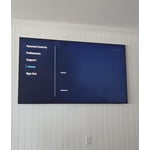
[This review was collected as part of a promotion.] The picture is GREAT but setting it up was quite a challenge as well trouble shooting issues that have arisen since. A hard-copy owner's manual would have been nice.

Review from Samsung US
Helpful?7DLNSAICO7GM17341154888
reply from Samsung Specialist

We appreciate you sharing your experience. To help you get the most from your TV and remote functions, you can download the full e-Manual and more by visiting Samsung’s website then navigating to: Support > Manual & Software > TVs & Home Theater. From there, you can search for and select your TV model to view or download the available guides. The e-Manual & Remote Control Guide are also conveniently built into your TV: Settings > Support > Tips and User Guides. For additional guidance, your TV also includes Accessibility features designed to assist with navigation and remote use. • Learn Menu Screen provides audio guidance for on-screen menus by announcing the name and function of each item as you scroll – without making any changes. This is especially helpful for users who are visually impaired or new to Smart TV menus. Enable via: Settings > All Settings > General & Privacy > Accessibility > Learn Menu Screen. To exit, press the Return key twice. • Learn TV Remote helps users become familiar with the layout and function of each button on the Samsung remote. Pressing a button (other than Power) will prompt the TV to announce its name and purpose, again without affecting TV operation. Enable via: Settings > All Settings > General & Privacy > Accessibility > Learn TV Remote. To exit, press the Return key twice. If you’d like more assistance with these features, please reach Samsung Support at 1-800-SAMSUNG (8AM – 9PM EST Mon – Fri, 8AM – 6PM Sat – Sun). LiveChat agents are also available through the ‘Support’ link on our website. ~ Samsung Specialist

May 21, 2026
Reviewer name: Doug
1 out of 5 stars
1 out of 5 stars review

Never again

[This review was collected as part of a promotion.] This tv has no audio out mini jack port. No controls on the TV except on and off. Cheapest made samsung I've ever purchased.

Review from Samsung US
Helpful?7DLNSAICO7GM17341154888
reply from Samsung Specialist

Thank you for sharing your thoughts on the available inputs for the Q6F. If an Optical port is a crucial part of your setup needs, you’ll find that connection starting with our Q8F Series and above. For future purchases, we recommend double-checking the product specs on Samsung's site to ensure the model you choose has the ports you need. You can find this by clicking on “Specs” (just beneath the Product Title), then "See All Specs" for the full list of available inputs and more: https://www.samsung.com/us/tvs/qled-tv/55-inch-class-qled-4k-tv-sku-qn55q6faafxza Should you ever need assistance with your TV, Samsung is here for you. Reach out by calling 1-800-SAMSUNG (8AM – 9PM EST Mon – Fri, 8AM – 6PM Sat – Sun). You can also chat with us online by visiting the ‘Support’ section of our website. ~ Samsung Specialist

Apr 15, 2026
Reviewer name: Co2gas
5 out of 5 stars
5 out of 5 stars review

Its a wonderful tv with outstanding picture
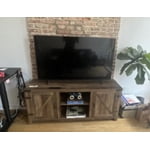
[This review was collected as part of a promotion.] the 55-in qled the 55-in qled qfdf SD 4K Smart TV is one of the most greatest TVs I've encountered is great with video games and great for movies loves it more than ever

Review from Samsung US
Helpful?7DLNSAICO7GM17341154888
May 20, 2026
Reviewer name: Timmy
5 out of 5 stars
5 out of 5 stars review

We love it

[This review was collected as part of a promotion.] Beautiful picture. Just a great experience watching movies from home. Paired with a complete Sonos system. Movie theaters cannot compare. And my girl is a gamer. Luvin every minute of it.

Review from Samsung US
Helpful?7DLNSAICO7GM17341154888
Jun 5, 2026
Reviewer name: Living room
5 out of 5 stars
5 out of 5 stars review

Great tv

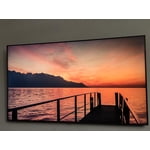
[This review was collected as part of a promotion.] Tv has a wonderful picture and easy to navigate. The features are great . Love how easy it is to use .

Review from Samsung US
Helpful?7DLNSAICO7GM17341154888
Jun 5, 2026
Reviewer name: rierie1955
5 out of 5 stars
5 out of 5 stars review

Clearest picture ever
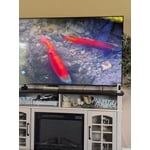
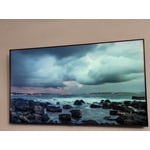
[This review was collected as part of a promotion.] The best color ive ever gotten from a tv. The contrast is really good . everything is so clear and true to color and sharpness.

Review from Samsung US
Helpful?7DLNSAICO7GM17341154888
Jun 25, 2026
Reviewer name: Rodness1
4 out of 5 stars
4 out of 5 stars review

Basic

[This review was collected as part of a promotion.] this TV is your basic 4K TV nothing special but not a bad TV be a lot better color is so so brightness basic interference basic and the contrast is basic the American flag

Review from Samsung US
Helpful?7DLNSAICO7GM17341154888
Jun 27, 2026
Reviewer name: Chris86
4 out of 5 stars
4 out of 5 stars review

Great tv

[This review was collected as part of a promotion.] Very good tv, bright and beautiful picture, my only issue is that software got slower little bit in time , specially after restarting the TV, it takes to long to start and be ready

Review from Samsung US
Helpful?7DLNSAICO7GM17341154888
Jun 20, 2026
Reviewer name: Lora
4 out of 5 stars
4 out of 5 stars review

Good buy

[This review was collected as part of a promotion.] Nice TV put on Dynamic mode and it makes picture much better very easy to set up and love all the different smart features

Review from Samsung US
Helpful?7DLNSAICO7GM17341154888