Join Now
Skip to Main Content
Sam's Club
Sam's Club
All Departments
All Services
Customer reviews for SAMSUNG 65" Class Q6FD Series 4K QLED Smart TV for
SAMSUNG 65" Class Q6FD Series 4K QLED Smart TV
4.7 out of 5 stars
stars
1,498 ratings1,479 reviews
  1. 5 stars76% (1,140)
  2. 4 stars17% (260)
  3. 3 stars4% (54)
  4. 2 stars1% (21)
  5. 1 star2% (23)

Member photos

  • +473 images
Sort by |
Showing 1,201-1,210 of 1,479 reviews
Feb 17, 2026
Reviewer name: Tinatee
5 out of 5 stars
5 out of 5 stars review

Great features built in
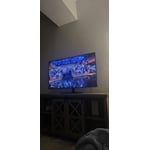
[This review was collected as part of a promotion.] This TV has beautiful resolution quality and has all my apps built in. I like that I adjust the brightness and color as well.

Review from Samsung US
Helpful?7DLNSAICO7GM17341154888
Feb 18, 2026
Reviewer name: Living room tv
5 out of 5 stars
5 out of 5 stars review

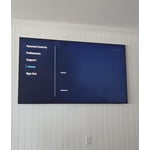
Simple menu and easy to follow

[This review was collected as part of a promotion.] Love the high resolution, have been told by friends and family how beautiful the picture is. Very clear imaging, even on video gaming.

Review from Samsung US
Helpful?7DLNSAICO7GM17341154888
Feb 17, 2026
Reviewer name: My tv
5 out of 5 stars
5 out of 5 stars review

65 qled 4k smart tv

[This review was collected as part of a promotion.] Great TV. Samsung has never let me down. Has all the bells and whistles ease of using and great picture and sound

Review from Samsung US
Helpful?7DLNSAICO7GM17341154888
Mar 23, 2026
Reviewer name: Costcotv
4 out of 5 stars
4 out of 5 stars review

Locks up

[This review was collected as part of a promotion.] When switching apps like Netflix to Hulu TV locks up you have to power it off. It locks up memory

Review from Samsung US
Helpful?7DLNSAICO7GM17341154888
Mar 5, 2026
Reviewer name: ttempio
5 out of 5 stars
5 out of 5 stars review

Great TV

[This review was collected as part of a promotion.] LOVE this tv so much! It's very quick, bright, and the colors are incredible! The HD screen is great too.

Review from Samsung US
Helpful?7DLNSAICO7GM17341154888
Mar 23, 2026
Reviewer name: TJay
4 out of 5 stars
4 out of 5 stars review

Reliable, sharp colors

[This review was collected as part of a promotion.] Reliable TV. Sharp colors and plenty of I/O interface. Smart TV is also great and offers plenty of channels.

Review from Samsung US
Helpful?7DLNSAICO7GM17341154888
Feb 17, 2026
Reviewer name: DrPepper
5 out of 5 stars
5 out of 5 stars review

Amazing product

[This review was collected as part of a promotion.] Samsung makes the best tvs for display and resolution, perfectly customizable for color, contrast, and brightness, the menu on the tv is absolutely amazing

Review from Samsung US
Helpful?7DLNSAICO7GM17341154888
Mar 5, 2026
Reviewer name: JMATT63
5 out of 5 stars
5 out of 5 stars review

Great TV best I've owned.

[This review was collected as part of a promotion.] This is the best TB I've ever owned. I love the crisp clear picture and great sound. I love that it allows me to play games on it as well.

Review from Samsung US
Helpful?7DLNSAICO7GM17341154888
Mar 23, 2026
Reviewer name: Drkmn
5 out of 5 stars
5 out of 5 stars review

Great purchase

[This review was collected as part of a promotion.] Love this television, i have nothing but samaung products for entertainment areas. Would recommend to anyone looking to buy a tv. Easy to set up and navigate.

Review from Samsung US
Helpful?7DLNSAICO7GM17341154888
Feb 17, 2026
Reviewer name: Samsungdumbthings
3 out of 5 stars
3 out of 5 stars review

Everything good except software over time

[This review was collected as part of a promotion.] The TV menus have started to go extremely slow and that will cause me to remove 2 stars. The TV itself is great minus the UI.

Review from Samsung US
Helpful?7DLNSAICO7GM17341154888
reply from Samsung Specialist

Hi, We appreciate your feedback regarding response time. For optimal performance, please ensure your TV is running the latest firmware. You can check this by going to: Home > left directional key > Settings > Support > Software Update To further optimize performance, try running Device Care, which checks memory, clears unused cached data, and closes background apps: Home > left directional key > Settings > Support > Device Care > Start Device Care If issues continue, please reach Samsung Support at 1-800-SAMSUNG, available 8AM – 12AM EST, 7 days a week. LiveChat is also available via the ‘Support’ link on our website. ~ Samsung Specialist