Skip to Main Content
Sam's Club
Sam's Club
All Departments
All Services
Customer reviews for SAMSUNG 48” Class S90FD Series 4K OLED Smart TV for
SAMSUNG 48” Class S90FD Series 4K OLED Smart TV
4.7 out of 5 stars
stars
569 ratings569 reviews
  1. 5 stars79% (451)
  2. 4 stars14% (80)
  3. 3 stars4% (22)
  4. 2 stars2% (12)
  5. 1 star1% (4)

Member photos

  • +172 images
Sort by |
Showing 181-190 of 569 reviews
Sep 5, 2026
Reviewer name: Gdaddy
4 out of 5 stars
4 out of 5 stars review

55" Class OLED S90FD 4K Vision AI Smart TV

TV has a great picture. I don't like remote control. It feels cheap and its too easy to accidently press the wrong buttons when you pick it up.

Review from Samsung US
Helpful?47UFZLBAKP7S17341154852
Sep 5, 2026
Reviewer name: wcb3323
4 out of 5 stars
4 out of 5 stars review

Great picture, poor features.

TV is great, remote control is terrible. It's confusing, overly sensitive, and just not user friendly.

Review from Samsung US
Helpful?47UFZLBAKP7S17341154852
Sep 2, 2026
Reviewer name: Tomkat
5 out of 5 stars
5 out of 5 stars review

Nice, plain and simple

Wonderful and awe inspiring picture. Takes your breathe with crisp lines and sharp realistic contrast, as if it was truly right in front of you.

Review from Samsung US
Helpful?47UFZLBAKP7S17341154852
Sep 4, 2026
Reviewer name: Kevelder
5 out of 5 stars
5 out of 5 stars review

Superb picture quality, oled is the way to go!

Samsung oled tv has an amazing picture. Q-symphony paired to my Samsung home theater has an awesome sound.

Review from Samsung US
Helpful?47UFZLBAKP7S17341154852
Sep 5, 2026
Reviewer name: Brayden
5 out of 5 stars
5 out of 5 stars review

TV has been a great addition to the house

Everything works great! Tv is very responsive and the image looks great. Item is surprisingly light so very happy to install. So far so good

Review from Samsung US
Helpful?47UFZLBAKP7S17341154852
Sep 12, 2026
Reviewer name: None
4 out of 5 stars
4 out of 5 stars review

Great features

The picture is very good.I like the sharpness of the picture. I like the size. I wish the price would come down.

Review from Samsung US
Helpful?47UFZLBAKP7S17341154852
Sep 5, 2026
Reviewer name: JimT
3 out of 5 stars
3 out of 5 stars review

Operating system is awful

Picture is phenomenal and sound is good. The operating system is so glitchy, invasive and heavy handed it overwhelms all the positives.

Review from Samsung US
Helpful?47UFZLBAKP7S17341154852
reply from Samsung Advisor

Hi JimT, We appreciate your feedback regarding your S90FD TV’s performance. If you're experiencing freezing or lag in general response time, please try the following steps: 1. Check for firmware updates – Keeping your TV up to date can resolve many performance issues: Home > Settings > Support > Software Update > Update Now 2. Run Device Care – This tool checks system memory, frees up cached data, and closes background apps that could be slowing things down: Home > Settings > Support > Device Care > Start Device Care 3. Cold boot your TV – With the TV powered on, press and hold the Power button on your remote for 5+ seconds until the TV restarts. This helps refresh the system. If you're still noticing performance snags after these steps, please contact Samsung Support at 1-800-SAMSUNG (8AM – 9PM EST Mon – Fri, 8AM – 6PM Sat – Sun). You can also connect with a LiveChat agent via the ‘Support’ link on our website. ~ Samsung Advisor

Sep 5, 2026
Reviewer name: Nagesh
5 out of 5 stars
5 out of 5 stars review

Excellent picture view
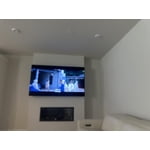
OLED is best , best AI tV experience Automatically sound adjust to the room, picture view on 4K is so good

Review from Samsung US
Helpful?47UFZLBAKP7S17341154852
Sep 5, 2026
Reviewer name: Blondee
5 out of 5 stars
5 out of 5 stars review

Wonderful

The TV is fabulous and the brightness and clarity and the colors are amazing. Love it and it's really quick responsiveness.

Review from Samsung US
Helpful?47UFZLBAKP7S17341154852
reply from Samsung Advisor

Hi Blondee, We appreciate your feedback regarding response time. For optimal performance, please ensure your TV is running the latest firmware. You can check this by going to: Home > left directional key > Settings > Support > Software Update To further optimize performance, try running Device Care, which checks memory, clears unused cached data, and closes background apps: Home > left directional key > Settings > Support > Device Care > Start Device Care If issues continue, please reach Samsung Support at 1-800-SAMSUNG (8AM – 9PM EST Mon – Fri, 8AM – 6PM Sat – Sun). LiveChat is also available via the ‘Support’ link on our website. ~ Samsung Advisor

Aug 26, 2026
Reviewer name: Mikenva
5 out of 5 stars
5 out of 5 stars review

New OLED

The picture quality is phenomenal. A whole new way of seeing TV. It's almost looks real. Highly recommend

Review from Samsung US
Helpful?47UFZLBAKP7S17341154852