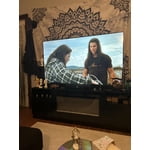
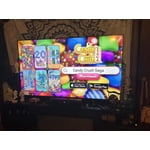
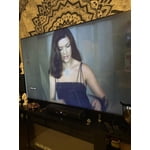
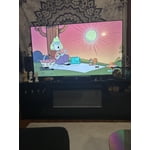
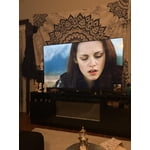
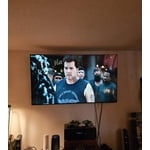
Customer reviews for SAMSUNG 75” Class U7900F Series 4K Crystal UHD Smart TV forMember photos


+1328 images
The Picture.....OMG !!!
[This review was collected as part of a promotion.] I've always had a really good " eye " for picture quality / sharpness. I can pick out the best picture every time. But with buying online, I was a bit apprehensive. Let's just say there was no need to be, one of the best pictures I've seen to date ! Sharpness is incredible, color is unmatched. A true winner.
Great TV, needs more memory
[This review was collected as part of a promotion.] Overall it's a great TV, not as crisp of a picture as the 8 or 9 series, but still good. Only down side is all ofnthe undeletable apps take up so much space that I had to get a Roku because I no longer had room to update my TV with the few streaming apps that I have.
Great deal
[This review was collected as part of a promotion.] Great value product. It has features to connect my Bluetooth headsets which makes it very convenient gaming and theater experience. Moreover the video quality is extremely good. And I love the smart tv features also known as "Smart Things" I have everything on my tips. Overall it is great experience.
Screen broken
The screen already broke while trying to change a setting, and then when I try to contact It has been more than 3 months since I purchased So the screen is easily broken and hard to find a replacement part. So I do not recommend this TV at all. It is just a waste of my money If anyone contacts me to help with Samsclub or Samsung, happy to edit my Review
Hi Adbi,<br /><br />Thank you for your feedback. We regret to hear about the damage, but it’s important to clarify that our warranty does not cover issues resulting from wall mounting, delivery, or installation. Coverage applies only to defects in materials and workmanship during normal, noncommercial use. Full warranty terms can be found here: https://www.samsung.com/us/support/warranty/<br /><br />If you have any questions or need help, we’re always here. Call 1-800-SAMSUNG from 8AM - 12AM EST, seven days a week, or connect with a LiveChat agent anytime by selecting ‘Support’ on our website.<br /><br />~ Samsung Advisor
Decent price, fair # of annoyances
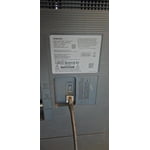
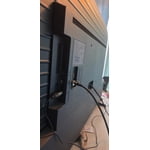
Back of the tv was partially detached at delivery. It made the ports difficult to access; the back can be popped back on if you're very careful but doesn't stop it from recurring. Samsun live tv is the default screen, NOT home, and will kick you out of what you're attempting to do to revert to it. I've also had this tv give me the known red screen issues less than a week after delivery. Not great.
Hi Ajanine, We are sorry to hear about the issues you mentioned. Please know we back this TV with a 1-year manufacturer's warranty and are happy to assist you. Call us at 1-800-SAMSUNG, available from 8AM to 12AM EST, seven days a week. Or visit the Samsung website and click on the ‘Support’ link for: • LiveChat with an agent • Manuals, Software, and Warranty Info ~ Samsung Advisor
Great picture and streamlined remote but...
[This review was collected as part of a promotion.] What I do not love about my UHD U7900F is the fact that Samsung cannot include a dynamic antenna to pick up the "free" digital channels that are broadcast in my area. Nor are you capable of recommending a compatible after market antenna that works seamlessly with my UHD U7900F. With todays technology one shouldn't have issues with picking up digital channels. I have gone through 8-9 different antennas searching for one that is reliable to no avail. I had gone through the same issue with my previous 70" Samsung that is why I purchased my new UHD U7900F thinking that this issue would've been solved.
Poor build quality - Frame detached and ruined the
"I am extremely disappointed with this 75" Crystal TV. Only 19 days after purchase, the bezel (frame) started detaching from the panel due to a clear adhesive failure. This manufacturing defect caused internal pressure that eventually cracked the screen. Despite the TV being brand new and still having the original protective plastics, Samsung refused to honor the warranty, claiming 'physical damage' instead of acknowledging their structural design flaw. Do not buy if you expect durability or a fair warranty process."
Hi DisappointedCustomer2026, Thank you for bringing your concerns to our attention. We have escalated your case, and our service teams are actively looking into your interactions with us. Please know that Samsung is committed to providing the best possible product experience, quality, and value, and your feedback will be shared with our product and customer care teams. In the meantime, should you wish to contact us directly with your ticket number, please call 1-800-SAMSUNG, 8AM -12AM EST, 7 days a week. Our LiveChat agents are also available by clicking on the ‘Support’ link on our website. ~Samsung Advisor
Disappointed with the functionality
[This review was collected as part of a promotion.] In terms of resolution and picture quality, this TV is an excellent buy. The image is sharp, bright, and very enjoyable for everyday viewing. However, the functionality is limited. It only has two HDMI ports. In my case, one is used for the cable box and the other for my home theater system, which leaves no additional HDMI inputs available. Another significant limitation is the app platform. The TV does not allow you to add apps beyond those offered in Samsung's app store. I was unable to install some of the streaming services I use, such as Peacock, Max (HBO Max), and Paramount+. As a result, I now need to purchase an external streaming device like a Roku or Fire Stick — but with no available HDMI ports, that creates another challenge. I want to emphasize that I am a big Samsung fan. I love the brand and own several Samsung products, including my phone, refrigerator, stove, and air conditioner. That's actually why I chose this TV. I was aware of the HDMI limitation when I purchased it, but it was not clearly advertised that app availability would also be restricted by the platform. Overall, the picture quality is very good, but the limited connectivity and restricted app ecosystem reduce its overall functionality.
Hi Capu, Thank you for reaching out to us. Please know the apps you listed: Peacock, Max (HBO Max), and Paramount+ are all available for download. To ensure your TV is up to date, please update your Firmware. Go to Settings> Support> Software Update. To Search for & Install Apps: 1. From the Home screen, press left on the remote’s directional pad. 2. Navigate to and select Search. 3. Using the search bar, enter the content or app you’d like to find. 4. Navigate to and select the app you’d like to install, then select Install. Note: Previously installed apps can be accessed on the Settings screen. Adding & Managing Apps on Home Screen 1. Go to App Settings (these can be found at the bottom of the Apps screen) and select the app you want to move. The following options will be available: a. Add to Home: Move the app to your desired location on the Home screen. b. Delete: Delete app. c. Lock/Unlock: Lock the app with a PIN so only you can use it. When the app is selected again, you will be prompted to enter the PIN to unlock it. d. Reinstall: Reinstall the app. e. View Details: View the app’s information and details. If you continue to have issues, please contact us at 1-800-SAMSUNG, available daily from 8AM - 12AM EST. You can also visit the Samsung website and click on ‘Support’ for: • Live Chat • Manuals, Software, & Warranty Info ~ Samsung Advisor
Samsung 60"tv
[This review was collected as part of a promotion.] It is very clean looking tv. The screen is vivid and bright with sharp colors and great resolution. I have not had issues with security.i do have one complaint and that is I moved recently and took great care to transport the TV and the screen now has a line down the right side when its on. So maybe look into a tougher screen material. Other then that I love it
Not so great.
This product is not what I expected.Expectation is very low,color is not what it was advertised to be.The TV has a skipping problem while surfing for apps. My Vizio 65 inch that is 6 year old p3rfroms better in color etc .I will say that Samsung tech service is great, anytime I call the go of their was to assist. Product I. Question is the 65 in U7900F series
Hi Pablo, Thank you for sharing your experience. Buffering during streaming is typically related to internet speed or signal strength. This can happen when your connection isn’t able to deliver data quickly enough for smooth playback. We recommend the following steps to help improve streaming performance: 1. Use a 5GHz Wi-Fi connection, if available 2. Try a wired LAN connection for more stability 3. Reposition your router to minimize obstacles between it and the TV 4. Make sure your TV is running the latest firmware (Settings > Support > Software Update) 5. Run Device Care to optimize performance: Home > left directional key > Settings > Support > Device Care > Start Device Care If buffering continues, you may want to contact your internet service provider to check your current speed or explore upgrade options. To explore picture mode options, navigate to: Home > Left directional button > Settings > All Settings > Picture > Picture Mode. Options include: • Standard – Ideal for general viewing • Dynamic – Brighter and more vibrant for well-lit spaces • Eco – Optimized for energy efficiency • Movie – Best for viewing in low light • Filmmaker Mode – Preserves the content creator’s intent and disables motion smoothing for supported content You can further customize your image by going to: Settings > All Settings > Picture > Expert Settings, where you can adjust Brightness, Contrast, Color Tone, Sharpness, Contrast Enhancer and more. If you’d like help fine-tuning your display or exploring these settings, please call Samsung Customer Support at 1-800-SAMSUNG, available 8AM – 12AM EST, 7 days a week, or visit the ‘Support’ section on our website to LiveChat with an agent. ~Samsung Advisor