Skip to Main Content
Sam's Club
Sam's Club
All Departments
All Services
Customer reviews for SAMSUNG 75” Class U7900F Series 4K Crystal UHD Smart TV for
SAMSUNG 75” Class U7900F Series 4K Crystal UHD Smart TV
4.6 out of 5 stars
stars
3,260 ratings3,233 reviews
  1. 5 stars74% (2,428)
  2. 4 stars15% (497)
  3. 3 stars5% (176)
  4. 2 stars2% (66)
  5. 1 star3% (93)

Member photos

  • +1310 images
Sort by |
Showing 461-470 of 3,233 reviews
May 11, 2026
Slim 66
5 out of 5 stars review

Great TV , We love it

[This review was collected as part of a promotion.] I really love this TV Aesthetics brightness contrast res I really love this TV Aesthetics brightness contrast resolution security is all fantastic on it had a little bit of a hard time learning the remote but it's actually pretty simple once you figure it out so I'll give it a five-star I don't think I'd buy another I really love this TV Aesthetics brightness contrast resolution security is all fantastic on it had a little bit of a hard time learning the remote but it's actually pretty simple once you figure it out so I'll give it a five star I don't think I'd buy another another product besides Samsung snoozer

Review from Samsung US
Helpful?5E42PT4DC65117304274207
May 21, 2026
Brian
1 out of 5 stars review

Terrible

[This review was collected as part of a promotion.] Have not been able to connect to internet at all with tv. Not wireless anyway. Doesn't find any networks. Already hung it up. Wish I never bought it. Feels cheap. Picture isn't great. Volume constantly creeps up too.

Review from Samsung US
Helpful?5E42PT4DC65117304274207
reply from Samsung Advisor

Hi Brian, Thank you for sharing your experience with Wi-Fi connectivity. If your TV is having trouble connecting to the network, the following steps may help resolve the issue: Signal & Setup Tips: 1. Check TV-to-router distance – Your TV should be within 50 feet of the modem or access point for reliable signal strength. 2. Minimize interference – Turn off nearby wireless devices and make sure there are no physical barriers (stone walls, fireplaces, appliances) between the TV and router. Power Cycle Devices: 3. Restart both your TV and router – Unplug both devices for at least 30 seconds, then plug them back in and allow them to reboot fully. Connection Type: 4. Evaluate your connection method – o If using Wi-Fi, move your router closer to the TV and eliminate any obstructions. o For a more stable connection, we strongly recommend using a wired Ethernet cable. o If already using Ethernet, verify the cable is working by testing it with another device. Run Built-In Diagnostic Tools: 5. Network Test: Settings > Support > Device Care > Self Diagnosis > Smart Hub Connection Test 6. Wi-Fi Check: Settings > Support > Device Care > Self Diagnosis > Wi-Fi Last Resort: 7. Perform a Factory Reset (if issues persist): Settings > All Settings > General & Privacy > Reset > Factory Data Reset. Note that this will return all settings to their original defaults. If these steps don’t resolve the issue, please reach out to Samsung Support at 1-800-SAMSUNG, available from 8AM – 9PM EST Mon – Fri, 8AM – 6PM Sat – Sun. You can also visit the Samsung website and click on ‘Support’ for: • Live Chat • Manuals, Software, & Warranty Info ~ Samsung Advisor

Apr 20, 2026
fjmg91
5 out of 5 stars review

The best add to my galaxy ecosystem.

[This review was collected as part of a promotion.] Excellent TV, probably the best i ever had. Greta image quality, the display its beautiful, the connectivity with my galaxy phone its great, the resolution on the screen its great, the vibrancy of colors its great, i love how bright it gets during the day making the daily streaming awesome. Its just a great TV with very good features, more if you are in the galaxy ecosystem.

Review from Samsung US
Helpful?5E42PT4DC65117304274207
Apr 7, 2026
MrsC
5 out of 5 stars review

Love the picture quality

[This review was collected as part of a promotion.] Picture quality is exceptional. The television setup was relatively easy. It took a little while to get used to the simplified remote. Overall very pleased with the product. Excellent fro both streaming and OTA broadcasts. Love that I didn't need to use and additional streaming device.

Review from Samsung US
Helpful?5E42PT4DC65117304274207
May 25, 2026
Guy watching tv
4 out of 5 stars review

Awesome tv

[This review was collected as part of a promotion.] Beautiful tv with a stunning picture and great sound. Easy to setup. Samsung synced with s25 ultra to make quick and easy setup. Definitely a grade above others. Being able to game is a massive bonus. The back lighting makes games easy to see. Love the tv.

Review from Samsung US
Helpful?5E42PT4DC65117304274207
May 20, 2026
ScubaSteve
5 out of 5 stars review

Great Picture

[This review was collected as part of a promotion.] The Samsung 55" Crystal UHD TV delivers an impressive viewing experience with stunning picture quality and vibrant colors that truly bring movies, shows, and games to life. The display is bright and clear, making it easy to watch during the day, while still providing excellent visibility and contrast in darker rooms. One of the standout features of this TV is how balanced the picture looks in any lighting condition. Whether you're watching a late-night movie or streaming your favorite show in a bright living room, the screen remains sharp, colorful, and easy on the eyes. The Crystal UHD technology enhances detail and color accuracy, creating a more immersive experience overall. In addition to the great visuals, the TV is user-friendly and performs smoothly. The setup is simple, and navigating apps and menus is quick and easy. For anyone looking for a reliable 55" TV with beautiful picture quality at a great value, the Samsung Crystal UHD is an excellent choice.

Review from Samsung US
Helpful?5E42PT4DC65117304274207
May 20, 2026
Ready to watch
5 out of 5 stars review

Enjoy TV again

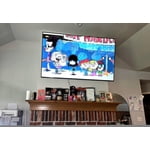
[This review was collected as part of a promotion.] As a person with limited vision my new Samsung 65” Crystal TV allows me to enjoy watching tv again. I had a smaller Samsung, 40”, before and the picture was not as clear to me. I had a hard time reading what scrolled across the screen and what was happening on screen. For people with low vision l would recommend this tv for more enjoyable watching.

Review from Samsung US
Helpful?5E42PT4DC65117304274207
May 11, 2026
Plgn
4 out of 5 stars review

good value

[This review was collected as part of a promotion.] The TV is a entry model. Not a lot of bells and whistles on modern TV's. It looks good with a very thin frame. The brightness could be higher, but again, entry level. Being UHD is a plus but common place in modern displays. Being LCD in this range is not a problem, this probably will make it more resilient and safe to use in the long term.

Review from Samsung US
Helpful?5E42PT4DC65117304274207
Apr 20, 2026
Ttgo
5 out of 5 stars review

Great

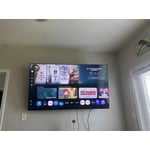
[This review was collected as part of a promotion.] Love this tv its fast working TV it's up to date HD it's thin I got a mountain on the wall and pushed out a little bit not too big of a remote if it's right on my wall perfectly thin TV not too thick around the edges is good the picture is excellent quality is good

Review from Samsung US
Helpful?5E42PT4DC65117304274207
Apr 5, 2026
Fussygirl
3 out of 5 stars review

Tizen OS Needs Work

[This review was collected as part of a promotion.] It's a TV. Gets the job done. Three stars are because the Tizen operating system is glitchy with respect to our home network. It seems overly sensitive whereas other brand TVs aren't. We have to reset the network often for no reason.

Review from Samsung US
Helpful?5E42PT4DC65117304274207
reply from Samsung Advisor

Hi Fussygirl, Thank you for reaching out to us. Please ensure your TV is running the latest Firmware, version 1132.0. Go to Settings> Support> Software Update. If this firmware version is not yet available on your TV, you can download the update on a USB drive and manually update your TV: 1. On Samsung's website (upper right corner), go to: Support > Manual & Software > Find your TV model, and click on the Firmware – Upgrade File. 2. When the file has finished downloading, locate it and then unzip it. There is normally one folder inside but there may be multiple files. 3. Copy or move all of the files that were included in the zip file to a USB flash drive, but do not place them inside any other folders. If you place the software folders inside a folder on the USB flash drive, the TV or monitor will not find them. 4. Connect the USB drive containing the software upgrade into a USB port on your device. 5. Using your device's remote, navigate to and select Settings, then select All Settings, and then select Support. Select Software Update, select Update Now, and then select Yes if prompted. Your device will search the USB drive for update files. Follow the on-screen instructions to install the updated software. Updates usually take a few minutes; please do not turn off the TV until the update is complete. When the update is finished, it will restart automatically. If you need additional support, Samsung is here to help. Please call us -800-SAMSUNG, available daily 8AM – 9PM EST Mon – Fri, 8AM – 6PM Sat – Sun. You can also chat with a LiveChat agent by clicking the ‘Support’ link on our website. ~ Samsung Advisor