Skip to Main Content
Sam's Club
Sam's Club
All Departments
All Services
Customer reviews for SAMSUNG 75” Class U7900F Series 4K Crystal UHD Smart TV for
SAMSUNG 75” Class U7900F Series 4K Crystal UHD Smart TV
4.5 out of 5 stars
stars
3,936 ratings3,909 reviews
  1. 5 stars73% (2,886)
  2. 4 stars15% (599)
  3. 3 stars6% (238)
  4. 2 stars2% (92)
  5. 1 star3% (121)

Member photos

  • +1528 images
Sort by |
Showing 431-440 of 3,909 reviews
Jul 5, 2026
Reviewer name: SimplyBrooklyn
5 out of 5 stars
5 out of 5 stars review

Immaculate features

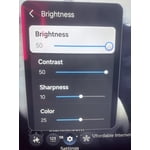
[This review was collected as part of a promotion.] I absolutely love the color this tv produces as well as the brightness. I'm not one with keeping my tv bright at night but it gives multiple different options of reducing that. Super easy to manage this TV. Every app is easily accessible as well as games. Definitely recommend this TV.

Review from Samsung US
Helpful?5E42PT4DC65117304274207
Jul 6, 2026
Reviewer name: E D T
3 out of 5 stars
3 out of 5 stars review

Remote sucks !!!!!!!!!! navagating instructions

[This review was collected as part of a promotion.] TV has a good picture, but remote is hard to use with hard to understand instructions !!! Instructions suck. I still don't know how to use the darn thing - for one thing I can't get the instruction to talk to me and don't know how to turn it on . I almost couldn't figure out how to turn the volume up. had to go to internet to find out !!! Remote could be more user friendly - I almost took it back because of the complicated thing. I can't even figure out how to navigate to the manual .... who designs this crap !!!

Review from Samsung US
Helpful?5E42PT4DC65117304274207
reply from Samsung Advisor

Hi E D T, Thank you for sharing your experience with your U7900F TV. Samsung’s accessibility features Learn TV Remote and Learn Menu Screen are designed to help users get familiar with the remote and menu layout – without affecting normal TV operation. • Learn TV Remote: Pressing any button (except Power) will announce the button name and function, helping users learn their location and purpose. Enable via: Settings > All Settings > General & Privacy > Accessibility > Learn TV Remote; Exit by pressing the Return key twice. • Learn Menu Screen: As you navigate your TV menus, the TV will announce each menu item and its function - without applying any changes. Enable via: Settings > All Settings > General & Privacy > Accessibility > Learn Menu Screen; Exit by pressing the Return key twice. If you need additional assistance, please don’t hesitate to contact Samsung Support at 1-800-SAMSUNG, available from 8AM – 9PM EST Mon – Fri, 8AM – 6PM Sat – Sun. You can also visit the Samsung website and click on ‘Support’ for: • Live Chat • Manuals, Software, & Warranty Info ~ Samsung Advisor

Jul 5, 2026
Reviewer name: GrammyR
5 out of 5 stars
5 out of 5 stars review

Samsung TVs are the best!!
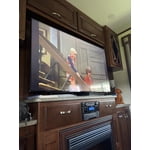
[This review was collected as part of a promotion.] We now have 8 Samsungs tv's. 2 in our camper, 1 in our fish house, 5 total in our home. They are not all used at the same time, since we are senior citizens. Our grandkids love that they can watch their our tv while visiting. They are bright, easy to use, My husband is a bit hard of hearing so it would be nice to have a hearing impaired options.

Review from Samsung US
Helpful?5E42PT4DC65117304274207
May 25, 2026
Reviewer name: Guerita
5 out of 5 stars
5 out of 5 stars review

Great picture
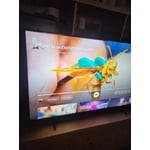
[This review was collected as part of a promotion.] “After using the Samsung 55" Crystal UHD 4K Smart TV for a while now, I can honestly say I'm really impressed with everything this TV offers for the price. The picture quality is beautiful — the colors are vibrant, the blacks look deep, and everything looks incredibly sharp in 4K. Watching movies and shows feels so much more immersive, especially with the Crystal UHD display and HDR. Even older content looks better because the upscaling feature really helps improve the picture quality. One of my favorite things is how easy the smart features are to use. The Tizen system runs smoothly, apps load quickly, and streaming services like Netflix, Hulu, Disney+, and YouTube are all super convenient to access. The menu is clean and simple, which made setup quick and stress-free. The sound quality also surprised me. The audio is clear, loud, and balanced without needing a soundbar right away. I also really like how sleek and modern the TV looks — the thin design and minimal bezels make it look much more expensive than it actually is. For gaming, movies, sports, or everyday streaming, this TV does an amazing job. The motion handling is smooth, and everything looks crisp without much blur. Overall, I feel like Samsung did a great job creating a budget-friendly 4K TV that still feels premium. Definitely one of the best purchases I've made for my home entertainment setup.” The TV has strong customer ratings and features like 4K upscaling, Motion Xcelerator, HDR, and Samsung's Tizen smart platform.

Review from Samsung US
Helpful?5E42PT4DC65117304274207
Jun 5, 2026
Reviewer name: DWW3
5 out of 5 stars
5 out of 5 stars review

Really enjoy the free Samsung TV network.

[This review was collected as part of a promotion.] The Samsung TV network is exceptional. I get to watch shows that I can't normally see from my cable provider , and organized and focused way. My wife and I pet purchased for Samsung TVs for our vacation home, after first being introduced to one for our for our permanent home. The picture quality is good and we have had no issues with any of the five TVS we have purchased.

Review from Samsung US
Helpful?5E42PT4DC65117304274207
Jun 10, 2026
Reviewer name: Luis
5 out of 5 stars
5 out of 5 stars review

Good

[This review was collected as part of a promotion.] "Excellent 65-inch Samsung TV! Great picture quality, vibrant colors, and an easy-to-use Smart TV system. The design is sleek and modern, making it a perfect addition to any room. Highly recommended!"

Review from Samsung US
Helpful?5E42PT4DC65117304274207
May 20, 2026
Reviewer name: sgarbar
2 out of 5 stars
2 out of 5 stars review

difficult to use

[This review was collected as part of a promotion.] This is the first time purchasing a Samsung TV I must say I'm very disappointed in it I always use Vizio in the past and willl go back. Every app we download quits and have to reinstall it 2 to 3 times a day it's very frustrating so I can say I will not be buying another Samsung TV again .

Review from Samsung US
Helpful?5E42PT4DC65117304274207
reply from Samsung Advisor

Hi sgarbar, Thank you for your feedback. Please try the below troubleshooting steps: 1. Try a Cold Boot (Power Reset): With the Samsung remote: • While the TV is on, press and hold the Power button on the remote. • Keep holding until the TV turns off and back on. Without the Samsung remote: • While the TV is on, unplug the power cord from the wall outlet. • Wait 30 seconds, then plug it back in and turn the TV on. 2. Check for Software Updates: Outdated software can affect performance. Go to: Home > left directional key > Settings > Support > Software Update > Update Now 3. Run Device Care: This tool frees up memory, closes background apps, and can improve speed: Settings > Support > Device Care > Start Device Care If you’ve tried these steps and your TV is still slow to respond, feel free to contact Samsung Support for further assistance at 1-800-SAMSUNG (8AM – 9PM EST Mon – Fri, 8AM – 6PM Sat – Sun). LiveChat and additional support resources are also available through the Support link on our website. ~Samsung Advisor

Jun 1, 2026
Reviewer name: Bigtex
5 out of 5 stars
5 out of 5 stars review

Easy to use

[This review was collected as part of a promotion.] This makes the 3rd samsung tv all have been workhorses in my house by staying on all the time dont think they ever been off unless there was a power outage in the area....always work clear picture clear sound

Review from Samsung US
Helpful?5E42PT4DC65117304274207
May 20, 2026
Reviewer name: ScubaSteve
5 out of 5 stars
5 out of 5 stars review

Great Picture

[This review was collected as part of a promotion.] The Samsung 55" Crystal UHD TV delivers an impressive viewing experience with stunning picture quality and vibrant colors that truly bring movies, shows, and games to life. The display is bright and clear, making it easy to watch during the day, while still providing excellent visibility and contrast in darker rooms. One of the standout features of this TV is how balanced the picture looks in any lighting condition. Whether you're watching a late-night movie or streaming your favorite show in a bright living room, the screen remains sharp, colorful, and easy on the eyes. The Crystal UHD technology enhances detail and color accuracy, creating a more immersive experience overall. In addition to the great visuals, the TV is user-friendly and performs smoothly. The setup is simple, and navigating apps and menus is quick and easy. For anyone looking for a reliable 55" TV with beautiful picture quality at a great value, the Samsung Crystal UHD is an excellent choice.

Review from Samsung US
Helpful?5E42PT4DC65117304274207
Jun 23, 2026
Reviewer name: Tree
5 out of 5 stars
5 out of 5 stars review

Great All Around TV

[This review was collected as part of a promotion.] Very happy with this purchase of 55inch Samsung Crystal UHD TV! Can't say anything bad about it. Great picture love all the new features the TV has. Sound is great! Love all the free movies, alot I have never seen. Just an all around great purchase! Very Satisfied Customer! Samsung is the way to Go!

Review from Samsung US
Helpful?5E42PT4DC65117304274207