Customer reviews for SAMSUNG 75” Class U7900F Series 4K Crystal UHD Smart TV for
Member photos


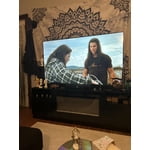
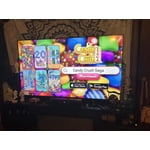
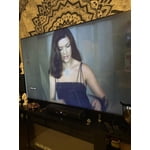
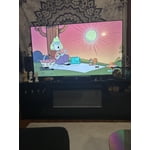
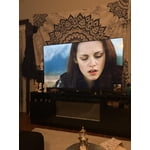


 +1528 images
Network tends to drop while streaming in apps
[This review was collected as part of a promotion.] This TV is aesthetically quite beautiful and has great resolution. I love the image quality and how quick and easy it was to set up and link to the Samsung phones in my house with the SmartThings app. The brightness gets quite bright which is great because my living room it is in is very dark later in the day but I will say that if I have the recessed light turned on just above the mounted TV, it tends to wash out the image and create a glare (as lights tend to do). The colors are bright and vivid on the picture and I feel as though my Samsung Account is secure being linked to the TV. My one main complaint is that every so often (about once every 2 hours) I lose my network connection. Sometimes it is only for a second or 2 before it reconnect and other times, I have to either change the channel on whatever app Im using or I will have to back completely out and restart the app I'm using. I have sat and waited for it to reconnect and if I'm in Samsung TV Plus, it will at times not go back to the programming unless I physically click a button... which isnt too big of a hassle, it just feels unnecessary as an older Samsung TV I used to have was capable of never losing my network connection. (And I want to mention that I have made sure it was not because of my home internet provider and have the router directly underneath of the TV and have used all different Ghz wifis to try and make it stop with no change.) Overall, it is a solid TV that I enjoy. The sound could be a bit louder for such a large TV but I still am very happy with this TV and would recommend it to friends and family.
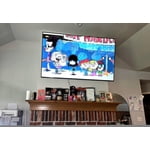
Adaptability is great for any room
[This review was collected as part of a promotion.] I like the versatility of this tv. I use it mostly with my gaming systems. It transfers seamlessly with my hdmi devices allowing me to quickly switch over to other tasks. Adjusting the screens brightness and contrast is also really easy and helps fit any room it’s in. I even have the security of knowing that if I switch to any Samsung tv, I’ll have all the apps and settings I chose on this one
Won't link to any wifi
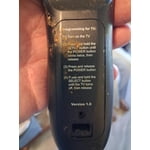
[This review was collected as part of a promotion.] I've been buying Samsung TVS for a long time. Enjoy the quality picture and everything about them. I recently purchased this new TV replacement that had broken on my outside patio I was a little taken back by the new style remote but being I have a roku TV I was able to figure it out quite easily. The problem I have is my tv will not pick up any Wi-Fi anywhere so as it stands, the only thing my TV picks up is digital TV from the antenna will not pick up any internet so I can't get any of my Samsung channels, my Netflix or any other apps that I have set up for my other televisions and it's very discouraging, and I can't figure out why I've done every steps. That I've seen to get remedy of this situation, but nothing seems to happen.I just wish someone could give me a hand with this.So I could get this t v working like I wanted to.
Hi Upsettvbuyer, Thank you for sharing your experience with Wi-Fi connectivity. If your TV is having trouble connecting to the network, the following steps may help resolve the issue: Signal & Setup Tips: 1. Check TV-to-router distance – Your TV should be within 50 feet of the modem or access point for reliable signal strength. 2. Minimize interference – Turn off nearby wireless devices and make sure there are no physical barriers (stone walls, fireplaces, appliances) between the TV and router. Power Cycle Devices: 3. Restart both your TV and router – Unplug both devices for at least 30 seconds, then plug them back in and allow them to reboot fully. Connection Type: 4. Evaluate your connection method – o If using Wi-Fi, move your router closer to the TV and eliminate any obstructions. o For a more stable connection, we strongly recommend using a wired Ethernet cable. o If already using Ethernet, verify the cable is working by testing it with another device. Run Built-In Diagnostic Tools: 5. Network Test: Settings > Support > Device Care > Self Diagnosis > Smart Hub Connection Test 6. Wi-Fi Check: Settings > Support > Device Care > Self Diagnosis > Wi-Fi 7. Please ensure you are running the latest Firmware. Go to Settings> Support> Software Update. Last Resort: 8. Perform a Factory Reset (if issues persist): Settings > All Settings > General & Privacy > Reset > Factory Data Reset. Note that this will return all settings to their original defaults. If these steps don’t resolve the issue, please reach out to Samsung Support at 1-800-SAMSUNG, available 8AM – 12AM EST, 7 days a week. LiveChat support and additional help are available at the ‘Support’ link on our website. ~Samsung Advisor
Decent for the price
[This review was collected as part of a promotion.] Beautiful picture, easy to set up and pair with Amazon fire cube and remote. Sound quality is poor. We had to turn it up to 56 dcb for standard volume that most TV's would be at 12-16 dcb. We added an old sound bar which has helped. The back of the unit is rather fragile. We mounted this new TV to an existing wall mount and noticed how much the material flexed while attaching the brackets. We were afraid it may crack. Got it put up and beside the sound issues, it is a decent TV for the price.
Hi Lores, Thank you for purchasing Samsung’s U7900F TV and for sharing your feedback regarding low volume. To start, we recommend making sure your TV is running the latest firmware, as updates can include improvements to sound performance: Home > left directional key > Settings > Support > Software Update If volume levels still seem too low, you can improve sound performance by adjusting a few key settings: Sound Mode: Navigate to: Settings > All Settings > Sound > Sound Mode Auto Volume: This feature helps maintain consistent volume levels across content and input sources. Turn it on under: Settings > All Settings > Sound > Expert Settings > Auto Volume = On You can also explore Expert Settings to fine-tune sound output with adjustments for Balance, Equalizer, and more. If you’re considering enhancing your setup, Samsung’s Q- and S-Series Soundbars feature Q-Symphony, which syncs your TV and soundbar speakers for a fuller, more immersive sound experience. For personalized support with these settings or selecting a soundbar to complement your setup, contact Samsung Support at 1-800-SAMSUNG (8AM – 9PM EST Mon – Fri, 8AM – 6PM Sat – Sun) or use LiveChat via the ‘Support’ link on our website. ~ Samsung Advisor
I love it! Perfect tv
[This review was collected as part of a promotion.] I love how my shows look on the TV. The brightness is amazing and I love the way the color looks. The contrast is just right. When I speak to the TV, its responsiveness is speedy. And whenever I connect it to my phone, the upscaling is amazing.
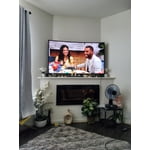
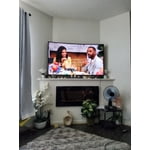
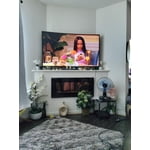
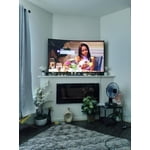
Good but Some improvements be nice
[This review was collected as part of a promotion.] Good picture quality both OTA and streaming. Program GUID instant info is skechy or non existent. Fire TV's does a better Job of Program guid info and layout. I still like the old DirectTV HNS layout for instant ch info but that's long been forgotten. Use extended Phillips remote with full feature buttons much better than Samsung remote. Had a Previous STV with remote that was configured with circle control which I liked better but case broke in half not to sturdy. Sound is good but playing Streaming content say from Prime I find the CEC HDMI wont allow u to do extend sound equalization between my audio amp/rec and TV GUI. The only audio options are fixed Audio format types selections. The new STV start up dash board is now improved after last update.
Recommend
[This review was collected as part of a promotion.] I like this TV, it streams excellently. It also loads up pretty fast. The image is awesome, crystal clear, great color, perfect anesthetics. The security is nice with asking for a pass code when wanting to watch certain ratings, i love that feature for the kids.My only complaint is that the speaker acts funny sometimes. It almost sounds muffled. I love Samsung so in my head I want to believe this is a malfunction from shipping not manufacturing. Would definitely buy again.
Good color
[This review was collected as part of a promotion.] I like TV, although sometimes when I turn it on, I get a very fuzzy look. This happen with the Samsung remote and when I switch to my Dish remote, it is still fuzzy. But, thus far, turning if off and turning back off it gives me a clearer picture. I hope this doesn't mean alot, as I have only had for a couple of months.
Weary
[This review was collected as part of a promotion.] I was a little weary about buying another Samsung tv. In 11/2022 we purchased one and around 12/2025 it turned into a complete black screen and never worked again. We tried rebooting it, but it kept the black screen with no picture. The kids bought this 85' Samsung tv because they wanted a theatre experience at home. I do like the brightness and the smart tv components in it. It sometimes lags when it turns on but it's probably trying to gather all the apps downloaded.
Viewing excellence
[This review was collected as part of a promotion.] I believe that this tv is the best unit I've ever bought, the color and responsive controls are amazing, sound quality and speed ratio for streaming platforms is fantastic that was just nothing left to say other than everything with this TV works very professionally