Skip to Main Content
Sam's Club
Sam's Club
All Departments
All Services
Customer reviews for SAMSUNG 75” Class U7900F Series 4K Crystal UHD Smart TV for
SAMSUNG 75” Class U7900F Series 4K Crystal UHD Smart TV
4.5 out of 5 stars
stars
3,936 ratings3,909 reviews
  1. 5 stars73% (2,886)
  2. 4 stars15% (599)
  3. 3 stars6% (238)
  4. 2 stars2% (92)
  5. 1 star3% (121)

Member photos

  • +1528 images
Sort by |
Showing 3,811-3,820 of 3,909 reviews
Jul 21, 2025
Reviewer name: CHL1350
3 out of 5 stars
3 out of 5 stars review

Many preset channels to watch but lacks features

[This review was collected as part of a promotion.] It came with many preset channels to watch but after a while I realized most channels just repeates same programs so it gets boring. Also the channel guide doesn't change as I watch different channels so it gets confusing. Tv volume is not great so I wanted to use my sound bar but it didn't come with optical connection so I had to buy an adapter and it is a hassle to control the volume.

Review from Samsung US
Helpful?5E42PT4DC65117304274207
reply from Samsung Specialist

CHL1350, Thanks for sharing your review of Samsung’s U7900F TV. We value your feedback and will share it with our teams. Should you need further assistance or have questions, please contact Samsung Customer Support at 1-800-SAMSUNG, available daily from 8AM - 12AM EST. You can also visit the Samsung website and click on ‘Support’ for: • Live Chat • Manuals, Software, & Warranty Info ~ Samsung Specialist

Sep 14, 2025
Reviewer name: Becksii
5 out of 5 stars
5 out of 5 stars review

This product is great 👍🏼
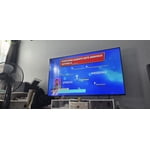
[This review was collected as part of a promotion.] Bought this television to replace my bedroom tv. I must say, its very easy to assemble and connect to my account. I used my phone to set it up. The tv shows very clearly and the sound is very crisp as well. I made the best choice. I love my samsungs.

Review from Samsung US
Helpful?5E42PT4DC65117304274207
Jan 5, 2026
Reviewer name: Stay home
5 out of 5 stars
5 out of 5 stars review

Great features

Overall the TV is very nice was easy to setup and use. One thing it could use is sound bar hookups.

Review from Samsung US
Helpful?5E42PT4DC65117304274207
Dec 22, 2025
Reviewer name: keyman
5 out of 5 stars
5 out of 5 stars review

love it

love mine just upgraded from a Vizo bought a 43” and now a 58” love both of them

Review from Samsung US
Helpful?5E42PT4DC65117304274207
Jan 5, 2026
Reviewer name: Linda
5 out of 5 stars
5 out of 5 stars review

My Samsung tv

This is a very interesting tv. It can play music and display a fire place

Review from Samsung US
Helpful?5E42PT4DC65117304274207
Jan 16, 2026
Reviewer name: Steve
3 out of 5 stars
3 out of 5 stars review

TV review

Mounting screw holes for wall mount too close together and not enough HDMI access plug ins.

Review from Samsung US
Helpful?5E42PT4DC65117304274207
reply from Samsung Specialist

Hi Steve, We're sorry to hear of this. It seems you may need spacers to help increase the gap with the wall mount you're using. So we can better assist with this, please reach out to us at 1-800-SAMSUNG, 8AM – 12AM EST daily, or LiveChat with a representative at the ‘Support’ link on our website. ~ Samsung Specialist

Jan 5, 2026
Reviewer name: kpkp
1 out of 5 stars
1 out of 5 stars review

Bad interface

we stopped using it because nobody can figure out the interface.

Review from Samsung US
Helpful?5E42PT4DC65117304274207
reply from Samsung Specialist

kpkp, Thank you for sharing your feedback with us. To help you get the most from your TV, you can download the full e-Manual and more by visiting Samsung’s website, then navigating to: Support > Manual & Software > TVs & Home Theater. From there, you can search for and select your U7900F TV model to view or download the available guides. The e-Manual & User Guide are also conveniently built into your TV: Settings > Support > Tips and User Guides. Your TV includes Learn Menu Screen, an accessibility feature that provides audio guidance for on-screen menus. When enabled, your TV will announce the name and function of each menu item as you scroll, without making any changes. This feature is particularly helpful for users who are visually impaired or new to Smart TV menus. To enable, go to: Settings > All Settings > General & Privacy > Accessibility > Learn Menu Screen. To exit, press the Return key twice. If you’d like more assistance with this feature, please reach Samsung Support at 1-800-SAMSUNG, available 8AM – 12AM EST, 7 days a week. LiveChat agents are also available through the ‘Support’ link on our website. ~ Samsung Specialist

Dec 3, 2025
Reviewer name: Abners acount
5 out of 5 stars
5 out of 5 stars review

Great tv

Great TV for the money works great love it i would buy it if it was me

Review from Samsung US
Helpful?5E42PT4DC65117304274207
Aug 4, 2025
Reviewer name: nanaspoons
5 out of 5 stars
5 out of 5 stars review

samasung tv

[This review was collected as part of a promotion.] we use the features on the Tv , i love the crisp color and images, i love the apps and the Samsung tv app , a great tv and so east to use ,

Review from Samsung US
Helpful?5E42PT4DC65117304274207
Sep 12, 2025
Reviewer name: Freeverizontv
5 out of 5 stars
5 out of 5 stars review

Great price for the size
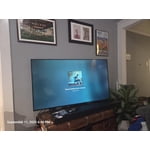
[This review was collected as part of a promotion.] I use my TV to stream movies and music videos and also some second monitor for my computer. It has great features and I love. How it connects to my soundbar automatically

Review from Samsung US
Helpful?5E42PT4DC65117304274207