Skip to Main Content
Sam's Club
Sam's Club
All Departments
All Services
Customer reviews for SAMSUNG 75” Class U7900F Series 4K Crystal UHD Smart TV for
SAMSUNG 75” Class U7900F Series 4K Crystal UHD Smart TV
4.6 out of 5 stars
stars
3,260 ratings3,233 reviews
  1. 5 stars74% (2,428)
  2. 4 stars15% (497)
  3. 3 stars5% (176)
  4. 2 stars2% (66)
  5. 1 star3% (93)

Member photos

  • +1310 images
Sort by |
Showing 2,591-2,600 of 3,233 reviews
Jun 20, 2026
Wolf
5 out of 5 stars review

Crisp image.

This is exactly what I was missing. This 4k tv is fantastic.

Review from Samsung US
Helpful?5E42PT4DC65117304274207
Jun 23, 2026
Addu
4 out of 5 stars review

Great TV

I have had this TV for a while and didn't buy any TV thereafter. It's been running a ok.

Review from Samsung US
Helpful?5E42PT4DC65117304274207
Jun 22, 2026
Vivian
4 out of 5 stars review

Great TV by Samsung
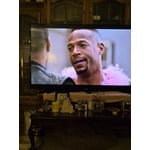
It is a great TV. I love it just wish I could have a bigger one.

Review from Samsung US
Helpful?5E42PT4DC65117304274207
Jun 22, 2026
Jremmy
2 out of 5 stars review

Good size, good value, bad quality.

Nice size screen, good value, terrible display. Banding visible during viewing on bright scenes.

Review from Samsung US
Helpful?5E42PT4DC65117304274207
reply from Samsung Advisor

Hi Jremmy, Thank you for sharing your thoughts on the picture quality of Samsung’s U7900F TV. If the image doesn’t look quite right to you, there are several adjustments that can help optimize performance for your space and preferences. First, make sure your TV is up to date. Firmware updates often include picture quality enhancements. To check for the latest version, go to: Home > Left directional button > Settings > Support > Software Update > Update Now Next, explore available Picture Modes under: Settings > All Settings > Picture > Picture Mode Each mode is tailored to a different viewing style: • Standard – Balanced settings for everyday use • Dynamic – Brighter and sharper for brightly lit rooms • Movie – Softer tones ideal for low-light viewing • Eco – Reduces power consumption by adjusting brightness • Filmmaker Mode – Preserves the creator’s original color, contrast, and motion settings You can also customize the image further under: Settings > All Settings > Picture > Expert Settings, where you’ll find detailed controls for Brightness & Contrast, Color & Tint, Sharpness, and more. If you’d like help fine-tuning your display or exploring these settings, please call Samsung Customer Support at 1-800-SAMSUNG (8AM – 9PM EST Mon – Fri, 8AM – 6PM Sat – Sun), or visit the ‘Support’ section on our website to LiveChat with an agent. ~ Samsung Advisor

Jun 23, 2026
Zeke
5 out of 5 stars review

Mr
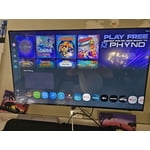
Great picture, great quality. We love Samsung products this TV has been better than any other.

Review from Samsung US
Helpful?5E42PT4DC65117304274207
Jun 22, 2026
Udsamsung70
5 out of 5 stars review

Awesome feature

Great tv and good quality pictures, sound is great with signs sing

Review from Samsung US
Helpful?5E42PT4DC65117304274207
Jun 20, 2026
AG68
3 out of 5 stars review

Not so great features

Great picture, the sound is poor my 2010 Samsung TV has stronger sound.

Review from Samsung US
Helpful?5E42PT4DC65117304274207
reply from Samsung Advisor

Hi AG68, Thank you for sharing your experience with low volume. There are several volume features you can adjust, which may improve your audio experience. 1) Auto Volume automatically adjusts the sound to a certain level when changing channels or switching to another external input. Go to Settings > All Settings> Sound > Expert Settings > Auto Volume. 2) Adaptive Sound automatically adjusts to a specific volume level while watching TV. The TV analyzes your volume usage history by time period to automatically adjust the volume when you use an app or switch to an external input source. Go to Settings> All Settings> Sound> Sound Mode> Adaptive Sound. 3) Several Sound Modes are likewise available to meet your personal preferences: Home > Settings > All Settings> Sound > Sound Mode. Also, some sources have their own volume control, which might need to be set higher. Please check the volume control of the external device (cable box or satellite box, DVD, Blu-ray, etc.) connected to your TV. Also, check the cable connection between an external device and the TV and then try the cable connection again. If you need more help, Samsung is here for you! Please call us at 1-800-SAMSUNG (8AM – 9PM EST Mon – Fri, 8AM – 6PM Sat – Sun). You can also connect with a LiveChat agent via the ‘Support’ link on our website. ~ Samsung Advisor

Jun 22, 2026
Goodtv1
4 out of 5 stars review

Big picture

It is good so far, I haven't had any problems so far

Review from Samsung US
Helpful?5E42PT4DC65117304274207
Jun 22, 2026
Hdtv
4 out of 5 stars review

Hdtv

Great product purchased, would recommend it to future buyers

Review from Samsung US
Helpful?5E42PT4DC65117304274207
Jun 20, 2026
Sifuentes
3 out of 5 stars review

Great features

The tv is great but one thing the tv glitches ever since I bought in the bottom.

Review from Samsung US
Helpful?5E42PT4DC65117304274207
reply from Samsung Advisor

Hi Sifuentes, We appreciate your feedback regarding your U7900F TV’s performance. If you're experiencing freezing or lag in general response time, please try the following steps: 1. Check for firmware updates – Keeping your TV up to date can resolve many performance issues: Home > left directional key > Settings > Support > Software Update > Update Now 2. Run Device Care – This tool checks system memory, frees up cached data, and closes background apps that could be slowing things down: Home > left directional key > Settings > Support > Device Care > Start Device Care 3. Cold boot your TV – With the TV powered on, press and hold the Power button on your remote for 5+ seconds until the TV restarts. This helps refresh the system. If you're still noticing performance snags after these steps, please contact Samsung Support at 1-800-SAMSUNG (8AM – 9PM EST Mon – Fri, 8AM – 6PM Sat – Sun). You can also connect with a LiveChat agent via the ‘Support’ link on our website. ~ Samsung Advisor