Skip to Main Content
Sam's Club
Sam's Club
All Departments
All Services
Customer reviews for SAMSUNG 75” Class U7900F Series 4K Crystal UHD Smart TV for
SAMSUNG 75” Class U7900F Series 4K Crystal UHD Smart TV
4.6 out of 5 stars
stars
3,311 ratings3,284 reviews
  1. 5 stars75% (2,472)
  2. 4 stars15% (501)
  3. 3 stars5% (179)
  4. 2 stars2% (66)
  5. 1 star3% (93)

Member photos

  • +1328 images
Sort by |
Showing 1,841-1,850 of 3,284 reviews
Feb 25, 2026
Yesi
5 out of 5 stars review

Great features! I love my Samsung TV

[This review was collected as part of a promotion.] Love my Samsung products I have a Samsung smart TV really enjoy family time and gatherings with friends.

Review from Samsung US
Helpful?5E42PT4DC65117304274207
Mar 23, 2026
Samm
5 out of 5 stars review

Awesome color

[This review was collected as part of a promotion.] It's very clear as far as the resolution. The brightness and vibrancy is just right making it very enjoyable to watch. Easy to mount. Security features make it reliable and Safe.

Review from Samsung US
Helpful?5E42PT4DC65117304274207
Feb 18, 2026
Manny
5 out of 5 stars review

Good picture quality
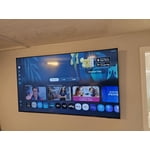
[This review was collected as part of a promotion.] Good picture quality, great sound system, easy set up, good color resolution and picture quality, not to bright Samsung security is save.

Review from Samsung US
Helpful?5E42PT4DC65117304274207
Feb 17, 2026
CRayLiving88
4 out of 5 stars review

Solid TV for a budget price

[This review was collected as part of a promotion.] Great looking tv especially for the price point. Maybe I'm easily impressed but technology gets more affordable by the day!

Review from Samsung US
Helpful?5E42PT4DC65117304274207
Mar 23, 2026
Dan90
5 out of 5 stars review

Great Features

[This review was collected as part of a promotion.] lf you want a dependable, sleek 55-inch TV that makes your movies look crisp and your streaming easy, the U790OF is a "safe bet" that delivers on the Samsung reputation

Review from Samsung US
Helpful?5E42PT4DC65117304274207
Feb 17, 2026
DracVamp
5 out of 5 stars review

Awesome Tv

[This review was collected as part of a promotion.] Picture quality is superb. Very clear ultra high definition screen. Perfect for gaming and watching your favorite shows and movies.

Review from Samsung US
Helpful?5E42PT4DC65117304274207
Mar 24, 2026
Toomob
5 out of 5 stars review

Fantastic sound

[This review was collected as part of a promotion.] This TV is crystal clear with amazing sound the color is captivating the brightness is by far the best I've experienced this far from a television.

Review from Samsung US
Helpful?5E42PT4DC65117304274207
Mar 23, 2026
D400
5 out of 5 stars review

All around excellent quality

[This review was collected as part of a promotion.] Always love the clarity and vividness of Samsung tvs. So it was a easy buy. Great picture and sound quality too.

Review from Samsung US
Helpful?5E42PT4DC65117304274207
Feb 17, 2026
Samsungfamily
5 out of 5 stars review

Crystal TV

[This review was collected as part of a promotion.] Easy setup with wall mounts. We also had easy time connecting to our Samsung account. We were able to connect streaming services such as Netflix and Amazon Prime. Nice color and resolution

Review from Samsung US
Helpful?5E42PT4DC65117304274207
Feb 5, 2026
Coleslaw
3 out of 5 stars review

Good TV

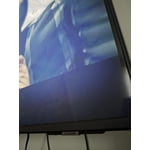
[This review was collected as part of a promotion.] Tv worked great for about a month then noticed there Was a line goin right through the middle of the screen

Review from Samsung US
Helpful?5E42PT4DC65117304274207
reply from Samsung Advisor

Hi Coleslaw, Thank you for sharing your experience with Samsung’s U7900F. If your TV is displaying lines on the screen, we recommend the following steps to help isolate the issue: 1. Check all input cable connections for any external devices (e.g., HDMI, streaming boxes, Blu-ray players) 2. Switch channels or inputs to see if the issue appears across all sources 3. Run a Picture Test to check for panel-related issues: Settings > Support > Device Care > Self Diagnosis > Picture Test 4. Perform a cold boot by holding the power button on your remote for about 10 seconds 5. Ensure your TV has the latest software installed: Settings > Support > Software Update If the issue continues after these steps, the TV may require service. For further assistance, please contact Samsung Support at 1-800-SAMSUNG, 8AM – 12AM EST, 7 days a week. LiveChat and additional support resources are also available through the Support link on our website. ~ Samsung Advisor