Skip to Main Content
Sam's Club
Sam's Club
All Departments
All Services
Customer reviews for SAMSUNG 75” Class U7900F Series 4K Crystal UHD Smart TV for
SAMSUNG 75” Class U7900F Series 4K Crystal UHD Smart TV
4.6 out of 5 stars
stars
3,321 ratings3,294 reviews
  1. 5 stars75% (2,476)
  2. 4 stars15% (503)
  3. 3 stars5% (180)
  4. 2 stars2% (68)
  5. 1 star3% (94)

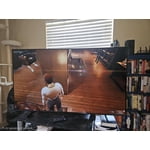
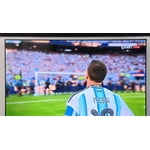
Member photos

  • +1333 images
Sort by |
Showing 1,491-1,500 of 3,294 reviews
Jun 20, 2026
Mingo
5 out of 5 stars review

Beautiful colors.

Excellent product, good price, very clear, very easy settings. We have 3 TVs Samsung 75” 65” and 55” We are a Samsung family.

Review from Samsung US
Helpful?5E42PT4DC65117304274207
Jul 6, 2026
Anonymous
4 out of 5 stars review

Ms

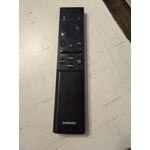
The controller pamphlet is limited and ineffective in the explanation of use. VERY POOR MY TV IS WONDERFUL

Review from Samsung US
Helpful?5E42PT4DC65117304274207
Jun 20, 2026
Lunanany
5 out of 5 stars review

Great resolution

We have the tv in our living room.. we love to watch our shows and games the brightness and resolution are a great feature.

Review from Samsung US
Helpful?5E42PT4DC65117304274207
Jun 9, 2026
LuvSamsung
5 out of 5 stars review

Clear and great features
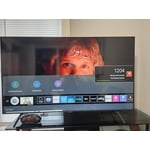
[This review was collected as part of a promotion.] Clear fast and has great features. Picture is super clear!

Review from Samsung US
Helpful?5E42PT4DC65117304274207
Jun 20, 2026
NYG4LIFE101
2 out of 5 stars review

Good picture quality

Unable to connect to the tv. Doesn't allow me to sign in. Tried several times. The only way I can use the unit is through firestick.

Review from Samsung US
Helpful?5E42PT4DC65117304274207
reply from Samsung Advisor

Hi NYG4LIFE101, If your U7900F TV’s Smart Hub is freezing, lagging, or not loading properly: 1. Reset Smart Hub – Home > left directional key > Settings > Support > Device Care > Self Diagnosis > Reset Smart Hub (This will sign you out of apps and reset Smart Hub to factory default.) 2. Update firmware – Home > left directional key > Settings > Support > Software Update > Update Now 3. Run Device Care – Home > left directional key > Settings > Support > Device Care > Start Device Care If the issue persists, contact Samsung Support at 1-800-SAMSUNG (8AM – 9PM EST Mon – Fri, 8AM – 6PM Sat – Sun). LiveChat is available under the ‘Support’ link on our website. ~ Samsung Advisor

Jul 5, 2026
Oalmon
5 out of 5 stars review

Great tv
I needed a new tv for the living room after moving and gaining an additional room. This tv marked all the boxes for what i was looking for in a tv.

Review from Samsung US
Helpful?5E42PT4DC65117304274207
Jun 20, 2026
Neforpubl
5 out of 5 stars review

Great tv

Workhorse TV. It runs all the time and has stood the test of time in my house. Picture is clear, bright, and quality. What more could you ask for?

Review from Samsung US
Helpful?5E42PT4DC65117304274207
Jun 23, 2026
Beezy
5 out of 5 stars review

Smart link with my phone

[This review was collected as part of a promotion.] great TV what can I say hey it is links with my phone it's very smart nice graphics

Review from Samsung US
Helpful?5E42PT4DC65117304274207
Jun 28, 2026
Shopify2022
4 out of 5 stars review

Great

[This review was collected as part of a promotion.] Very nice. Still fast and ui is great. Screen works great.

Review from Samsung US
Helpful?5E42PT4DC65117304274207
Jun 20, 2026
Chris1
5 out of 5 stars review

Great 👍
[This review was collected as part of a promotion.] I've been enjoying Samsung quality for many years 👌

Review from Samsung US
Helpful?5E42PT4DC65117304274207