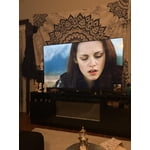
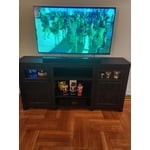
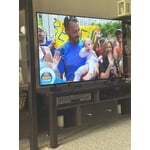
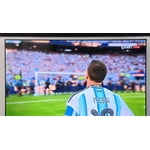
Customer reviews for SAMSUNG 75” Class U7900F Series 4K Crystal UHD Smart TV forMember photos


+599 images
No internet access.
[This review was collected as part of a promotion.] I've tried and tried to connect my TV to the internet with no luck. I had a subscription to Paramount + and couldn't watch it. Why are there so many videos on YouTube how to connect to the internet?
Hi JW128, Thank you for sharing your experience with the internet connection on your Samsung U7900F TV. Whether you're using Wi-Fi or a wired (LAN) connection, there are a few steps you can take to help resolve the issue: 1. Power Cycle Your Equipment. Unplug both your TV and router/modem from the wall outlet. Wait at least 30 seconds, then plug them back in and allow both devices to fully restart. 2. Check the Network Status. On your TV, go to: Home > left directional key > Settings > All Settings > Connection > Network > Network Status. This will help determine if the issue lies with the network or the TV. 3. Try a Different Connection Type. If you're using Wi-Fi, try connecting an Ethernet (LAN) cable directly from your router to the TV to test the connection. If you're using a wired connection, try switching to Wi-Fi to see if the issue persists. 4. Reestablish the Network Connection. Go to: Settings > All Settings > Connection > Network > Open Network Settings, and follow the prompts to reconnect to your Wi-Fi or wired network. 5. Update Firmware. Software updates can often resolve network bugs. To check for the latest version: Settings > Support > Software Update > Update Now If these steps don't resolve the issue, we’d be happy to provide further assistance. Please call Samsung Support at 1-800-SAMSUNG, 8AM - 12AM EST, 7 days a week. LiveChat is also available at the ‘Support’ link on our website. ~ Samsung Advisor
Great features and a great product!
[This review was collected as part of a promotion.] This TV offers great features for the price. The screen has decent levels of color and good motion smoothing. I have not had artifacts within my viewing material. The Tizon OSis peppy, it handles the apps I have on the TV. Netflix, Amazon Prime and Paramount + work without issues. The resolution supports what most users will need. Programs pop in HD and 4K when avalable. I like the Knox security features. I feel a bit safer with Knox and how it vets apps and provides a safer environment The TV itself is light weight and thin,making it easy to either put on a stand or mount it to a wall.
Love my tv
[This review was collected as part of a promotion.] I love my tv i love the sound and the picture is amazing i love how bright i can have it or dark as i want and how loud i can listen to my music on it don't need a stereo cuz i have my tv and i love ut
Love the picture quality
[This review was collected as part of a promotion.] Picture quality is exceptional. The television setup was relatively easy. It took a little while to get used to the simplified remote. Overall very pleased with the product. Excellent fro both streaming and OTA broadcasts. Love that I didn't need to use and additional streaming device.
Super TV!!
[This review was collected as part of a promotion.] This is the first big size TV I've purchased. I love Samsung for my phone and tablet. It was an amazing choice. The menus are easy to use, the picture quality is top notch, With vibrant colors and good sound.
Samsung TV
[This review was collected as part of a promotion.] The TV has good picture quality and works well with high def gaming. Only issues I have with the TV are the speed of the operating system. The operating system is slow to respond and takes time to boot up. The other issue is glare. The tv has terrible picture quality when used in a bright room. I need to use blinds to be able to use the TV and see things on the screen. Overall the TV has good brightness and darkness. The resolution is clear and the TV has a clean authenticator. Very modern look.
Great colors
[This review was collected as part of a promotion.] Something that i really like about this tv is the colors how they look fantastic doesnt mater if you use it for watching a movie or playing video gases the color contrast,brightnes and resolution are incredible something else that i really like is how you can change the modes of the tv from movie mode to filmaker mode and game mode also the compatibility is really good giving me the option to connect my playstation,speakers.
I love my new tv
[This review was collected as part of a promotion.] "I recently upgraded to the 75-inch U7900FD and honestly, the size alone is a game-changer. For a 'Crystal UHD' (not the super expensive OLEDs), the picture is surprisingly sharp and the colors really pop, especially when watching 4K content. The setup was quick, and the Tizen smart interface is easy to navigate. The Pros: Huge 75" display for a great price, sleek 'MetalStream' design, and decent upscaling for older shows. The Cons: It only has 2 HDMI ports, so if you have a soundbar and multiple consoles, you'll need a hub. Also, the remote is a bit basic (no voice control). Overall: 4.5/5. If you want a theater feel without spending thousands, this is the one."
Great feautures
[This review was collected as part of a promotion.] Love everything about this tv! The color and resolution are fantastic! Use for shows and games and has an amazing "game mode" feature that automatically goes when playing. Favorite tv purchase ive made.
Spend more, buy better
[This review was collected as part of a promotion.] One of the first things you notice once you get the TV setup is the remote. The lack of number buttons and no microphone. This makes it a hassle to change channels. When you use the channel up/down button it takes you to the Samsung plus app even when you're watching antenna TV. Syncing the audio to the video is impossible for any length of time. When you get it synced for one channel, it's off on other channels. The two ten watt speakers are extremely under powered. You have to have the TV volume at half or better to hear most channels, and it won't go high enough to hear others. Samsung plus has a nasty habit of locking up, freezing, for several seconds at a time and usually in the most inopertune moments. This means you miss important scenes or happenings in the program you're watching. No microphone! The remote would be easier to tolerate if you could at least command the TV by voice. The menu seems clunky and not very well laid out or labeled. Pluses include that the TV starts quickly and has vibrant color.
Hi Unhappy viewer, We appreciate your feedback and have a few recommendations. First, please know that sudden changes in volume can often be related to audio settings or content differences between sources or apps. Please try the following adjustments to help stabilize your TV's audio: 1. Enable Auto Volume. Go to: Settings > All Settings > Sound > Expert Settings > Auto Volume. This feature helps maintain a consistent volume level when switching channels or apps. 2. Change Sound Mode. Try a different sound mode to see if one offers a more stable output: Settings > All Settings > Sound > Sound Mode (We recommend Standard or Amplify for more even performance.) 3. Check External Devices. If you're using a soundbar, receiver, or other audio device, check that its volume leveling or dynamic range settings aren’t interfering with the TV’s audio. 4. Update Firmware. Ensure your TV is running the latest software, as updates may include audio improvements: Settings > Support > Software Update > Update Now Finally, Samsung remotes are designed to offer convenient control, but we understand if you’d prefer to use a universal remote. If you have any questions or need help, please do not hesitate to reach out to us at 1-800-SAMSUNG, available daily from 8AM - 12AM EST. You can also visit the Samsung website and click on ‘Support’ for: • Live Chat • Manuals, Software, & Warranty Info ~ Samsung Advisor