Skip to Main Content
Sam's Club
Sam's Club
All Departments
All Services
Customer reviews for SAMSUNG 75” Class U7900F Series 4K Crystal UHD Smart TV for
SAMSUNG 75” Class U7900F Series 4K Crystal UHD Smart TV
4.6 out of 5 stars
stars
3,321 ratings3,294 reviews
  1. 5 stars75% (2,476)
  2. 4 stars15% (503)
  3. 3 stars5% (180)
  4. 2 stars2% (68)
  5. 1 star3% (94)

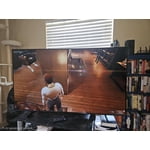
Member photos

  • +1333 images
Sort by |
Showing 1,401-1,410 of 3,294 reviews
May 20, 2026
Couch potato
5 out of 5 stars review

Free channels on Samsung TV

[This review was collected as part of a promotion.] We really enjoy all the channels that came with the television good picture good sound good value for the price.

Review from Samsung US
Helpful?5E42PT4DC65117304274207
May 4, 2026
Mlg1
5 out of 5 stars review

Great value for money

[This review was collected as part of a promotion.] The resolutions just The best. You can't compare the colors to other brands. Steaming is pretty fast for a TV, will all way recommend it. Anesthetics are beautiful, fits in almost everywhere.

Review from Samsung US
Helpful?5E42PT4DC65117304274207
May 20, 2026
Timothy
3 out of 5 stars review

3 out of 5

[This review was collected as part of a promotion.] Pictures aren't isn't very sharp And the brightness never good volume is terrible Three out of fiveI haven't been

Review from Samsung US
Helpful?5E42PT4DC65117304274207
reply from Samsung Advisor

Hi Timothy, We’re sorry to hear that the picture on your Samsung U7900F TV appears too dark. If this isn’t meeting your expectations, there are several settings you can adjust to improve the overall brightness and clarity of your screen. First, try disabling certain energy-saving features that may be dimming the screen automatically. Go to: Settings > All Settings > General & Privacy > Power and Energy Saving, then turn off Brightness Optimization, Energy Saving Solution, Motion Lighting, and/or Contrast Enhancer. Next, adjust the Picture Mode to better match your viewing environment: Settings > All Settings > Picture > Picture Mode and choose from the following: • Dynamic – Brighter and clearer for well-lit rooms • Standard – Balanced for most environments • Movie – Ideal for watching in a dark room • Eco – Designed for energy savings • Filmmaker Mode – Preserves the creator’s original intent You can also manually adjust brightness by going to: Settings > All Settings > Picture > Expert Settings > Brightness. Use the slider to set a level that suits your preferences (0–50). Finally, we recommend making sure your TV has the latest software installed: Settings > Support > Software Update > Update Now We hope these tips help improve your viewing experience. If you need further assistance with setup or adjustments, feel free to contact Samsung Customer Support at 1-800-SAMSUNG, available daily from 8AM – 9PM EST Mon – Fri, 8AM – 6PM Sat – Sun. You can also visit the Samsung website and click on ‘Support’ for: • Live Chat • Manuals, Software, & Warranty Info ~ Samsung Advisor

Jun 6, 2026
ronald
1 out of 5 stars review

bad

[This review was collected as part of a promotion.] this tv is the worse i have ever bought :( will never buy another one will just buy a nother lg and just throw this pice of junk away :(

Review from Samsung US
Helpful?5E42PT4DC65117304274207
reply from Samsung Advisor

Hi Ronald, We're sorry to hear about your experience. If you have any questions or need help with your TV please reach out to us at 1-800-SAMSUNG (8AM – 9PM EST Mon – Fri, 8AM – 6PM Sat – Sun). Our LiveChat agents are also available by clicking on the ‘Support’ link on our website. ~ Samsung Advisor

May 20, 2026
Jamrock
5 out of 5 stars review

Outstanding features

[This review was collected as part of a promotion.] Exceptional television, sharp picture amazing contrast I would recommend highly. It's my best purchase by far.

Review from Samsung US
Helpful?5E42PT4DC65117304274207
Apr 20, 2026
Samsung subscriber
5 out of 5 stars review

Just what doc ordere
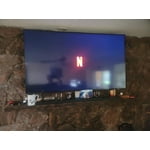
[This review was collected as part of a promotion.] Size, processing and picture fitures, sund fitures just what we need. Completely satisfied and recomending

Review from Samsung US
Helpful?5E42PT4DC65117304274207
Apr 12, 2026
VJLC PLUS
5 out of 5 stars review

Brand New TV

[This review was collected as part of a promotion.] Excellent TV perfect side to my leaving room, great features, new configurations easy to connect to my smartphone and tablet. I did great choice.

Review from Samsung US
Helpful?5E42PT4DC65117304274207
Jun 5, 2026
Lynn
5 out of 5 stars review

excellent television programming
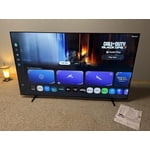
[This review was collected as part of a promotion.] I have just switched from spectrum to To this program in this TV and it is fantastic I can watch whatever I want when I watch it. See it clearly and feel like I'm right in the picture.

Review from Samsung US
Helpful?5E42PT4DC65117304274207
May 20, 2026
Greg t
5 out of 5 stars review

U7900f

[This review was collected as part of a promotion.] The rv gives you a nice crisp picture great features, and is easy to navigate, even your 80 year grandmother can do it!

Review from Samsung US
Helpful?5E42PT4DC65117304274207
May 24, 2026
Raider
5 out of 5 stars review

Love the samsung tv app

[This review was collected as part of a promotion.] My second samsung, but this new model out does my older model by far, love the picture,sound brilliant colors, A1 product

Review from Samsung US
Helpful?5E42PT4DC65117304274207