Skip to Main Content
Sam's Club
Sam's Club
All Departments
All Services
Customer reviews for SAMSUNG 75” Class U7900F Series 4K Crystal UHD Smart TV for
SAMSUNG 75” Class U7900F Series 4K Crystal UHD Smart TV
4.6 out of 5 stars
stars
3,311 ratings3,284 reviews
  1. 5 stars75% (2,472)
  2. 4 stars15% (501)
  3. 3 stars5% (179)
  4. 2 stars2% (66)
  5. 1 star3% (93)

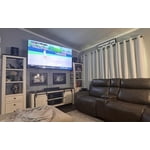
Member photos

  • +1328 images
Sort by |
Showing 1,071-1,080 of 3,284 reviews
Jul 5, 2026
Bonjo
5 out of 5 stars review

Awesome picture and features!

It has a great picture with great features. It was easy to set up and operate. It's my first experience with a newer smart TV.

Review from Samsung US
Helpful?5E42PT4DC65117304274207
Jul 5, 2026
Sgiv
1 out of 5 stars review

Awful service

Wasn’t able to even use the tv as the screen was cracked and was offered no resolution besides going out and buying a new one.

Review from Samsung US
Helpful?5E42PT4DC65117304274207
reply from Samsung Specialist

Thank you for your review. If there’s anything we can assist with, please don’t hesitate to call us at 1-800-SAMSUNG (8AM – 9PM EST Mon – Fri, 8AM – 6PM Sat – Sun), or reach us via text anytime. You can also visit ‘Support’ on our website for: • Live Chat • Manuals, Software, & Warranty Info ~ Samsung Specialist

Jul 5, 2026
SamsungOwner
4 out of 5 stars review

My new TV

For the money I had to spend I am happy I chose Samsung I know there are better models but for a poor man on Social Security this is a great TV

Review from Samsung US
Helpful?5E42PT4DC65117304274207
Jul 5, 2026
Grbraca14
5 out of 5 stars review

Great value

Love it. This tv is amazing, I still try to figure out how to get the best quality but look great, easy to use, is colorful.

Review from Samsung US
Helpful?5E42PT4DC65117304274207
Jul 5, 2026
Dorie
5 out of 5 stars review

Clear pictures

Clearr contrast and coloful pictures Easy navigating to my applications The ability to watch several topics on Samsung TV

Review from Samsung US
Helpful?5E42PT4DC65117304274207
Jul 8, 2026
Tvman
5 out of 5 stars review

Great tv
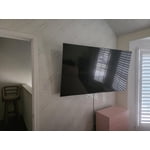
[This review was collected as part of a promotion.] Fantastic tv, we feel its great value, we are very satisfied with our purchase!

Review from Samsung US
Helpful?5E42PT4DC65117304274207
Jul 5, 2026
Samsung Family
4 out of 5 stars review

Samsung TV

The TV has a great picture. The only challenge is the remote does not easily connect with the tv sensor to turn on the tv.

Review from Samsung US
Helpful?5E42PT4DC65117304274207
Jul 5, 2026
LizT
5 out of 5 stars review

New Smart Samsung

Like the contrast, easy to use remote. Wish it had a speaker on the remote, but like Samsung. Our 2nd Samsung Smart Tv in a year!

Review from Samsung US
Helpful?5E42PT4DC65117304274207
Jul 5, 2026
Betty
3 out of 5 stars review

Yes

The TV never the sound the mouth words never match the mouth and then I have to hold the button to make a match the mouse so it’s very aggravating

Review from Samsung US
Helpful?5E42PT4DC65117304274207
reply from Samsung Advisor

Hi Betty, Thank you for your feedback regarding lip sync issues on your Samsung U7900F TV. Audio delays can sometimes be related to the content source, but if you're noticing this issue across multiple inputs or apps, there are a few settings to try depending on your setup: If you're using external audio (e.g., a soundbar or receiver): 1. Adjust the Digital Audio Delay. You can manually sync the audio with the video: Settings > All Settings > Sound > Expert Settings > Digital Output Audio Delay 2. Enable Pass-Through Mode. This allows the audio signal to bypass additional TV processing, reducing delay: Settings > All Settings > Sound > Expert Settings > Digital Audio Output Format > Pass-Through If you're using the TV’s built-in speakers: 1. Run a Software Update. Firmware updates may improve system performance, including audio sync: Settings > Support > Software Update > Update Now 2. Cold Boot Your TV. With the TV on, hold down the power button on your remote until the TV turns off and back on. This can resolve temporary sync issues. If the problem persists after trying these steps, we’d be happy to help with additional troubleshooting or arrange service if needed. Please contact Samsung Support at 1-800-SAMSUNG (8AM – 9PM EST Mon – Fri, 8AM – 6PM Sat – Sun). You can also LiveChat with an agent or explore additional resources on our website by clicking the ‘Support’ link. ~ Samsung Advisor

Jul 5, 2026
SloosieQ
5 out of 5 stars review

Happy consumer

Not sure you could do any better for the price. Picture is clear and color is great. Remote is easy to operate and makes setup easy.

Review from Samsung US
Helpful?5E42PT4DC65117304274207