
 Customer reviews for SAMSUNG 75” Class U7900F Series 4K Crystal UHD Smart TV for
Member photos

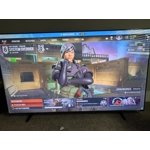 +1328 images
Perfect For Guest Room, or Anywhere!
[This review was collected as part of a promotion.] It is perfect for the bedroom or office. Picture is great and it's lightweight to hang on the wall. Only thing I can find to complain about is the speakers. They are a little weak and tinny, but, face it, we all use a sound bar anyhow. I couldn't have asked for a better TV for the guest room. Add to that, the SAMSUNG TV, and you have the perfect guest room amenity. I thought, at first, the remote was pretty sad.... but it's really perfect. With all the streaming services, you really don't need all the numbers and buttons. Simple, sturdy and elegant. Love it.
picture
[This review was collected as part of a promotion.] Picture is nice but it doesn't have the ports on the back to hook up my streamer for my hearing aids, so I have a hard time hearing it. I should have done more research on the tv before I bought it.
Hi grady, Thank you for your feedback on the U7900F. We're sorry for any confusion regarding the available ports on your TV. If you have any questions or need help, we’re always here. Call 1-800-SAMSUNG from 8AM - 12AM EST, seven days a week, or connect with a LiveChat agent anytime by selecting ‘Support’ on our website. ~ Samsung Advisor
10 stars
[This review was collected as part of a promotion.] The size of the TV is my favorite part aside of the crystal clear vibrant screen play back or on video games . the Samsung model is bright resolution is great and if I want to put Security on the TV also a great option so that nobody can get into certain parts of my TV I didn't want them to . the size of the TV is is wide as my queen size bed I'm watching the TV I can see over my feet because the TV takes up the whole wall I love everything about it there isn't anything I would say hey Samsung you need to change this you did everything right on the money with this TV 10 Stars
Constant Image Twitching “Critical Flaws”
[This review was collected as part of a promotion.] I love Samsung products but this tv isn't the best Constant Image Twitching Ruins the Experience The Samsung U7900F is a disappointing TV overall. It's best suited for watching shows in a light-controlled room, yet it still struggles there. It isn't bright enough to handle glare, and its black levels are sub-par with no local dimming, so it also performs poorly in dark rooms. Color performance is limited, as it can't display a wide color gamut, though its SDR accuracy out of the box is decent. Gamers may appreciate the low input lag, which allows for responsive gameplay, but motion handling is weak, with noticeable blur behind fast-moving objects. On the plus side, its image processing is acceptable, meaning low-resolution and low-quality content is upscaled reasonably well. Unfortunately, this isn't enough to compensate for its major flaws, making the overall viewing experience underwhelming.
Hi Carter, Thank you for your feedback regarding the twitching you're seeing on your TV. To help determine if the issue is related to the panel itself, we recommend starting with a Picture Test, which displays a high-definition image you can examine for flaws: Settings > Support > Device Care > Self Diagnosis > Picture Test If the issue appears during the test and across all sources (built-in apps, HDMI devices, etc.), it may indicate a panel-related concern. You can also try displaying solid-color test videos (red, green, blue, black, white) from a USB drive or YouTube. This can help you identify whether any pixels are stuck or not functioning properly. In some cases, unplugging the TV for a few minutes and rebooting it can help resolve stuck pixels caused by temporary display behavior. Please also ensure you are running the latest Firmware, version 1132.0. Go to Settings> Support> Software Update. If this firmware version is not yet available on your TV, you can download the update on a USB drive and manually update your TV: 1. On Samsung's website (upper right corner), go to: Support > Manual & Software > Find your TV model, and click on the Firmware – Upgrade File. 2. When the file has finished downloading, locate it and then unzip it. There is normally one folder inside but there may be multiple files. 3. Copy or move all of the files that were included in the zip file to a USB flash drive, but do not place them inside any other folders. If you place the software folders inside a folder on the USB flash drive, the TV or monitor will not find them. 4. Connect the USB drive containing the software upgrade into a USB port on your device. 5. Using your device's remote, navigate to and select Settings, then select All Settings, and then select Support. Select Software Update, select Update Now, and then select Yes if prompted. Your device will search the USB drive for update files. Follow the on-screen instructions to install the updated software. Updates usually take a few minutes; please do not turn off the TV until the update is complete. When the update is finished, it will restart automatically. If you need additional support, Samsung is here to help. Please call us at 1-800-SAMSUNG, available daily from 8AM - 12AM EST. You can also chat with a LiveChat agent by clicking the ‘Support’ link on our website. ~ Samsung Advisor
Overall Great Product!!!
[This review was collected as part of a promotion.] I love the size and the picture qualty is amazing. I do find it a little fustrating trying to get the apps you want on the home screen but aside from that everything else is perfect. The gaming hub and cloud gaming is really convenient. The last app memory has been pretty handy too, its really nice to not have to spend forever reopening apps and searchinh for where you lefy off at when someone accidentally exits out of the show you are watching. Auto updates help a lot too, especially since I always forget to do it. The sleep mode is great if like to fall asleep with the tv on. I have to say out of every brand and tv I have ever owned this really is the best. I do not regret this purchase at, its definitely worth every penny!


Great Features ,Great ,Great ,Great !
[This review was collected as part of a promotion.] The picture on the screen is so clear and I love how I can adjust the brightness to what is needed. Its also amazing I can make my phone a remote should such things happen to the remote temporarily. Connecting things to my tv is pretty much explanatory it guides me through things. This tv is my best purchase so far
network issues and lag on two tvs
Replaced two TCL smart tvs with these and I was disappointed to say the least. There is hardly and storage space on there (less than 2gb free space with just the default apps). But thats not what bothered me. The real issue is the network connectivity error I get every other time I start the tv. It's infuriating and happens all the time. It must be an issue with this model because it happens on both my tvs, not just one. It takes several restarts and/or network configurations in settings before it starts workingn again. I never had connectivity issues with my old TCLs and no other device in my home has network connection issues. To add to this, the button lag is super slow, and the home screen interface isnt very convient to get to your streaming apps easily. I was expecting more from Samung but after these go I probably wont stick with their brand.
Hi Cristian, Thank you for your feedback. Please ensure you are running the latest Firmware Update 1132. To do so, go to Settings> Support> Software Update. If this firmware version is not yet available on your TV, you can download the update on a USB drive and manually update your TV: 1. On Samsung's website (upper right corner), go to: Support > Manual & Software > Find your TV model, and click on the Firmware – Upgrade File. 2. When the file has finished downloading, locate it and then unzip it. There is normally one folder inside but there may be multiple files. 3. Copy or move all of the files that were included in the zip file to a USB flash drive, but do not place them inside any other folders. If you place the software folders inside a folder on the USB flash drive, the TV or monitor will not find them. 4. Connect the USB drive containing the software upgrade into a USB port on your device. 5. Using your device's remote, navigate to and select Settings, then select All Settings, and then select Support. Select Software Update, select Update Now, and then select Yes if prompted. If you need additional support, Samsung is here to help. Please call us at 1-800-SAMSUNG, available daily from 8AM - 12AM EST. You can also chat with a LiveChat agent by clicking the ‘Support’ link on our website. ~ Samsung Advisor
This item is worth the purchase
[This review was collected as part of a promotion.] It has great pictures quality, amazing sound system. Good quality speakers, if you use it for a bedroom you don't need a surround set...I recommend getting this product. I want to upgrade my 50" nxt year.
its a great tv u can connect to almost anything
[This review was collected as part of a promotion.] its a great tv u can like to almost anything then just use ur remote control 4 the TV say u link ur fan then 1 last remote u need to not lose its quite nice the picture quality its amazing sound quality is pretty good to but im going to get surround sound its otw but I would recommend it to any1 really great tv slim n not to heavy 4 it being a 75 inch
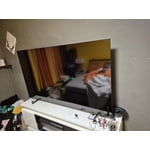
Great Samsung 75" for master bed
[This review was collected as part of a promotion.] The Samsung 75" television is ideally suited for a master bedroom setting. It seamlessly supports streaming services such as Netflix, HBO Max, and Amazon Prime Video. The display's resolution and brightness levels are quite satisfactory for this particular environment. I wholeheartedly endorse this product.