
 Customer reviews for SAMSUNG 50" Class U7900F Series 4K Crystal UHD Smart TV for
Member photos

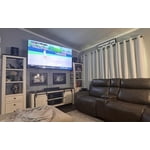
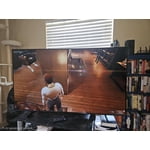
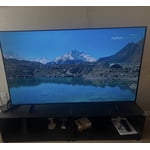
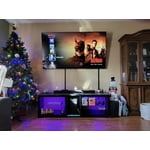
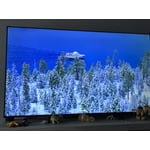
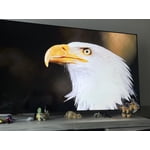 +1322 images
Best tv.
[This review was collected as part of a promotion.] Love that there are 2 space sizes for the feet, the new remote style is awesome. The screen quality is incredible, the background lighting is so good I was finally able to watch the 1 episode of Game of Thrones season 8 where its shot in the dark and can actually see what was happening after 6 years of just looking at a dark screen. The color is fantastic, it looks so real. I love the home screen set up, and the free live tv channels. My dog loves having Barbie Dreamhouse on when I leave for work for the day and I dont have to worry about it timing out after 2 hours. Ive recommended the tv to several people who habe gone on to purchase one.
Great TV
[This review was collected as part of a promotion.] I’m a 60 year old and very electronically challenged and setting up an connecting up was relatively simple and I know the picture isn’t the top of the line but I have no issues with it especially for the price point I just hope it last for many years i had two Samsung plasma tvs prior for well over 13 years and they were still working perfectly when I gave them to my needy relatives
Wow what a picture
[This review was collected as part of a promotion.] One i saw my favorite TV shows and moves. I knew I didn't want to leave the house for one second. Uber eats became my friend for the next week. So easy on the eyes. I can get as close as I want. MOM!
Amazing picture
[This review was collected as part of a promotion.] This smart tv provides amazing picture and detail. Plenty of security setting for online usage. Colors are crisp and bright. Amazing 4K resolution when available. Gaming has been amazing, and the audio is top notch.


Superb TV samsung at its finest
[This review was collected as part of a promotion.] This samsung TV blew me away when I powered it on for the first time, I was so impressed with the picture, the clarity, and the stunning visuals.... It's like you are looking through a window frame in real life when watching this TV.... I never used to watch any tv. Now that I have this I watch TV all the time!! The TV is just fantastic it also has a great sound system especially for how thin this TV is you would think the speakers just couldn't possibly be this good but they are. I recommend this unit 100%
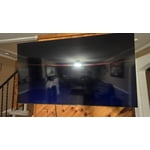
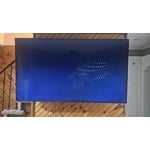
Terrible for streaming
We purchased this TV on a Black Friday deal and have regretted it ever since. If you are looking for a TV for streaming, this isn't the one. If the people in the show are doing any more than just sitting there, the picture gets very pixelated. I've contact samsung for help and was told the show was just old. However, it happens on even shows that are just released. So frustrating for what uses to be a great brand name.
Hi SamanthaF, Thank you for sharing your experience. Buffering during streaming is typically related to internet speed or signal strength. This can happen when your connection isn’t able to deliver data quickly enough for smooth playback. We recommend the following steps to help improve streaming performance: 1. Use a 5GHz Wi-Fi connection, if available 2. Try a wired LAN connection for more stability 3. Reposition your router to minimize obstacles between it and the TV 4. Make sure your TV is running the latest firmware (Settings > Support > Software Update) 5. Run Device Care to optimize performance: Home > left directional key > Settings > Support > Device Care > Start Device Care If buffering continues, you may want to contact your internet service provider to check your current speed or explore upgrade options. There are also several settings you can adjust to improve motion clarity. Go to: Home > left directional key > Settings > All Settings > Picture > Expert Settings, and review these key settings: Picture Clarity Settings • Off: Disables all motion enhancement • Auto: Automatically adjusts motion clarity based on content • Custom: Enables manual control of: o Judder Reduction: Smooths motion in film-based content o LED Clear Motion: Increases sharpness during fast movement o Noise Reduction: Helps reduce distortion in lower-quality sources We hope these settings help improve your viewing experience, especially with fast-moving content. If you'd like further assistance, feel free to reach out to Samsung Support at 1-800-SAMSUNG, 8AM – 12AM EST, 7 days a week. LiveChat is also available via the ‘Support’ link on our website. ~ Samsung Advisor
Great TV if you don't have older sound systems
[This review was collected as part of a promotion.] The picture and color are good, and it functions well. Remote even operates other devices and this convenient. There's no addition audio sound hook up so you can only utilize HDMI or Bluetooth to add extra sound options.
Hi MyTV, It's great to hear you are enjoying U7900F TV. If you ever have questions or need support, we’re here to help. Call us at 1-800-SAMSUNG, available from 8AM - 12AM EST, seven days a week. You can also connect with a LiveChat agent by clicking the ‘Support’ link on our website. ~ Samsung Advisor
Screen Timed Out Remote
[This review was collected as part of a promotion.] while watching the live stTV, the screen froze. It froze for several hours, even with turning it off and on overnight the next day I had to unplug the power supply to get the TV screen to show. The remote control should have numbers to make it easier to navigate
Hi TV 95 inch, If your U7900F TV’s Smart Hub is freezing, lagging, or not loading properly: 1. Reset Smart Hub – Home > left directional key > Settings > Support > Device Care > Self Diagnosis > Reset Smart Hub (This will sign you out of apps and reset Smart Hub to factory default.) 2. Update firmware – Home > left directional key > Settings > Support > Software Update > Update Now 3. Run Device Care – Home > left directional key > Settings > Support > Device Care > Start Device Care If the issue persists, contact Samsung Support at 1-800-SAMSUNG, 8AM – 12AM EST, 7 days a week. LiveChat is available under the ‘Support’ link on our website. ~ Samsung Advisor
Great T.V. but
[This review was collected as part of a promotion.] The TV keeps losing wifi signal and does not allow for the phone to screen mirror. I have to completely restart the T.V. and aswell as the Bluetooth. I have a speaker that I have to keep reinstalling due to the Bluetooth being lost.
Hi Moravation, Thank you for reaching out to us. Please ensure your TV is running the latest Firmware. Go to Settings> Support> Software Update. Please ensure your TV is running the latest Firmware, version 1132.0. Go to Settings> Support> Software Update. If this firmware version is not yet available on your TV, you can download the update on a USB drive and manually update your TV: 1. On Samsung's website (upper right corner), go to: Support > Manual & Software > Find your TV model, and click on the Firmware – Upgrade File. 2. When the file has finished downloading, locate it and then unzip it. There is normally one folder inside but there may be multiple files. 3. Copy or move all of the files that were included in the zip file to a USB flash drive, but do not place them inside any other folders. If you place the software folders inside a folder on the USB flash drive, the TV or monitor will not find them. 4. Connect the USB drive containing the software upgrade into a USB port on your device. 5. Using your device's remote, navigate to and select Settings, then select All Settings, and then select Support. Select Software Update, select Update Now, and then select Yes if prompted. Your device will search the USB drive for update files. Follow the on-screen instructions to install the updated software. Updates usually take a few minutes; please do not turn off the TV until the update is complete. When the update is finished, it will restart automatically. If you need additional support, Samsung is here to help. Please call us at 1-800-SAMSUNG, available daily from 8AM - 12AM EST. You can also chat with a LiveChat agent by clicking the ‘Support’ link on our website. ~ Samsung Advisor
Ok not great.
[This review was collected as part of a promotion.] The build quality was questionable. S reen began to separate from frame 3 months after purchasing. Had to reset on multiple occasions dew to screen freezing. And controller would input randomly. When it did operate it did work well.
Hi Carlos, We're sorry to hear about your experience. To best assist you, please call us at 1-800-SAMSUNG, available 8AM – 12AM EST, 7 days a week. LiveChat support and additional help are available at the ‘Support’ link on our website. ~ Samsung Advisor