
 Customer reviews for SAMSUNG 50" Class U7900F Series 4K Crystal UHD Smart TV for
Member photos
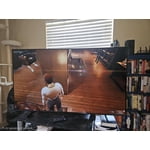
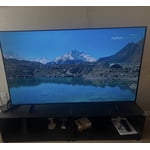
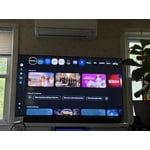
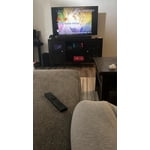
 +1317 images
he's a TV
[This review was collected as part of a promotion.] an interesting TV can you say color black levels off axis response but the one thing I do not like is the mandatory requirement to sign into a Samsung account before you can even get your TV set up I want my TV to turn on go to the main screen do my updates if I choose as a customer to create a Samsung account to use my TV that it should be my choice not your choice to make it for me and the ties it operating system is no fun to use
Hi ribstpb, Thank you for sharing your concerns. Samsung’s privacy policies are designed to protect your personal information and ensure it’s handled responsibly. We always request your consent before collecting any data, and we are committed to managing that information with the utmost care and transparency in accordance with our privacy guidelines. If you have any questions about privacy settings or need assistance using your TV, we’re here to help. Please contact Samsung Support at 1-800-SAMSUNG, 8AM – 12AM EST, 7 days a week. LiveChat and additional support resources are also available through the Support link on our website. ~ Samsung Advisor
The BEST TV
[This review was collected as part of a promotion.] Really happy with this 65” Samsung Crystal UHD TV. The picture is super clear and bright, and everything looks great in 4K—even older shows look better than I expected. It was easy to set up, and the apps run smooth without any lag. The design is nice and slim, so it looks great in the room too. Sound is decent, but adding a soundbar definitely helps. Overall, great value for the price—no complaints!
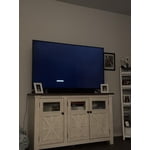
No internet access.
[This review was collected as part of a promotion.] I've tried and tried to connect my TV to the internet with no luck. I had a subscription to Paramount + and couldn't watch it. Why are there so many videos on YouTube how to connect to the internet?
Hi JW128, Thank you for sharing your experience with the internet connection on your Samsung U7900F TV. Whether you're using Wi-Fi or a wired (LAN) connection, there are a few steps you can take to help resolve the issue: 1. Power Cycle Your Equipment. Unplug both your TV and router/modem from the wall outlet. Wait at least 30 seconds, then plug them back in and allow both devices to fully restart. 2. Check the Network Status. On your TV, go to: Home > left directional key > Settings > All Settings > Connection > Network > Network Status. This will help determine if the issue lies with the network or the TV. 3. Try a Different Connection Type. If you're using Wi-Fi, try connecting an Ethernet (LAN) cable directly from your router to the TV to test the connection. If you're using a wired connection, try switching to Wi-Fi to see if the issue persists. 4. Reestablish the Network Connection. Go to: Settings > All Settings > Connection > Network > Open Network Settings, and follow the prompts to reconnect to your Wi-Fi or wired network. 5. Update Firmware. Software updates can often resolve network bugs. To check for the latest version: Settings > Support > Software Update > Update Now If these steps don't resolve the issue, we’d be happy to provide further assistance. Please call Samsung Support at 1-800-SAMSUNG, 8AM - 12AM EST, 7 days a week. LiveChat is also available at the ‘Support’ link on our website. ~ Samsung Advisor
Great Smart TV
[This review was collected as part of a promotion.] We've had this TV for almost a year and its been a really great set. The apps work easily and the screens are organized well. There's a lit of features included that are fun and interesting. The controls are fairly easy to figure out but mostly once everything is set up the only thing we change is volume and channels.

Great colors
[This review was collected as part of a promotion.] Something that i really like about this tv is the colors how they look fantastic doesnt mater if you use it for watching a movie or playing video gases the color contrast,brightnes and resolution are incredible something else that i really like is how you can change the modes of the tv from movie mode to filmaker mode and game mode also the compatibility is really good giving me the option to connect my playstation,speakers.
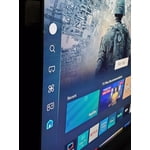

Best affordable TV for quality and functionality
[This review was collected as part of a promotion.] We LOVE our Samsung TV! We live in a somewhat rural, mountainous area, and our TV antenna doesn't always receive good reception. However, the included Samsung TV app is loaded with free channels, games and a lot more. We get to watch all kinds of our favorite shows and movies for free, and we love playing the trivia games! The picture quality is incredible, and almost looks 3D. We've owned only Samsung TVs and phones for the past decade and have always been happy with Samsung products.
Get what you pay for
Gliche could not even watch some streaming channels. Looks like a known issue when reviewing other sites. Most be a software issue because works fine when I attached a Ruku device. Like the picture and sound, maybe a software update will resolve this issue but there are none available at this time.
Hi Mr T, Thank you for sharing your experience. Please ensure your TV is running the latest Firmware, version 1132.0. Go to Settings> Support> Software Update. If this firmware version is not yet available on your TV, you can download the update on a USB drive and manually update your TV: 1. On Samsung's website (upper right corner), go to: Support > Manual & Software > Find your TV model, and click on the Firmware – Upgrade File. 2. When the file has finished downloading, locate it and then unzip it. There is normally one folder inside but there may be multiple files. 3. Copy or move all of the files that were included in the zip file to a USB flash drive, but do not place them inside any other folders. If you place the software folders inside a folder on the USB flash drive, the TV or monitor will not find them. 4. Connect the USB drive containing the software upgrade into a USB port on your device. 5. Using your device's remote, navigate to and select Settings, then select All Settings, and then select Support. Select Software Update, select Update Now, and then select Yes if prompted. Your device will search the USB drive for update files. Follow the on-screen instructions to install the updated software. Updates usually take a few minutes; please do not turn off the TV until the update is complete. When the update is finished, it will restart automatically. If you need additional support, Samsung is here to help. Please call us at 1-800-SAMSUNG, available daily from 8AM - 12AM EST. You can also chat with a LiveChat agent by clicking the ‘Support’ link on our website. ~Samsung Advisor
Beware of this TV
[This review was collected as part of a promotion.] I have encountered several issues with this television. Firstly, when attempting to transmit audio from the television to a connected Bluetooth speaker, I experienced static interference, necessitating a power cycle of the television to resolve the issue. This problem was not isolated to a single Samsung speaker but occurred with other speakers as well. Secondly, approximately 30 minutes into viewing movies, persistent glitches appeared. Thirdly, the television's remote control exhibits a noticeable delay in responsiveness when navigating through various applications and games. I am dissatisfied with this purchase and would not recommend this product, despite owning several other Samsung products.
Hi Raymond, Thank you for reaching out to us. If you are experiencing sound issues when connecting to a Bluetooth speaker, please try the below troubleshooting steps: 1. Bluetooth connections can be sensitive to distance and interference. Keep the Bluetooth device close to the TV, and remove nearby sources of interference (e.g., wireless routers or other Bluetooth devices). 2. For improved stability, use a 5GHz Wi-Fi network if available. 3. If issues persist, we recommend switching to a wired connection (HDMI ARC or Optical) for a more reliable audio experience. Also Try: • Update your TV's firmware: Settings > Support > Software Update > Update Now • Run a Sound Test to verify internal sound functions: Settings > Support > Device Care > Self Diagnosis > Sound Test If you’ve tried the steps above and are still experiencing issues, we’re here to help. You can call Samsung Support at 1-800-SAMSUNG, 8AM – 12AM EST, 7 days a week. Our LiveChat agents are also available by clicking the ‘Support’ link at Samsung.com. ~ Samsung Advisor
Best tv I have owned
[This review was collected as part of a promotion.] I have 2 samsung tvs. One is a 75 in the other is a 65 in. Both of these tvs are amazing. They have very good picture quality. It has an eco setting that will auto adjust the brightness of the TV depending on the time of day. The picture also goes all the way to the edge of the screen. There is almost no fram which gives the tv a very slick look.
Big
[This review was collected as part of a promotion.] always had a Samsung I really like the TV the product's great never had a problem this picture is crystal clear always had a Samsung I really like the TV the product's great never had a problem this picture is Crystal Clear I really enjoy it nice big picture 75-in how can I not like it