
 Customer reviews for SAMSUNG 50" Class U7900F Series 4K Crystal UHD Smart TV for
Member photos
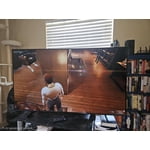
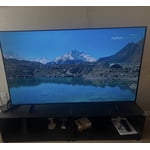
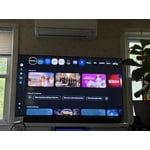
 +1317 images
Great
[This review was collected as part of a promotion.] Beautiful tv image is great and sounds it’s great ,the setting and menu’s are amazing. Bluetooth is great
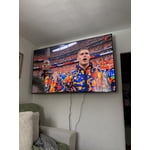
great features
[This review was collected as part of a promotion.] I love it it was easy to set up and start the programming i wanted. It has a really easy set up to begin setting the tv up
Highly recommended!
[This review was collected as part of a promotion.] I'm really a fan of Samsung whether it be a mobile device or a tv so this one is really a perfect choice for me and my family. Everything you're looking for a tv is already covered by Samsung. The brigtness, color and security passed the requirement that I want in a tv.

Good TV
[This review was collected as part of a promotion.] I love the samsung 4k tv's except they are taking away more and more ways to hook other devices up. I always liked the hook up options like my surround sound stereo but not everything has bluetooth and using my optical cable for sound was ideal for this Now i have to buy a bluetooth soundbar that goes with this television. That's my only complaint on these otherwise great tv's. They also have a lifespan of about 5 years and that's about it.
Hi Grant, Thank you for being a loyal Samsung customer and for sharing your experience with us. If an Optical port is a crucial part of your setup needs, you’ll find that connection starting with our Q8F Series and above. Please note, you can also connect a soundbar via HDMI or Bluetooth to the U7900F TV. If there’s anything we can assist with, please don’t hesitate to call us at 1-800-SAMSUNG, available daily from 8AM - 12AM EST. You can also visit the Samsung website and click on ‘Support’ for: • Live Chat • Manuals, Software, & Warranty Info ~ Samsung Advisor
Constant Image Twitching “Critical Flaws”
[This review was collected as part of a promotion.] I love Samsung products but this tv isn't the best Constant Image Twitching Ruins the Experience The Samsung U7900F is a disappointing TV overall. It’s best suited for watching shows in a light-controlled room, yet it still struggles there. It isn’t bright enough to handle glare, and its black levels are sub-par with no local dimming, so it also performs poorly in dark rooms. Color performance is limited, as it can’t display a wide color gamut, though its SDR accuracy out of the box is decent. Gamers may appreciate the low input lag, which allows for responsive gameplay, but motion handling is weak, with noticeable blur behind fast-moving objects. On the plus side, its image processing is acceptable, meaning low-resolution and low-quality content is upscaled reasonably well. Unfortunately, this isn’t enough to compensate for its major flaws, making the overall viewing experience underwhelming.
Hi Carter, Thank you for your feedback regarding the twitching you're seeing on your TV. To help determine if the issue is related to the panel itself, we recommend starting with a Picture Test, which displays a high-definition image you can examine for flaws: Settings > Support > Device Care > Self Diagnosis > Picture Test If the issue appears during the test and across all sources (built-in apps, HDMI devices, etc.), it may indicate a panel-related concern. You can also try displaying solid-color test videos (red, green, blue, black, white) from a USB drive or YouTube. This can help you identify whether any pixels are stuck or not functioning properly. In some cases, unplugging the TV for a few minutes and rebooting it can help resolve stuck pixels caused by temporary display behavior. Please also ensure you are running the latest Firmware, version 1132.0. Go to Settings> Support> Software Update. If this firmware version is not yet available on your TV, you can download the update on a USB drive and manually update your TV: 1. On Samsung's website (upper right corner), go to: Support > Manual & Software > Find your TV model, and click on the Firmware – Upgrade File. 2. When the file has finished downloading, locate it and then unzip it. There is normally one folder inside but there may be multiple files. 3. Copy or move all of the files that were included in the zip file to a USB flash drive, but do not place them inside any other folders. If you place the software folders inside a folder on the USB flash drive, the TV or monitor will not find them. 4. Connect the USB drive containing the software upgrade into a USB port on your device. 5. Using your device's remote, navigate to and select Settings, then select All Settings, and then select Support. Select Software Update, select Update Now, and then select Yes if prompted. Your device will search the USB drive for update files. Follow the on-screen instructions to install the updated software. Updates usually take a few minutes; please do not turn off the TV until the update is complete. When the update is finished, it will restart automatically. If you need additional support, Samsung is here to help. Please call us at 1-800-SAMSUNG, available daily from 8AM - 12AM EST. You can also chat with a LiveChat agent by clicking the ‘Support’ link on our website. ~ Samsung Advisor
Great TV for bedroom
[This review was collected as part of a promotion.] Bought this TV not expecting much because it wasn't high end model. Wow was I presently surprised. Picture is excellent! Features are great , wireless dex from my phone works seemlessly and smart things makes it so easy to use my phone as a remote. Can't wait till my living room tv breaks so I can replace it with a Samsung
Terrible for streaming
We purchased this TV on a Black Friday deal and have regretted it ever since. If you are looking for a TV for streaming, this isn't the one. If the people in the show are doing any more than just sitting there, the picture gets very pixelated. I've contact samsung for help and was told the show was just old. However, it happens on even shows that are just released. So frustrating for what uses to be a great brand name.
Hi SamanthaF, Thank you for sharing your experience. Buffering during streaming is typically related to internet speed or signal strength. This can happen when your connection isn’t able to deliver data quickly enough for smooth playback. We recommend the following steps to help improve streaming performance: 1. Use a 5GHz Wi-Fi connection, if available 2. Try a wired LAN connection for more stability 3. Reposition your router to minimize obstacles between it and the TV 4. Make sure your TV is running the latest firmware (Settings > Support > Software Update) 5. Run Device Care to optimize performance: Home > left directional key > Settings > Support > Device Care > Start Device Care If buffering continues, you may want to contact your internet service provider to check your current speed or explore upgrade options. There are also several settings you can adjust to improve motion clarity. Go to: Home > left directional key > Settings > All Settings > Picture > Expert Settings, and review these key settings: Picture Clarity Settings • Off: Disables all motion enhancement • Auto: Automatically adjusts motion clarity based on content • Custom: Enables manual control of: o Judder Reduction: Smooths motion in film-based content o LED Clear Motion: Increases sharpness during fast movement o Noise Reduction: Helps reduce distortion in lower-quality sources We hope these settings help improve your viewing experience, especially with fast-moving content. If you'd like further assistance, feel free to reach out to Samsung Support at 1-800-SAMSUNG, 8AM – 12AM EST, 7 days a week. LiveChat is also available via the ‘Support’ link on our website. ~ Samsung Advisor
Samsung 60"tv
[This review was collected as part of a promotion.] It is very clean looking tv. The screen is vivid and bright with sharp colors and great resolution. I have not had issues with security.i do have one complaint and that is I moved recently and took great care to transport the TV and the screen now has a line down the right side when its on. So maybe look into a tougher screen material. Other then that I love it
Great picture tough to customize
[This review was collected as part of a promotion.] The TV has a great picture and was easy to get out of the box and running. It came with limited apps and adding apps has been impossible. It came with Netflix and Prime. We cannot add Apple TV, Peacock, Paramount etc. very frustrating.
Hi Island connection, Thank you for sharing your experience. Please know that you can customize your Home screen by installing, removing or adding your favorite apps to the Home screen. Apple TV, Peacock, Paramount are all available for download in our built-in app store. Here's how to access them: Searching for & Installing Apps 1. From the Home screen, press left on the remote’s directional pad. 2. Navigate to and select Search. 3. Using the search bar, enter the content or app you’d like to find. 4. Navigate to and select the app you’d like to install, then select Install. Note: Previously installed apps can be accessed on the Settings screen. Adding & Managing Apps on Home Screen 1. Go to App Settings (these can be found at the bottom of the Apps screen) and select the app you want to move. The following options will be available: a. Add to Home: Move the app to your desired location on the Home screen. b. Delete: Delete app. c. Lock/Unlock: Lock the app with a PIN so only you can use it. When the app is selected again, you will be prompted to enter the PIN to unlock it. d. Reinstall: Reinstall the app. e. View Details: View the app’s information and details. If you need more help with app management, please don’t hesitate to reach Samsung Support at 1-800-SAMSUNG (8AM – 12AM EST, 7 days a week). You’ll also find LiveChat, manuals, software, and warranty details under the ‘Support’ section of our website. ~ Samsung Advisor
Best TVs ever
[This review was collected as part of a promotion.] The aesthetics are beautiful the resolution is amazing plenty of streaming you there's also security I love Samsung products I have Samsung phones I have Samsung TVs I have Samsung everything because it is a flawless screen to screen switch display if you understand what I'm saying and I love smart things