Skip to Main Content
Sam's Club
Sam's Club
All Departments
All Services
Customer reviews for SAMSUNG 50" Class U7900F Series 4K Crystal UHD Smart TV for
SAMSUNG 50" Class U7900F Series 4K Crystal UHD Smart TV
4.6 out of 5 stars
stars
3,344 ratings3,280 reviews
  1. 5 stars74% (2,489)
  2. 4 stars15% (510)
  3. 3 stars5% (178)
  4. 2 stars2% (68)
  5. 1 star3% (99)

Member photos

  • +1317 images
Sort by |
Showing 781-790 of 3,280 reviews
Jun 22, 2026
Anonymous
4 out of 5 stars review

Great features

TV has excellent color and resolution. The thing that I like most are the features and ease of access. I will for sure let my family and friends know this is the TV that you need.

Review from Samsung US
Helpful?5C20ZRAZZ46Q16498555478
Jun 22, 2026
P DV
5 out of 5 stars review

10/10

So much clearer than my previous tv, so as the audio. Little to no glare, and smooth. It's screen is bright enough to light up my room. Overall, the best tv, especially for its price.

Review from Samsung US
Helpful?5C20ZRAZZ46Q16498555478
Jun 20, 2026
Jdog
3 out of 5 stars review

?

Like the television but it seems to have a problem on start up It locks up when I try to navigate home page My buddy has two of them and his doesn't act like mine

Review from Samsung US
Helpful?5C20ZRAZZ46Q16498555478
reply from Samsung Advisor

Hi Jdog, We appreciate your feedback regarding your U7900F TV’s performance. If you're experiencing freezing or lag in general response time, please try the following steps: 1. Check for firmware updates – Keeping your TV up to date can resolve many performance issues: Home > left directional key > Settings > Support > Software Update > Update Now 2. Run Device Care – This tool checks system memory, frees up cached data, and closes background apps that could be slowing things down: Home > left directional key > Settings > Support > Device Care > Start Device Care 3. Cold boot your TV – With the TV powered on, press and hold the Power button on your remote for 5+ seconds until the TV restarts. This helps refresh the system. If you're still noticing performance snags after these steps, please contact Samsung Support at 1-800-SAMSUNG (8AM – 9PM EST Mon – Fri, 8AM – 6PM Sat – Sun). You can also connect with a LiveChat agent via the ‘Support’ link on our website. ~ Samsung Advisor

Jun 5, 2026
Lobo1234
2 out of 5 stars review

Can not get the dvd vcr to work with Samsung plus.

[This review was collected as part of a promotion.] I have Sony vcr DVD player hook up to Samsung plus it is saying no sign detected it is plugged in to the out on the DVD player to hdmi 1 can help me.

Review from Samsung US
Helpful?5C20ZRAZZ46Q16498555478
reply from Samsung Advisor

Hi Lobo1234, We appreciate you sharing the issues you’re experiencing when connecting your U7900F TV to your DVD player. To ensure everything is set up correctly, we recommend using the Connection Guide, which provides step-by-step instructions for connecting external devices. Navigate to: Home > left directional key > Connected Devices > Connection Guide Also, please double-check that your DVD Player is powered on and that the HDMI cable is securely connected. To change input sources, go to: Connected Devices > Sources You can also run HDMI Troubleshooting, which checks the connection between your TV, HDMI cable, and external device. This takes approximately 2 minutes and can be found under: Connected Devices > Connection Guide > Video Device > HDMI Troubleshooting If you continue to experience issues, don’t hesitate to reach out to Samsung Support at -800-SAMSUNG (8AM – 9PM EST Mon – Fri, 8AM – 6 PM Sat – Sun), or reach us via text 24/7. You can also visit ‘Support’ on our website for: • Live Chat • Manuals, Software, & Warranty Info ~ Samsung Advisor

Jun 5, 2026
Krazy55
5 out of 5 stars review

Nice TV

[This review was collected as part of a promotion.] The TV has been very enjoyable. I like the picture and how clear it is. My only issue is if you go to Samsung TV, takes forever to get it back on cable to stay.

Review from Samsung US
Helpful?5C20ZRAZZ46Q16498555478
Jul 2, 2026
Karenluke
2 out of 5 stars review

Terrible
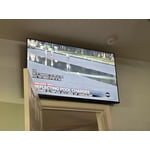
Volume is terrible, closed caption carries over to next screen, when it goes off line you have to go in and manually connect it Goes off automatically all the time worst tv I ever bought DO NOT BUY THIS

Review from Samsung US
Helpful?5C20ZRAZZ46Q16498555478
reply from Samsung Specialist

Thank you for your review. If there’s anything we can assist with, please don’t hesitate to call us at 1-800-SAMSUNG (8AM – 9PM EST Mon – Fri, 8AM – 6PM Sat – Sun), or reach us via text anytime. You can also visit ‘Support’ on our website for: • Live Chat • Manuals, Software, & Warranty Info ~ Samsung Specialist

Jun 22, 2026
Sparrow
5 out of 5 stars review

Great Picture

The picture is outstanding with good sound quality. Compared to the TV it replaced, there was a learning curve. I own Samsung products, but this TV was the least intuitive.

Review from Samsung US
Helpful?5C20ZRAZZ46Q16498555478
Jun 22, 2026
Ryan
4 out of 5 stars review

Great television

I love the picture quality, I also like the longevity of samsung tv's. My only gripe would be the somewhat leggy interface especially when searching for something when you have to type in what you are searching for

Review from Samsung US
Helpful?5C20ZRAZZ46Q16498555478
Jun 20, 2026
Luus
5 out of 5 stars review

Great
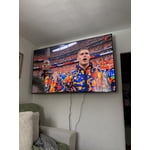
[This review was collected as part of a promotion.] Beautiful tv image is great and sounds it’s great ,the setting and menu’s are amazing. Bluetooth is great

Review from Samsung US
Helpful?5C20ZRAZZ46Q16498555478
Jun 5, 2026
Regor
5 out of 5 stars review

Wonderful picture

[This review was collected as part of a promotion.] I am very happy with this TV. The price was reasonable, and it met all my expectations. Would recommend to anyone looking for a TV.

Review from Samsung US
Helpful?5C20ZRAZZ46Q16498555478