Skip to Main Content
Sam's Club
Sam's Club
All Departments
All Services
Customer reviews for SAMSUNG 50" Class U7900F Series 4K Crystal UHD Smart TV for
SAMSUNG 50" Class U7900F Series 4K Crystal UHD Smart TV
4.6 out of 5 stars
stars
3,344 ratings3,280 reviews
  1. 5 stars74% (2,489)
  2. 4 stars15% (510)
  3. 3 stars5% (178)
  4. 2 stars2% (68)
  5. 1 star3% (99)

Member photos

  • +1317 images
Sort by |
Showing 741-750 of 3,280 reviews
Jun 5, 2026
Silverback
5 out of 5 stars review

great television

[This review was collected as part of a promotion.] I have enjoyed the vibrance of the screen and the sounds are much better than the other TV in my home

Review from Samsung US
Helpful?5C20ZRAZZ46Q16498555478
Jun 7, 2026
Dre1
5 out of 5 stars review

Love it!

[This review was collected as part of a promotion.] I owned previously samsung TV's,but this one is more responsive and more vibrant than the one in the past..Samsung color are second to none and this one set the standard..

Review from Samsung US
Helpful?5C20ZRAZZ46Q16498555478
Jun 5, 2026
CallmeSam
5 out of 5 stars review

65”

[This review was collected as part of a promotion.] So far the tv works great sometimes it will freeze but can’t tell if it’s a network connection problem and not the product itself. Love my tv

Review from Samsung US
Helpful?5C20ZRAZZ46Q16498555478
Jun 29, 2026
Dissatisfied
1 out of 5 stars review

No auxiliary hook up’s

I am highly doubtful in this TV because it has only one place to hook up accessories. I can’t use my DVD player, my Roku or my soundbar ect. Highly dissatisfied. If you can tell me how I can use my devices I would appreciate it.

Review from Samsung US
Helpful?5C20ZRAZZ46Q16498555478
reply from Samsung Advisor

Hi Dissatisfied, Thank you for sharing your thoughts on the available inputs for the U7900F. If an Optical port is a crucial part of your setup needs, you’ll find that connection starting with our QN70H Series and above. For future purchases, we recommend double-checking the product specs on Samsung's site to ensure the model you choose has the ports you need. Should you ever need assistance with your TV, Samsung is here for you. Reach out by calling 1-800-SAMSUNG (8AM – 9PM EST Mon – Fri, 8AM – 6PM Sat – Sun). You can also chat with us online by visiting the ‘Support’ section of our website. ~ Samsung Advisor

Jun 7, 2026
Redcivicsiguy
5 out of 5 stars review

Best TV money can buy. Will only buy Samsung.
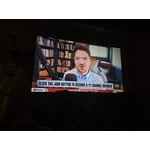
[This review was collected as part of a promotion.] Best tv ever have no complaints at all. Will only buy Samsung. Ive had other brand and there is no comparison. The screen is clear and shape. The sound is great. Love everything about it

Review from Samsung US
Helpful?5C20ZRAZZ46Q16498555478
Jun 22, 2026
NLGxThirsTy
5 out of 5 stars review

Bonus feature

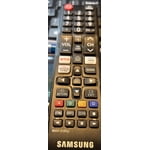
[This review was collected as part of a promotion.] Honestly , zero complaints, bonus i have, any samsung remote works on it so when I vsnt find mine I use one of the other 4 from the other t s so its perfect

Review from Samsung US
Helpful?5C20ZRAZZ46Q16498555478
Jun 5, 2026
Matt
3 out of 5 stars review

Good deal but not very bright

[This review was collected as part of a promotion.] I quite like almost everything about this tv with one glaring exception- it’s just not very. I really have to wait until after sunset to watch any shows that have night time scenes.

Review from Samsung US
Helpful?5C20ZRAZZ46Q16498555478
reply from Samsung Advisor

Hi Matt, We’re sorry to hear you’re not fully satisfied with the picture quality on your Samsung U7900F TV. If the image appears too dark, we suggest disabling certain energy-saving features, which can automatically adjust brightness and affect how the screen looks. Go to: Settings > All Settings > General & Privacy > Power and Energy Saving, then turn off Brightness Optimization, Energy Saving Solution, Motion Lighting, and/or Contrast Enhancer. You can also adjust the Picture Mode to better suit your environment: Settings > All Settings > Picture > Picture Mode • Standard – Default mode for general viewing • Dynamic – Brighter and clearer, ideal for well-lit rooms • Movie – Best for dark room viewing • Eco – Energy-saving mode • Filmmaker Mode – Preserves content as intended by creators To fine-tune brightness, go to: Home > left directional key > Settings > All Settings > Picture > Expert Settings, then adjust the Brightness level (0–50) to your preference. Lastly, please make sure your TV is running the latest firmware: Home > Home > left directional key > Settings > Support > Software Update > Update Now We hope these tips help improve your viewing experience. If you need further support, feel free to contact us at 1-800-SAMSUNG (8AM – 9PM EST Mon – Fri, 8AM – 6PM Sat – Sun). LiveChat is also available via the ‘Support’ link on our website. ~ Samsung Advisor

Jun 29, 2026
MommaH2014
5 out of 5 stars review

Love my TV !

[This review was collected as part of a promotion.] My family loves our TV. It's the perfect size and I truly don't. Think it's been turned off sense 24 purchased it. The picture is amazing.

Review from Samsung US
Helpful?5C20ZRAZZ46Q16498555478
Jun 21, 2026
Mem Man
4 out of 5 stars review

Good TV with lots of features
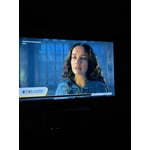
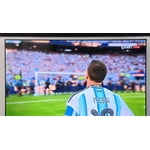
TV is a good TV for the money! The color and brightness of the screen is wonderful, but it lacks a little bit of clarity when watching things like soccer or basketball.

Review from Samsung US
Helpful?5C20ZRAZZ46Q16498555478
Jun 6, 2026
ronald
1 out of 5 stars review

bad

[This review was collected as part of a promotion.] this tv is the worse i have ever bought :( will never buy another one will just buy a nother lg and just throw this pice of junk away :(

Review from Samsung US
Helpful?5C20ZRAZZ46Q16498555478
reply from Samsung Advisor

Hi Ronald, We're sorry to hear about your experience. If you have any questions or need help with your TV please reach out to us at 1-800-SAMSUNG (8AM – 9PM EST Mon – Fri, 8AM – 6PM Sat – Sun). Our LiveChat agents are also available by clicking on the ‘Support’ link on our website. ~ Samsung Advisor