Skip to Main Content
Sam's Club
Sam's Club
All Departments
All Services
Customer reviews for SAMSUNG 50" Class U7900F Series 4K Crystal UHD Smart TV for
SAMSUNG 50" Class U7900F Series 4K Crystal UHD Smart TV
4.6 out of 5 stars
stars
3,344 ratings3,280 reviews
  1. 5 stars74% (2,488)
  2. 4 stars15% (508)
  3. 3 stars5% (179)
  4. 2 stars2% (68)
  5. 1 star3% (101)

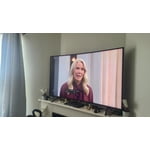
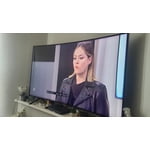
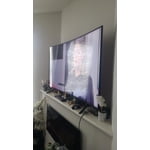
Member photos

  • +1324 images
Sort by |
Showing 441-450 of 3,280 reviews
May 20, 2026
Dana
4 out of 5 stars review

Good color

[This review was collected as part of a promotion.] I like TV, although sometimes when I turn it on, I get a very fuzzy look. This happen with the Samsung remote and when I switch to my Dish remote, it is still fuzzy. But, thus far, turning if off and turning back off it gives me a clearer picture. I hope this doesn't mean alot, as I have only had for a couple of months.

Review from Samsung US
Helpful?5C20ZRAZZ46Q16498555478
May 20, 2026
FrancisEM
5 out of 5 stars review

Good Buy
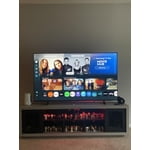
[This review was collected as part of a promotion.] Our Samsung 65-inch TV has been amazing so far. The picture quality is super clear and vibrant, especially when watching movies and sports. The sound is decent, and the smart TV features are easy to use. Definitely a great upgrade for our living room and worth the purchase

Review from Samsung US
Helpful?5C20ZRAZZ46Q16498555478
Jun 1, 2026
Driq
3 out of 5 stars review

Solid value.

[This review was collected as part of a promotion.] Solid TV for the price, with one major caveat, the glitchy operating system. It'll frequently say it's not able to connect to wifi even though all my other devices are fine. To work around this issue, I ended buying a streaming stick.

Review from Samsung US
Helpful?5C20ZRAZZ46Q16498555478
reply from Samsung Advisor

Hi Driq, Thank you for sharing your experience with Wi-Fi connectivity. If your TV is having trouble connecting to the network, the following steps may help resolve the issue: Signal & Setup Tips: 1. Check TV-to-router distance – Your TV should be within 50 feet of the modem or access point for reliable signal strength. 2. Minimize interference – Turn off nearby wireless devices and make sure there are no physical barriers (stone walls, fireplaces, appliances) between the TV and router. Power Cycle Devices: 3. Restart both your TV and router – Unplug both devices for at least 30 seconds, then plug them back in and allow them to reboot fully. Connection Type: 4. Evaluate your connection method – o If using Wi-Fi, move your router closer to the TV and eliminate any obstructions. o For a more stable connection, we strongly recommend using a wired Ethernet cable. o If already using Ethernet, verify the cable is working by testing it with another device. Run Built-In Diagnostic Tools: 5. Network Test: Settings > Support > Device Care > Self Diagnosis > Smart Hub Connection Test 6. Wi-Fi Check: Settings > Support > Device Care > Self Diagnosis > Wi-Fi Last Resort: 7. Perform a Factory Reset (if issues persist): Settings > All Settings > General & Privacy > Reset > Factory Data Reset. Note that this will return all settings to their original defaults. If these steps don’t resolve the issue, please reach out to Samsung Support at 1-800-SAMSUNG, (8AM – 9PM EST Mon – Fri, 8AM –6 PM Sat – Sun), or reach us via text 24/7. You can also visit ‘Support’ on our website for: • Live Chat • Manuals, Software, & Warranty Info ~Samsung Advisor

Apr 8, 2026
Coty84
3 out of 5 stars review

Decent TV

[This review was collected as part of a promotion.] The image quality is decent but not anything special you would expect from a top tier company and the remote is ridiculous. The buttons are small and so close together so if you're not looking at what button you're pushing, you'll almost always push the wrong one

Review from Samsung US
Helpful?5C20ZRAZZ46Q16498555478
reply from Samsung Advisor

Hi Coty84, We appreciate your feedback on the picture quality of Samsung’s U7900F TV. If the image doesn’t quite match your preferences, there are several adjustments you can make to better suit your viewing environment and content type. First, please ensure your TV is running the latest firmware, as updates may include important picture quality enhancements. Go to: Home > Left directional button > Settings > Support > Software Update > Update Now To explore picture mode options, navigate to: Home > Left directional button > Settings > All Settings > Picture > Picture Mode. Options include: • Standard – Ideal for general viewing • Dynamic – Brighter and more vibrant for well-lit spaces • Eco – Optimized for energy efficiency • Movie – Best for viewing in low light • Filmmaker Mode – Preserves the content creator’s intent and disables motion smoothing for supported content You can further customize your image by going to: Settings > All Settings > Picture > Expert Settings, where you can adjust Brightness, Contrast, Color Tone, Sharpness, Contrast Enhancer and more. If you’d like help finding the best picture settings for your preferences, please don’t hesitate to contact Samsung Support at 1-800-SAMSUNG, available 8AM – 9PM EST Mon – Fri, 8AM – 6PM Sat – Sun. You can also LiveChat with an agent or explore additional resources on our website by clicking the ‘Support’ link. ~ Samsung Advisor

May 11, 2026
JLK7
4 out of 5 stars review

My 70 inch.... TV!

[This review was collected as part of a promotion.] yeah I'm in 70-in Samsung Series 7 body back in 2020 it's now 2026 all day long pretty much here in the family room great picture contrast is really good wish that they included Rumble and in the wish that they included Rumble in the apps on the series 7 and I have my bedroom but not on the near the 70 in great television yeah all the way around that's just a really nice television set

Review from Samsung US
Helpful?5C20ZRAZZ46Q16498555478
Jun 2, 2026
Samsung fanatic
5 out of 5 stars review

Brightness and resolution
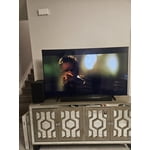
[This review was collected as part of a promotion.] I love all aspects of my Samsung TV the way it looks and quality, the vibrant colors, the brightness of colors and resolution and the security that all Samsung products provide. I'M a Samsung fanatic from my Samsung S23 to my ear buds and Samsung Galaxy 8 watch and also my Samsung surround sound. What can I say I love the Samsung products, I wouldn't purchase anything else.

Review from Samsung US
Helpful?5C20ZRAZZ46Q16498555478
Apr 20, 2026
Coreyb09
5 out of 5 stars review

Perfect Family TV with Stunning Picture

[This review was collected as part of a promotion.] I have been extremely impressed with this 75 inch Crystal UHD TV. The picture quality is outstanding right out of the box. Colors are vibrant, blacks are deep, and everything looks incredibly sharp whether I am watching movies, sports, or streaming shows. The brightness is strong enough for daytime viewing and still looks great at night. The size makes a huge difference in the overall experience. It really feels like a home theater in my living room. Fast moving scenes stay smooth and clear, which is perfect for sports and action movies. The sound is also better than expected for a flat screen, but pairing it with a sound system takes it to another level. One feature that really stands out for me as a parent is the parental controls. With young kids in the house, it is important to manage what they can access, and this TV makes that simple. I can easily restrict content, control app access, and have peace of mind knowing they are only watching age appropriate material. The smart features are simple to use and responsive. Apps load quickly and navigating through menus is easy even for someone who is not very tech savvy. Setup was straightforward and took very little time. Overall, this TV delivers excellent value for the price. Between the picture quality, size, ease of use, and family friendly controls, it exceeded my expectations. I would absolutely recommend it to anyone looking to upgrade their home entertainment setup.

Review from Samsung US
Helpful?5C20ZRAZZ46Q16498555478
Apr 20, 2026
Roger
5 out of 5 stars review

Great features

[This review was collected as part of a promotion.] The picture is great, it fits the room well, the colors and resolution are fantastic. The streaming is fast and accurate and my security features are comparable and work well with my onboard security system.

Review from Samsung US
Helpful?5C20ZRAZZ46Q16498555478
May 24, 2026
BreBre
5 out of 5 stars review

I absolutely love how slender the remote is.

[This review was collected as part of a promotion.] I love this television quality and the surround sound factory speakers built in. It's easy to adjust the viewing of each show if the quality of the movie is low. Putting a passcode on certain apps helps prevents my children from seeing inappropriate things. I can set the visuals on different perspectives. The light effects are incredible.

Review from Samsung US
Helpful?5C20ZRAZZ46Q16498555478
May 5, 2026
Mirath
5 out of 5 stars review

Tv Samsung hd
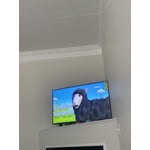
[This review was collected as part of a promotion.] This Samsung TV exceeded my expectations. The display is very sharp with beautiful colors, and the smart features are fast and easy to navigate. I also like how slim and modern it looks in my living room. Great value for money!

Review from Samsung US
Helpful?5C20ZRAZZ46Q16498555478