Skip to Main Content
Sam's Club
Sam's Club
All Departments
All Services
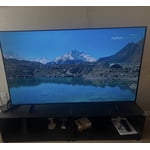
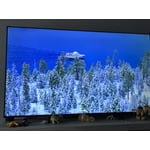
Customer reviews for SAMSUNG 50" Class U7900F Series 4K Crystal UHD Smart TV for
SAMSUNG 50" Class U7900F Series 4K Crystal UHD Smart TV
4.6 out of 5 stars
stars
3,344 ratings3,280 reviews
  1. 5 stars74% (2,489)
  2. 4 stars15% (510)
  3. 3 stars5% (178)
  4. 2 stars2% (68)
  5. 1 star3% (99)

Member photos

  • +1317 images
Sort by |
Showing 2,661-2,670 of 3,280 reviews
Jun 30, 2026
Thisguyhere
5 out of 5 stars review

One of a kind!

Would never buy another brand! Samsung Tvs last, have a great picture, and sound.

Review from Samsung US
Helpful?5C20ZRAZZ46Q16498555478
Jun 22, 2026
DivineFeminine81
5 out of 5 stars review

Excellent picture

Provides excellent picture and sound. Would recommend to anyone!!

Review from Samsung US
Helpful?5C20ZRAZZ46Q16498555478
Jun 18, 2026
Aces
4 out of 5 stars review

Great other than that

Power off by itself when it wants to then doesn't turn back on for a while

Review from Samsung US
Helpful?5C20ZRAZZ46Q16498555478
Jun 22, 2026
MALAJAJA
5 out of 5 stars review

Great TV
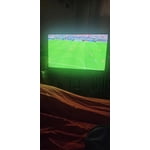
This is a great TV. I have always loved Samsung products. They are the best

Review from Samsung US
Helpful?5C20ZRAZZ46Q16498555478
Jun 20, 2026
Ojay
2 out of 5 stars review

Bad buy

Volume is super low tv Also freezes from time to time

Review from Samsung US
Helpful?5C20ZRAZZ46Q16498555478
reply from Samsung Advisor

Hi Ojay, Thank you for your feedback. TV freezes or becomes unresponsive: 1. Cold boot – Hold the Power button on your remote for 5+ seconds until the TV restarts. 2. Update firmware – Home > left directional key > Settings > Support > Software Update > Update Now 3. Run Device Care – Home > left directional key > Settings > Support > Device Care > Start Device Care If the volume on your TV seems too low, we recommend checking for firmware updates: Settings > Support > Software Update > Update Now Then, go to: Settings > All Settings > Sound > Sound Mode and try Amplify to boost dialogue and upper tones. To maintain consistent volume across channels and apps, enable Auto Volume under: Settings > All Settings > Sound > Expert Settings > Auto Volume = On We hope these tips are helpful. If you need any further assistance, please don’t hesitate to call us at 1-800-SAMSUNG (8AM – 9PM EST Mon – Fri, 8AM – 6PM Sat – Sun), or reach us via text anytime. You can also visit ‘Support’ on our website for: You can also chat with one of our agents by clicking the ‘Support’ link on our website for: • Live Chat • Manuals, Software, & Warranty Info ~ Samsung Advisor

Jun 20, 2026
tomk
5 out of 5 stars review

Very good product

Product has good features, easy to use. Picture quality is very good.

Review from Samsung US
Helpful?5C20ZRAZZ46Q16498555478
Jun 22, 2026
MAGALLAN
5 out of 5 stars review

Perfect picture
The picture on this TV is amazing. Everything about this TV is awesome

Review from Samsung US
Helpful?5C20ZRAZZ46Q16498555478
Jun 20, 2026
Jay T
5 out of 5 stars review

Love it!

Picture is really nice. Sound is great! Colors are so vivid!

Review from Samsung US
Helpful?5C20ZRAZZ46Q16498555478
Jun 22, 2026
MrsPhyllis
5 out of 5 stars review

Great Features

The TV is wonderful, it plays wells, has lots of good features and apps

Review from Samsung US
Helpful?5C20ZRAZZ46Q16498555478
Jun 22, 2026
major
5 out of 5 stars review

Great over all tv

Overall great tv bright, Aesthetic it has great resolution

Review from Samsung US
Helpful?5C20ZRAZZ46Q16498555478