Skip to Main Content
Sam's Club
Sam's Club
All Departments
All Services
Customer reviews for SAMSUNG 50" Class U7900F Series 4K Crystal UHD Smart TV for
SAMSUNG 50" Class U7900F Series 4K Crystal UHD Smart TV
4.6 out of 5 stars
stars
3,344 ratings3,280 reviews
  1. 5 stars74% (2,489)
  2. 4 stars15% (510)
  3. 3 stars5% (178)
  4. 2 stars2% (68)
  5. 1 star3% (99)

Member photos

  • +1317 images
Sort by |
Showing 2,641-2,650 of 3,280 reviews
Jun 26, 2026
EsMare
4 out of 5 stars review

Good TV
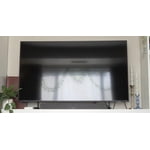
Good TV! Some slight issues with Twitch app, but outside of that it's good and I'd reccomend.

Review from Samsung US
Helpful?5C20ZRAZZ46Q16498555478
Jun 22, 2026
Hooterville tom
5 out of 5 stars review

Awesome picture

has my amazing picture awesome functions and smart TV works great!

Review from Samsung US
Helpful?5C20ZRAZZ46Q16498555478
Jun 19, 2026
Sjdfoefa
4 out of 5 stars review

Great features!
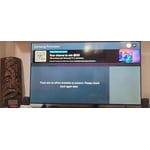
Very good TV! I love my new 75 in TV. It is the best TV I've ever had.

Review from Samsung US
Helpful?5C20ZRAZZ46Q16498555478
Jun 22, 2026
Ksniederer
5 out of 5 stars review

Great picture and features

Just like the features this tv has and the picture is great

Review from Samsung US
Helpful?5C20ZRAZZ46Q16498555478
Jun 20, 2026
Ally
5 out of 5 stars review

Great features!

The tv is great quality. All of the features are great!

Review from Samsung US
Helpful?5C20ZRAZZ46Q16498555478
Jun 22, 2026
major
5 out of 5 stars review

Great over all tv

Overall great tv bright, Aesthetic it has great resolution

Review from Samsung US
Helpful?5C20ZRAZZ46Q16498555478
Jun 20, 2026
Kmac
3 out of 5 stars review

Tv keeps pausing

Love the picture but it keeps pausing which drives me nuts

Review from Samsung US
Helpful?5C20ZRAZZ46Q16498555478
reply from Samsung Advisor

Hi Kmac, We appreciate your feedback regarding your U7900F TV’s performance. If you're experiencing freezing or lag in general response time, please try the following steps: 1. Check for firmware updates – Keeping your TV up to date can resolve many performance issues: Home > left directional key > Settings > Support > Software Update > Update Now 2. Run Device Care – This tool checks system memory, frees up cached data, and closes background apps that could be slowing things down: Home > left directional key > Settings > Support > Device Care > Start Device Care 3. Cold boot your TV – With the TV powered on, press and hold the Power button on your remote for 5+ seconds until the TV restarts. This helps refresh the system. If you're still noticing performance snags after these steps, please contact Samsung Support at 1-800-SAMSUNG (8AM – 9PM EST Mon – Fri, 8AM – 6PM Sat – Sun). You can also connect with a LiveChat agent via the ‘Support’ link on our website. ~ Samsung Advisor

Jun 22, 2026
DivineFeminine81
5 out of 5 stars review

Excellent picture

Provides excellent picture and sound. Would recommend to anyone!!

Review from Samsung US
Helpful?5C20ZRAZZ46Q16498555478
Jun 22, 2026
Edros63
4 out of 5 stars review

Perfect for video games!

Very good graphics, excelent sound, and for video games its perfect...

Review from Samsung US
Helpful?5C20ZRAZZ46Q16498555478
Jun 26, 2026
Bigdaddy
5 out of 5 stars review

Excellent quality

Excellent quality in the television will buy additional televisions in the future

Review from Samsung US
Helpful?5C20ZRAZZ46Q16498555478