Skip to Main Content
Sam's Club
Sam's Club
All Departments
All Services
Customer reviews for SAMSUNG 50" Class U7900F Series 4K Crystal UHD Smart TV for
SAMSUNG 50" Class U7900F Series 4K Crystal UHD Smart TV
4.6 out of 5 stars
stars
3,370 ratings3,306 reviews
  1. 5 stars74% (2,510)
  2. 4 stars15% (511)
  3. 3 stars5% (180)
  4. 2 stars2% (68)
  5. 1 star3% (101)

Member photos

  • +1338 images
Sort by |
Showing 2,181-2,190 of 3,306 reviews
Jul 5, 2026
Kimbo
5 out of 5 stars review

My tv

Love the quality the view is amazing the sound is great

Review from Samsung US
Helpful?5C20ZRAZZ46Q16498555478
Jul 27, 2026
Chicano Polski
5 out of 5 stars review

Good

Great tv the best I ever had i recommend everyone to buy one.

Review from Samsung US
Helpful?5C20ZRAZZ46Q16498555478
Jul 6, 2026
Bernie
5 out of 5 stars review

My Samsung
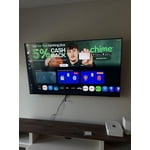
My Samsung TV was easy to set up, I like the brightness and the overall look of the TV..

Review from Samsung US
Helpful?5C20ZRAZZ46Q16498555478
Jul 27, 2026
Glodene
5 out of 5 stars review

Exceptionally Great

I'm very satisfied with the picture quality, contrast and brightness.

Review from Samsung US
Helpful?5C20ZRAZZ46Q16498555478
Jul 27, 2026
Nads
5 out of 5 stars review

Awesome color
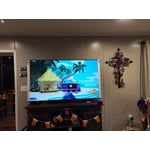
It is a awesome tv beautiful vibrant colors love the screen size and sound

Review from Samsung US
Helpful?5C20ZRAZZ46Q16498555478
Jul 9, 2026
I am he
5 out of 5 stars review

Just what I needed, and great picture.

I love the different functions on the tv. I also love the quality of picture.

Review from Samsung US
Helpful?5C20ZRAZZ46Q16498555478
Jul 5, 2026
Big Ghost
3 out of 5 stars review

The sound is great

Watching some movie is too dark. The color tone is not the greatest.

Review from Samsung US
Helpful?5C20ZRAZZ46Q16498555478
reply from Samsung Advisor

Hi Big Ghost, We’re sorry to hear you’re not fully satisfied with the picture quality on your Samsung U7900FD TV. If the image appears too dark, we suggest disabling certain energy-saving features, which can automatically adjust brightness and affect how the screen looks. Go to: Settings > All Settings > General & Privacy > Power and Energy Saving, then turn off Brightness Optimization, Energy Saving Solution, Motion Lighting, and/or Contrast Enhancer. You can also adjust the Picture Mode to better suit your environment: Settings > All Settings > Picture > Picture Mode • Standard – Default mode for general viewing • Dynamic – Brighter and clearer, ideal for well-lit rooms • Movie – Best for dark room viewing • Eco – Energy-saving mode • Filmmaker Mode – Preserves content as intended by creators To fine-tune brightness, go to: Home > left directional key > Settings > All Settings > Picture > Expert Settings, then adjust the Brightness level (0–50) to your preference. Lastly, please make sure your TV is running the latest firmware: Home > Home > left directional key > Settings > Support > Software Update > Update Now We hope these tips help improve your viewing experience. If you need further support, feel free to contact us at 1-800-SAMSUNG (8AM – 9PM EST Mon – Fri, 8AM – 6PM Sat – Sun). LiveChat is also available via the ‘Support’ link on our website. ~ Samsung Advisor

Jul 27, 2026
Esha
5 out of 5 stars review

Love this TV

Its just a great TV! The quality, look, and sound is so good! I would definitely buy another one!

Review from Samsung US
Helpful?5C20ZRAZZ46Q16498555478
Jul 28, 2026
LinA
5 out of 5 stars review

Great TV and features
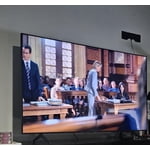
Great TV. Pic, clarity and color are great. A great poc for my room.

Review from Samsung US
Helpful?5C20ZRAZZ46Q16498555478
Jul 27, 2026
De6044
5 out of 5 stars review

Picture quality

Great picture I have had no problems with this TV I feel Samsung has the best tv's

Review from Samsung US
Helpful?5C20ZRAZZ46Q16498555478