
 Customer reviews for SAMSUNG 50" Class U7900F Series 4K Crystal UHD Smart TV for
Member photos
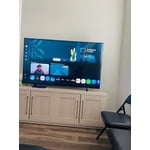
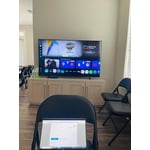
 +1303 images
Best tv yet
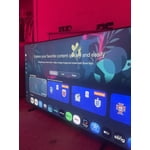
[This review was collected as part of a promotion.] I love this tv its never let me down from the free live tv with samsung tv plus or curing boredom with its wide variety of downloable games and the picture quality is right on i also love how it can connect to do different things with my phone such as my ring doorbell camera
retains high quality picture. Updated normally
[This review was collected as part of a promotion.] Firstly, graphics have always been great. But pretty much everything else has been a rapid decline. There was a recent update that helped it alot though, so that's a good thing. Still turns off randomly (not due to updates) though. But im a Samsung only kind of man, so I'll deal with it until I can get my AU8000 repaired that was under warranty but they refused to do the simple fix.
Hi VampyreMan, We’re sorry to hear your U7900F TV is turning off on its own. Please try the following troubleshooting steps which may help resolve the issue: 1. Unplug the TV from the wall outlet or surge protector for at least 30 seconds. 2. Inspect the power cord for any visible damage. If damaged, the cord may need to be replaced. 3. Plug the TV directly into a wall outlet, bypassing any power strip or surge protector for now. 4. If the TV remains on long enough, try updating the TV’s software: Home > left directional key > Settings > Support > Software Update > Update Now. Note: If your TV powers off during the update, it could result in damage, so only proceed if the TV is stable. Next, check the TV’s Power and Energy Saving settings to ensure no timers or auto-off features are enabled: • Sleep Timer: Settings > All Settings > General & Privacy > Power and Energy Saving > Sleep Timer • Auto Power Off and Off Timer: Settings > All Settings > General & Privacy > Power and Energy Saving > Auto Power Off/Off Timer Also, if you have devices connected via HDMI, check if Anynet+ (HDMI-CEC) is enabled, as this can allow external devices to control the TV and may cause it to turn off: Settings > All Settings > General & Privacy > External Device Manager > Anynet+ (HDMI-CEC) = Off If your TV continues to power off unexpectedly, please call us at 1-800-SAMSUNG, 8AM – 9PM EST Mon – Fri, 8AM – 6PM Sat – Sun. Our LiveChat agents are also available through the ‘Support’ link on our website. ~ Samsung Advisor
We love our U7900F 55" TV
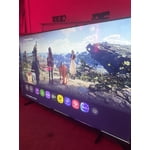
[This review was collected as part of a promotion.] We received our new 55" tv on Saturday. We had no idea how bad our old TV was until we set this one up. The colors are more vibrant, the image is shaper, the brightness is crazy. Our old TV said it was HD, but the Samsung resolution is sooooo much higher.
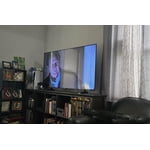
Great Choice for us!
[This review was collected as part of a promotion.] My only complaint is that the volume is not as good. We have to turn the volume up higher than normal to hear the TV. Who knows we are Seniors who don't hear as well. We are enjoying everything about our 80" TV.
A great tv
[This review was collected as part of a promotion.] This tv is biiiig And great We watch a loto of Netflix, Hulu.. all the streaming platforms Movies, tv shows, sometimes music videos This tv is perfect good sound amazing image Was a huge upgrade from What we had before!!!
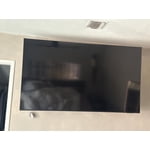
My TV
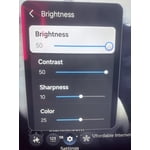
[This review was collected as part of a promotion.] The TV is great, everything from ease of use to quality of picture it is the best TV I have purchased. It has a great security feature. The color is vibrant! The screen brightness can be changed with ease. The resolution is spectacular! I woukd recommend this TV to my friends!
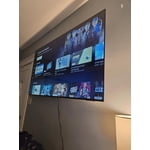
Great price, disappointing viewing
[This review was collected as part of a promotion.] It’s a large screen TV at a great price. My primary quarrel is with watching dark shows (so many are these days) during the daytime in a well lit room. It proves nearly impossible to see any detail. It’s unfortunate and what that means is I can only watch my primary shows during the evening. TV is a serious hobby and I go to sleep fairly early so it’s upsetting to be confined to evenings only which provides only 1-2 of quality watch time. Unfortunately there is not enough adjustment within the TV’s picture capabilities to combat this though I’ve optimized settings as much as possible. I also had an issue with weird red lines appearing onscreen occasionally. I had to unplug the TV to make them go away. This issue seems to have resolved after 3-4 months.
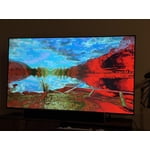
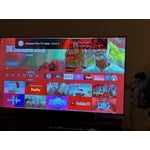
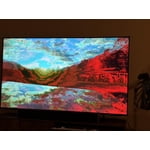
Hi Bought the tshirt, We’re sorry to hear you’re not fully satisfied with the picture quality on your Samsung U7900F TV. If the image appears too dark, we suggest disabling certain energy-saving features, which can automatically adjust brightness and affect how the screen looks. Go to: Settings > All Settings > General & Privacy > Power and Energy Saving, then turn off Brightness Optimization, Energy Saving Solution, Motion Lighting, and/or Contrast Enhancer. You can also adjust the Picture Mode to better suit your environment: Settings > All Settings > Picture > Picture Mode • Standard – Default mode for general viewing • Dynamic – Brighter and clearer, ideal for well-lit rooms • Movie – Best for dark room viewing • Eco – Energy-saving mode • Filmmaker Mode – Preserves content as intended by creators To fine-tune brightness, go to: Home > left directional key > Settings > All Settings > Picture > Expert Settings, then adjust the Brightness level (0–50) to your preference. Lastly, please make sure your TV is running the latest firmware: Home > Home > left directional key > Settings > Support > Software Update > Update Now. I hope these suggestions help. If you have any other questions, feel free to call us at 1-800-SAMSUNG between 8AM – 9PM EST Mon – Fri, 8AM – 6PM Sat – Sun, any day of the week. You can also reach our LiveChat team by selecting the ‘Support’ link on our website. ~ Samsung Advisor
Great deal and features!
[This review was collected as part of a promotion.] My new TV is ultra-lightweight, easy to navigate, and easy to set up. I bought it at an excellent price, and it also offers free Samsung TV with a wide variety of movies, shows, reality TV, and more. For these reasons and others, I highly recommend this product.
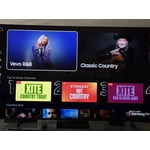
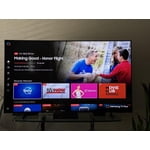
It’s a winner
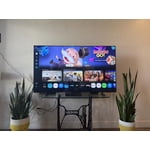
[This review was collected as part of a promotion.] The picture is super crisp without looking over processed, and the colors feel natural instead of that weird neon look some TVs push. Streaming is smooth, the interface is easy to navigate, and I didn’t have to fight it just to open Netflix, which already puts it ahead of half the smart TVs I’ve used. No unnecessary complications, no constant tweaking. It’s great for movies, but also handles gaming really well with low lag and solid motion. For the price, it honestly feels like you’re getting more than you paid for. Clean, reliable, and actually enjoyable to use.
might be better off saving your money
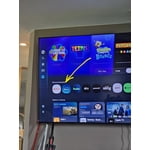
[This review was collected as part of a promotion.] I'm not sure if it's a software problem but whatever operating system is on this TV is very slow and laggy even with the best of the best internet I've tried it on fiber and I've also tried it with the most expensive star link plan there's no difference there that's how I know it's the TV and not a internet connection. The interface itself also is very disappointing there's all these recommended garbage things that I don't want and I actually have to scroll down through the trash to find my actual apps or the actual features that I'm looking for which is very inconvenient for me I like to be able to turn on a TV and go instantly to where I want kind of like the Roku settings are. So keep that in mind when you're designing other things. There's also an issue with a lot of the pre-downloaded programs. They will not let you delete them you can go through the whole deleting process and you can click okay to delete and it still stays there as well as new things you download you have to delete them three maybe five times before they'll actually be removed from your TV. The lack of an input section is fairly confusing I'm young so I was able to figure it out pretty quickly but for an elderly person I do not think this thing would be a good choice. I also don't like the fact that Samsung monitors everything I play on the TV for advertisement purposes and sells that data that's very bothersome and disturbing to me and if I would have known that before I spent the money I would not have purchased this TV. I am sick of being tracked with every little thing I do! Honestly if this TV wasn't so difficult to hang I would have returned it because of what I have described above.
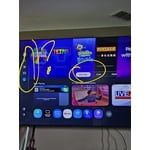
Hi ktmrider77, We appreciate your detailed feedback. Please know your opinion is important to us and will be shared with our internal teams. We recommend ensuring your TV is running the latest Firmware, version 1132.0. Go to Settings> Support> Software Update. If this firmware version is not yet available on your TV, you can download the update on a USB drive and manually update your TV: 1. On Samsung's website (upper right corner), go to: Support > Manual & Software > Find your TV model, and click on the Firmware – Upgrade File. 2. When the file has finished downloading, locate it and then unzip it. There is normally one folder inside but there may be multiple files. 3. Copy or move all of the files that were included in the zip file to a USB flash drive, but do not place them inside any other folders. If you place the software folders inside a folder on the USB flash drive, the TV or monitor will not find them. 4. Connect the USB drive containing the software upgrade into a USB port on your device. 5. Using your device's remote, navigate to and select Settings, then select All Settings, and then select Support. Select Software Update, select Update Now, and then select Yes if prompted. Your device will search the USB drive for update files. Follow the on-screen instructions to install the updated software. Updates usually take a few minutes; please do not turn off the TV until the update is complete. When the update is finished, it will restart automatically. If you need additional support, Samsung is here to help. Please call us at 1-800-SAMSUNG, available 8AM – 9PM EST Mon – Fri, 8AM – 6PM Sat – Sun. You can also chat with a LiveChat agent by clicking the ‘Support’ link on our website. ~ Samsung Advisor