Skip to Main Content
Sam's Club
Sam's Club
All Departments
All Services
Customer reviews for SAMSUNG 50" Class U7900F Series 4K Crystal UHD Smart TV for
SAMSUNG 50" Class U7900F Series 4K Crystal UHD Smart TV
4.6 out of 5 stars
stars
3,357 ratings3,293 reviews
  1. 5 stars74% (2,496)
  2. 4 stars15% (512)
  3. 3 stars5% (179)
  4. 2 stars2% (70)
  5. 1 star3% (100)

Member photos

  • +1322 images
Sort by |
Showing 2,061-2,070 of 3,293 reviews
Jul 27, 2026
Mr Albert
5 out of 5 stars review

Top of the line!

Great SmartTV. Samsung is always top notch with their products

Review from Samsung US
Helpful?5C20ZRAZZ46Q16498555478
Jul 6, 2026
None
5 out of 5 stars review

Samsung is a Great Quality Television

Best quality view I have ever seen on any television

Review from Samsung US
Helpful?5C20ZRAZZ46Q16498555478
Jul 28, 2026
LinA
5 out of 5 stars review

Great TV and features
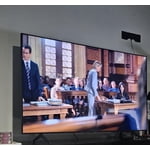
Great TV. Pic, clarity and color are great. A great poc for my room.

Review from Samsung US
Helpful?5C20ZRAZZ46Q16498555478
Jul 20, 2026
DPSLa
5 out of 5 stars review

I recommend

Picture is clear and sound is good. I recommend!!

Review from Samsung US
Helpful?5C20ZRAZZ46Q16498555478
Jul 5, 2026
Sagar
5 out of 5 stars review

Great look

Easy to assemble. Great picture but sound quality is little bit lacking.

Review from Samsung US
Helpful?5C20ZRAZZ46Q16498555478
Jul 20, 2026
Sherman B
5 out of 5 stars review

Excellent clairity

I am very happy with the performance of the television.

Review from Samsung US
Helpful?5C20ZRAZZ46Q16498555478
Jul 5, 2026
Dancemonkey91
3 out of 5 stars review

Good picture

Picture quality is good sound seems off however may sound better with Bluetooth or surround speaker

Review from Samsung US
Helpful?5C20ZRAZZ46Q16498555478
reply from Samsung Specialist

Thank you for your review. If there’s anything we can assist with, please don’t hesitate to call us at 1-800-SAMSUNG (8AM – 9PM EST Mon – Fri, 8AM – 6PM Sat – Sun), or reach us via text anytime. You can also visit ‘Support’ on our website for: • Live Chat • Manuals, Software, & Warranty Info ~ Samsung Specialist

Jul 5, 2026
Anonymous
3 out of 5 stars review

Very big

It is very hard to navigate to find and download apps

Review from Samsung US
Helpful?5C20ZRAZZ46Q16498555478
reply from Samsung Specialist

Thank you for your review. If there’s anything we can assist with, please don’t hesitate to call us at 1-800-SAMSUNG (8AM – 9PM EST Mon – Fri, 8AM – 6PM Sat – Sun), or reach us via text anytime. You can also visit ‘Support’ on our website for: • Live Chat • Manuals, Software, & Warranty Info ~ Samsung Specialist

Jul 20, 2026
John lobo
4 out of 5 stars review

Some problems with Samsung 55"

picture sometime blurry and take about minute to get sharp and we loose connection at times...

Review from Samsung US
Helpful?5C20ZRAZZ46Q16498555478
Jul 20, 2026
Costcobuyer
1 out of 5 stars review

Turns on randomly for no reason

This TV turns on randomly for no reason. I can’t figure out what’s doing it.

Review from Samsung US
Helpful?5C20ZRAZZ46Q16498555478
reply from Samsung Advisor

Hi Costcobuyer, Thanks for sharing your experience. If your TV is powering on by itself, there are a few settings and external triggers to review: 1. Power On with Mobile – Your TV may be connected to the SmartThings app or other networked devices. To stop wake signals, turn this feature off: Settings > All Settings > Connection > Network > Expert Settings > Power On with Mobile = Off 2. Check for Active Timers – Go to Settings > All Settings > General & Privacy > System Manager > Time > Timer Settings, then disable any On Timers or Sleep Timers 3. Anynet+ (HDMI-CEC) – If your TV is connected to external HDMI devices, one of them may be triggering power-on behavior. To disable this feature: Settings > All Settings > General & Privacy > External Device Manager > Anynet+ (HDMI-CEC) = Off 4. Software Update – Make sure your TV is up to date: Settings > Support > Software Update > Update Now If you’ve ruled out all the above and your TV still powers on unexpectedly, try unplugging it for 30 seconds. Should the issue continue, please call Samsung Support at 1-800-SAMSUNG (8AM – 9PM EST Mon – Fri, 8AM – 6PM Sat – Sun). LiveChat is available under the ‘Support’ link on our website. ~ Samsung Advisor