Skip to Main Content
Sam's Club
Sam's Club
All Departments
All Services
Customer reviews for SAMSUNG 50" Class U7900F Series 4K Crystal UHD Smart TV for
SAMSUNG 50" Class U7900F Series 4K Crystal UHD Smart TV
4.6 out of 5 stars
stars
3,418 ratings3,354 reviews
  1. 5 stars74% (2,533)
  2. 4 stars15% (525)
  3. 3 stars5% (186)
  4. 2 stars2% (71)
  5. 1 star3% (103)

Member photos

  • +1324 images
Sort by |
Showing 1,431-1,440 of 3,354 reviews
Jun 22, 2026
Samsungdude
5 out of 5 stars review

Very nice tv

This tv has been a very nice addition. It wasnt the best model on the floor but for the price it has turned out to be a very good tv, color is amazing, only thing I would change is how well the voice remote works.

Review from Samsung US
Helpful?5C20ZRAZZ46Q16498555478
Jul 5, 2026
Brandamuffin
3 out of 5 stars review

Brightness and response

My brightness control is maxed out and will not brighten up movies I watch. Response from control is very slow or takes several attempts to control applications.

Review from Samsung US
Helpful?5C20ZRAZZ46Q16498555478
reply from Samsung Specialist

Thank you for your review. If there’s anything we can assist with, please don’t hesitate to call us at 1-800-SAMSUNG (8AM – 9PM EST Mon – Fri, 8AM – 6PM Sat – Sun), or reach us via text anytime. You can also visit ‘Support’ on our website for: • Live Chat • Manuals, Software, & Warranty Info ~ Samsung Specialist

Jul 6, 2026
TSho857
3 out of 5 stars review

Compared to my previous 43" this baby rocks!

This remote control is not easy to operate. In order to change channels I have to scroll. It would be nice to have numbered buttons like a normal remote control.

Review from Samsung US
Helpful?5C20ZRAZZ46Q16498555478
reply from Samsung Advisor

Hi TSho857, Thank you for sharing your experience. Samsung remotes are designed to offer convenient control, but we understand if you’d prefer to use a universal remote. Many third-party remotes work well with Samsung TVs, though setup steps may vary by brand and model. To get started, we recommend checking the manufacturer’s instructions for programming codes and pairing methods. If you run into any trouble or have compatibility questions, Samsung Support is happy to help. You can reach us at 1-800-SAMSUNG (8AM – 9PM EST Mon – Fri, 8AM – 6PM Sat – Sun). LiveChat agents are also available at the ‘Support’ link on our website. ~ Samsung Advisor

Jun 7, 2026
Rome
5 out of 5 stars review

Great TV only thing is the remote

[This review was collected as part of a promotion.] Five stars I love the tv, being a smart TV is very nice the only thing I do not care for is the remote not having a number keypad. As for everything else it's a great tv

Review from Samsung US
Helpful?5C20ZRAZZ46Q16498555478
Jul 6, 2026
Jazzysan
4 out of 5 stars review

Great Upgrade

I updated my bedroom TV with this Samsung 55" , I'm really loving it. The only negative thing is that most movies are showing so dark that I'm constantly having to adjust the brightness.

Review from Samsung US
Helpful?5C20ZRAZZ46Q16498555478
Jul 5, 2026
Jkoontz1988
5 out of 5 stars review

Easy to use u.i.

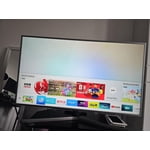
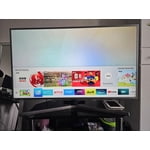
Tv was inexpensive but it has a bunch of features and qualities that I probably won't ever you but the u.i. is pretty simple to use and everything is right on the home screen making it a pretty good experience to switch between apps and inputs

Review from Samsung US
Helpful?5C20ZRAZZ46Q16498555478
Jun 22, 2026
NLGxThirsTy
5 out of 5 stars review

Bonus feature

[This review was collected as part of a promotion.] Honestly , zero complaints, bonus i have, any samsung remote works on it so when I vsnt find mine I use one of the other 4 from the other t s so its perfect

Review from Samsung US
Helpful?5C20ZRAZZ46Q16498555478
Feb 11, 2026
Mr T
3 out of 5 stars review

Get what you pay for

Gliche could not even watch some streaming channels. Looks like a known issue when reviewing other sites. Most be a software issue because works fine when I attached a Ruku device. Like the picture and sound, maybe a software update will resolve this issue but there are none available at this time.

Review from Samsung US
Helpful?5C20ZRAZZ46Q16498555478
reply from Samsung Advisor

Hi Mr T, Thank you for sharing your experience. Please ensure your TV is running the latest Firmware, version 1132.0. Go to Settings> Support> Software Update. If this firmware version is not yet available on your TV, you can download the update on a USB drive and manually update your TV: 1. On Samsung's website (upper right corner), go to: Support > Manual & Software > Find your TV model, and click on the Firmware – Upgrade File. 2. When the file has finished downloading, locate it and then unzip it. There is normally one folder inside but there may be multiple files. 3. Copy or move all of the files that were included in the zip file to a USB flash drive, but do not place them inside any other folders. If you place the software folders inside a folder on the USB flash drive, the TV or monitor will not find them. 4. Connect the USB drive containing the software upgrade into a USB port on your device. 5. Using your device's remote, navigate to and select Settings, then select All Settings, and then select Support. Select Software Update, select Update Now, and then select Yes if prompted. Your device will search the USB drive for update files. Follow the on-screen instructions to install the updated software. Updates usually take a few minutes; please do not turn off the TV until the update is complete. When the update is finished, it will restart automatically. If you need additional support, Samsung is here to help. Please call us at 1-800-SAMSUNG, available daily from 8AM - 12AM EST. You can also chat with a LiveChat agent by clicking the ‘Support’ link on our website. ~Samsung Advisor

Feb 24, 2026
Sid Emani
5 out of 5 stars review

Excellent Picture Quality and Great Value for Mone

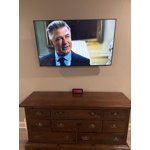
[This review was collected as part of a promotion.] I’m very happy with this TV purchase. The picture quality is excellent — the 4K resolution is sharp, colors look vibrant, and the overall clarity makes movies and streaming content very enjoyable. The Crystal UHD display really stands out, especially while watching high-definition content. The design is sleek and modern, and it looks great mounted on the wall. Setup was quick and straightforward, and the smart TV interface is smooth and easy to navigate. Streaming apps load fast, and switching between apps is seamless. Sound quality is decent for everyday viewing, and overall performance has been reliable so far. For the price, this TV offers outstanding value and delivers a premium viewing experience. Highly recommended for anyone looking for a quality 4K smart TV.

Review from Samsung US
Helpful?5C20ZRAZZ46Q16498555478
Feb 17, 2026
Butafly13
4 out of 5 stars review

Great price

[This review was collected as part of a promotion.] Great price, picture good. Has all the smart features. Just wish I could figure out how to turn it off and get right back into my cable TV. Always restarts at apps and have to choose where to watch. Maybe I need to default or something.

Review from Samsung US
Helpful?5C20ZRAZZ46Q16498555478