Skip to Main Content
Sam's Club
Sam's Club
All Departments
All Services
Customer reviews for SAMSUNG 50" Class U7900F Series 4K Crystal UHD Smart TV for
SAMSUNG 50" Class U7900F Series 4K Crystal UHD Smart TV
4.6 out of 5 stars
stars
3,418 ratings3,354 reviews
  1. 5 stars74% (2,533)
  2. 4 stars15% (525)
  3. 3 stars5% (186)
  4. 2 stars2% (71)
  5. 1 star3% (103)

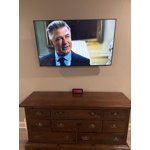
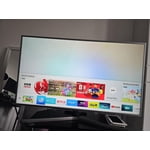
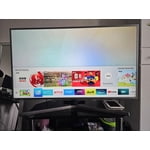
Member photos

  • +1324 images
Sort by |
Showing 1,361-1,370 of 3,354 reviews
Jun 20, 2026
209fresa420
5 out of 5 stars review

television by Samsung

this is one of the best TV I have ever invested samsung is a high quality product the resolution is awesome clarity is amazing im very pleased with this tv

Review from Samsung US
Helpful?5C20ZRAZZ46Q16498555478
Jun 23, 2026
Darkraiden
2 out of 5 stars review

Good for office, not good for movies nights.

Not the best picture quality, but for price range great for office or for outdoor use if you are not worried about great colors or sharp images. Basic TV

Review from Samsung US
Helpful?5C20ZRAZZ46Q16498555478
reply from Samsung Advisor

Hi Darkraiden, We’re sorry to hear you’re not fully satisfied with the picture quality on your Samsung U7900F TV. If the image appears too dark, we suggest disabling certain energy-saving features, which can automatically adjust brightness and affect how the screen looks. Go to: Settings > All Settings > General & Privacy > Power and Energy Saving, then turn off Brightness Optimization, Energy Saving Solution, Motion Lighting, and/or Contrast Enhancer. You can also adjust the Picture Mode to better suit your environment: Settings > All Settings > Picture > Picture Mode • Standard – Default mode for general viewing • Dynamic – Brighter and clearer, ideal for well-lit rooms • Movie – Best for dark room viewing • Eco – Energy-saving mode • Filmmaker Mode – Preserves content as intended by creators To fine-tune brightness, go to: Home > left directional key > Settings > All Settings > Picture > Expert Settings, then adjust the Brightness level (0–50) to your preference. Lastly, please make sure your TV is running the latest firmware: Home > Home > left directional key > Settings > Support > Software Update > Update Now We hope these tips help improve your viewing experience. If you need further support, feel free to contact us at 1-800-SAMSUNG (8AM – 9PM EST Mon – Fri, 8AM – 6PM Sat – Sun). LiveChat is also available via the ‘Support’ link on our website. ~ Samsung Advisor

Jun 11, 2026
65 in tv
4 out of 5 stars review

Samsung tv

[This review was collected as part of a promotion.] Not user friendly its hard to learn to download apps and it didnt come eith any free temporary promotion for subscriptions

Review from Samsung US
Helpful?5C20ZRAZZ46Q16498555478
Jul 5, 2026
Missy
5 out of 5 stars review

Great TV

I love it the picture is amazing so crystal clear I am so happy that I purchased it I have double vision and I used to have a hard time watching TV and with the brightness it is so nice I can actually enjoy watching TV I am so glad I purchased this

Review from Samsung US
Helpful?5C20ZRAZZ46Q16498555478
Jul 6, 2026
Wesp
4 out of 5 stars review

Would have expected better from Samsung

Picture is great audio not so much responsiveness is very shaky will not maintain Wi-Fi connection have to unplug it at least once a week to reset it I would have expected more for the money that I paid

Review from Samsung US
Helpful?5C20ZRAZZ46Q16498555478
Jun 20, 2026
Marc
5 out of 5 stars review

Great TV!

We picked this TV up to finish off our guest room. All of the TVs in our home are Samsungs - easy on-screen format, auto-software updates and the units are just dependable.

Review from Samsung US
Helpful?5C20ZRAZZ46Q16498555478
Jun 20, 2026
Jdog
3 out of 5 stars review

?

Like the television but it seems to have a problem on start up It locks up when I try to navigate home page My buddy has two of them and his doesn't act like mine

Review from Samsung US
Helpful?5C20ZRAZZ46Q16498555478
reply from Samsung Advisor

Hi Jdog, We appreciate your feedback regarding your U7900F TV’s performance. If you're experiencing freezing or lag in general response time, please try the following steps: 1. Check for firmware updates – Keeping your TV up to date can resolve many performance issues: Home > left directional key > Settings > Support > Software Update > Update Now 2. Run Device Care – This tool checks system memory, frees up cached data, and closes background apps that could be slowing things down: Home > left directional key > Settings > Support > Device Care > Start Device Care 3. Cold boot your TV – With the TV powered on, press and hold the Power button on your remote for 5+ seconds until the TV restarts. This helps refresh the system. If you're still noticing performance snags after these steps, please contact Samsung Support at 1-800-SAMSUNG (8AM – 9PM EST Mon – Fri, 8AM – 6PM Sat – Sun). You can also connect with a LiveChat agent via the ‘Support’ link on our website. ~ Samsung Advisor

Jul 5, 2026
Chris581
4 out of 5 stars review

Great except for the screen blemish

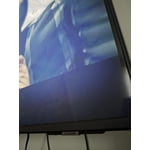
The screen came with a very small.blemish and it’s only visible when the picture is showing sky or open scenes. It always catches my eye but otherwise it’s a great product and I trust the name brand

Review from Samsung US
Helpful?5C20ZRAZZ46Q16498555478
Jun 7, 2026
dominaleilani
5 out of 5 stars review

Love Samsung TV's

[This review was collected as part of a promotion.] We have always had Samsung TV's. Functionality is easy to navigate. Clear and vibrant picture. We will continue to buy Samsung TV's.

Review from Samsung US
Helpful?5C20ZRAZZ46Q16498555478
Jun 22, 2026
Anonymous
5 out of 5 stars review

Best tv I've owned

It's a great tv. The picture quality is excellent. The remote is easy to use navigation of channels or typically smooth. It connects seamlessly with wifi. I have no complaints

Review from Samsung US
Helpful?5C20ZRAZZ46Q16498555478