Skip to Main Content
Sam's Club
Sam's Club
Customer reviews for SAMSUNG 50" Class U7900F Series 4K Crystal UHD Smart TV for
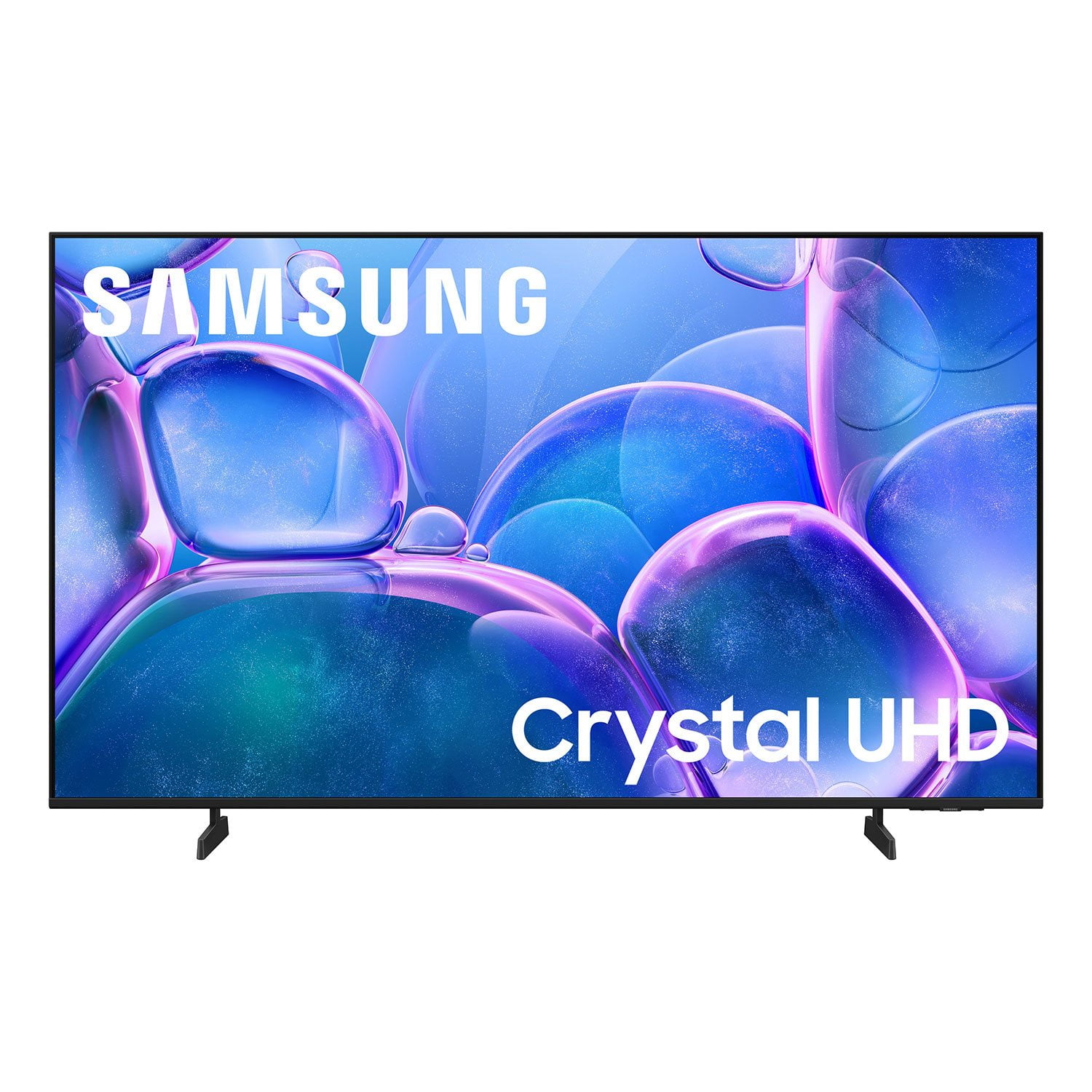
SAMSUNG 50" Class U7900F Series 4K Crystal UHD Smart TV
4.6 out of 5 stars
stars2,344 ratings2,280 reviews
  1. 5 stars76% (1,779)
  2. 4 stars15% (342)
  3. 3 stars5% (113)
  4. 2 stars2% (44)
  5. 1 star3% (66)

Member photos

  • +886 images
Sort by |
Showing 1,301-1,310 of 2,280 reviews
Mar 23, 2026
Namiki
5 out of 5 stars review

Great tv

[This review was collected as part of a promotion.] Great tv with good sound. Beautiful 4k display at 2300 nits. Very colorful and has great security

Review from Samsung US
Helpful?5C20ZRAZZ46Q16498555478
Feb 17, 2026
Anonymous
4 out of 5 stars review

Great! Buuut...

[This review was collected as part of a promotion.] I love the tv and the free channels. Only thing that would be better is if I could mount it on my stand...it has to sit on the top table w/ it's feet and the sound could go louder than 100...

Review from Samsung US
Helpful?5C20ZRAZZ46Q16498555478
Mar 23, 2026
Alexandra
5 out of 5 stars review

Great features

[This review was collected as part of a promotion.] Samsung always been my favorite brand my tv never freezes unlike others i had easy change brightness and connectivity i can e easily connect my phone screen to tv simply the best!

Review from Samsung US
Helpful?5C20ZRAZZ46Q16498555478
Mar 24, 2026
Sweetness
5 out of 5 stars review

Great Purchase

[This review was collected as part of a promotion.] This TV was very easy to setup with helpful hints on how to setup passwords along the way. I also love the clarity on this TV. The color brightness is amazing as well.

Review from Samsung US
Helpful?5C20ZRAZZ46Q16498555478
Mar 23, 2026
D400
5 out of 5 stars review

All around excellent quality

[This review was collected as part of a promotion.] Always love the clarity and vividness of Samsung tvs. So it was a easy buy. Great picture and sound quality too.

Review from Samsung US
Helpful?5C20ZRAZZ46Q16498555478
Feb 17, 2026
Topher
5 out of 5 stars review

Love xbox and other games on it

[This review was collected as part of a promotion.] Love that it has xbox game pass on it and the TV has just been great no issues with it. Easy connection

Review from Samsung US
Helpful?5C20ZRAZZ46Q16498555478
Mar 24, 2026
Big Joe
4 out of 5 stars review

Love everything except with internet connection

[This review was collected as part of a promotion.] The TV and picture have been great. The only issue that I've really encountered is that it interacts real slow with whatever internet connection it has.

Review from Samsung US
Helpful?5C20ZRAZZ46Q16498555478
Feb 17, 2026
BWil
5 out of 5 stars review

Great TV

[This review was collected as part of a promotion.] I love my samsung tv, I have a samsung phone it make integrating my phone with tv seamless. Love Samsungs quality.

Review from Samsung US
Helpful?5C20ZRAZZ46Q16498555478
Feb 17, 2026
Tattoojoe1526
5 out of 5 stars review

Absolutely love mine

[This review was collected as part of a promotion.] The picture is surreal, the colors are vibrant and crisp. The resolution is very sharp, refresh rate can keep up with a good action movie. I only look at samsung tvs for my home.

Review from Samsung US
Helpful?5C20ZRAZZ46Q16498555478
Feb 17, 2026
Def neighbor
2 out of 5 stars review

Sound

[This review was collected as part of a promotion.] Sound is terrible turned up can't hear it all the speakers are on back it's loud upstairs and in other rooms everywhere except in front of the tv also circles appearing on screen

Review from Samsung US
Helpful?5C20ZRAZZ46Q16498555478
reply from Samsung Advisor

Hi Def neighbor, Thank you for purchasing Samsung’s U8000F TV and for sharing your feedback regarding low volume. To start, we recommend making sure your TV is running the latest firmware, as updates can include improvements to sound performance: Home > left directional key > Settings > Support > Software Update If volume levels still seem too low, you can improve sound performance by adjusting a few key settings: Sound Mode: Navigate to: Settings > All Settings > Sound > Sound Mode Auto Volume: This feature helps maintain consistent volume levels across content and input sources. Turn it on under: Settings > All Settings > Sound > Expert Settings > Auto Volume = On You can also explore Expert Settings to fine-tune sound output with adjustments for Balance, Equalizer, and more. If you’re considering enhancing your setup, Samsung’s Q- and S-Series Soundbars feature Q-Symphony, which syncs your TV and soundbar speakers for a fuller, more immersive sound experience. For personalized support with these settings or selecting a soundbar to complement your setup, contact Samsung Support at 1-800-SAMSUNG (8AM – 12AM EST, 7 days a week) or use LiveChat via the ‘Support’ link on our website. ~ Samsung Advisor