Customer reviews for SAMSUNG 50" Class U7900F Series 4K Crystal UHD Smart TV for
Member photos




 +1303 images
Nice picture
[This review was collected as part of a promotion.] I expected to be able to use voice commands and it doesn’t have that feature in 2026. Also I expected the tv to have the time of day available on the tv and I was surprised that it didn’t have that feature. It is a beautiful tv even without those features but I would like those simple features
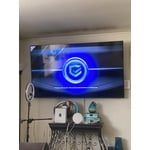
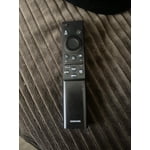
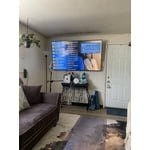
Hi Jody, Thank you for sharing your review. Your TV Works With Alexa, meaning you’ll need to connect a standalone Alexa device such as an Echo speaker, to control compatible smart home devices and some experiences on your TV. Here are the steps: 1. Download both the Amazon Alexa and Samsung SmartThings apps, if you don't already have them. Both are available for iOS or Android devices. 2. Make sure your Alexa device and TV are both connected to the same Wi-Fi network. 3. Your TV must be enabled within the SmartThings app. If not, make sure you are signed in with your Samsung account on the TV: Settings > All Settings > Samsung Account 4. Log in to the SmartThings app with the same Samsung account. Tap Devices, and if your TV isn’t already shown, tap + to add it to the app. 5. In the Alexa app, enable the SmartThings skill and sign into your Samsung account. This will automatically connect your Samsung TV to Alexa and let you use voice commands to control your television. If you need more help, we’re here. Give us a call at 1-800-SAMSUNG (8AM – 9PM EST Mon – Fri, 8AM – 6PM Sat – Sun). You can also connect with a LiveChat agent through the Support link on our website. ~ Samsung Advisor
Samsung 75 inch
[This review was collected as part of a promotion.] Easy to use layout of apps can connect my laptop or phone very easily. Great picture quality and can’t beat the price. Definitely needs a soundbar though although I think almost all large flst screens do now a days.
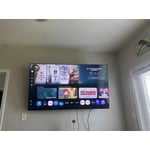
Samsung all the way
[This review was collected as part of a promotion.] Absolutely love the picture on my Samsung TV, the brightness and the resolution and the vibrancy of the color is amazing however I would absolutely love to have a new model in a bigger size for my large living room
Network tends to drop while streaming in apps
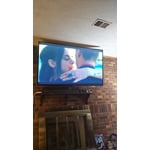
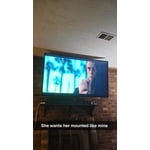
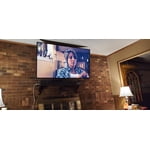
[This review was collected as part of a promotion.] This TV is aesthetically quite beautiful and has great resolution. I love the image quality and how quick and easy it was to set up and link to the Samsung phones in my house with the SmartThings app. The brightness gets quite bright which is great because my living room it is in is very dark later in the day but I will say that if I have the recessed light turned on just above the mounted TV, it tends to wash out the image and create a glare (as lights tend to do). The colors are bright and vivid on the picture and I feel as though my Samsung Account is secure being linked to the TV. My one main complaint is that every so often (about once every 2 hours) I lose my network connection. Sometimes it is only for a second or 2 before it reconnect and other times, I have to either change the channel on whatever app Im using or I will have to back completely out and restart the app I'm using. I have sat and waited for it to reconnect and if I'm in Samsung TV Plus, it will at times not go back to the programming unless I physically click a button... which isnt too big of a hassle, it just feels unnecessary as an older Samsung TV I used to have was capable of never losing my network connection. (And I want to mention that I have made sure it was not because of my home internet provider and have the router directly underneath of the TV and have used all different Ghz wifis to try and make it stop with no change.) Overall, it is a solid TV that I enjoy. The sound could be a bit louder for such a large TV but I still am very happy with this TV and would recommend it to friends and family.
Cheap samsung
[This review was collected as part of a promotion.] The picture is good in bright light room. Sound not so good. Closed captions available only a few channels although on similar Roku TVs they are. Most importantly rewind not available even with a flash drive. Would not recommend but for the price if these things don’t matter you can have mine.
Hi Uninformed buyer, Thank you for your feedback. You can turn your U7900F TV’s Closed Captions on/off and change the settings such as separating it from the broadcast screen, font color, background color, size, position, language, etc. by going to: Settings > All Settings > General & Privacy > Accessibility > Caption Settings. If the Closed Captions are not available, the Settings will be located in the Streaming App or specific Source you are using. To use features such as pausing or rewinding Live TV, you will need a DVR device. Finally, if you are not satisfied with the sound on your TV, we first recommend checking that your TV is running the latest firmware. To do this, navigate to: Home > left directional key > Settings > Support > Software Update If the sound still doesn’t meet your expectations, there are a few settings you can try adjusting: Go to: Settings > All Settings > Sound > Sound Mode • Standard: Balanced sound without emphasis on any one range • Optimized: Enhanced effects and spacious sound • Amplify: Boosts mid and high tones to make dialogue clearer You can also explore Expert Settings to fine-tune options such as Balance, Equalizer, Auto Volume, and more to match your personal preferences. For further help adjusting your sound settings or other features on your TV, feel free to reach Samsung Support at 1-800-SAMSUNG (8AM – 9PM EST Mon – Fri, 8AM – 6PM Sat – Sun) or visit the Support link on our website for: • LiveChat • Manuals, Software, & Warranty Info ~ Samsung Advisor
Excellent TV
[This review was collected as part of a promotion.] Absolutely my best choice for replacing an older tv. Unmatched all around quality in color and resolution. Setup was easy along with app installation. The ability to change settings a plus. Having two HDMI ports allowed me to add my VHS/DVD combo player with ease along with my camcorder. I’ve been completely satisfied with this Smart TV and would highly recommend Samsung TV’s to anyone that is looking for a new, replacement or additional TV.
Greatest TV I've ever owned
the TV is awesome it's bright vibrant and you can put it in the mode where it takes care of its own picture mode is awesome great sound resolution is amazing contrast as if the image on the screen is more real than real life and super lightweight for is size absolutely love the TV and all of the features and I can get my phone connect to it through the smart things app absolutely love the TV and all of the features all around the best of tv I've ever had
Features Top Quality
[This review was collected as part of a promotion.] My Samsung tv is top notch from the color to the sound it's just amazing key features i love on it is the resolution and the streaming capabilities from the apps to playing the game tv has no ag in it just outstanding also comes with lockable pass codes for incase you have small children to stay out of apps also love the thin screen not big and bulky fits comfortable in my living room vibrant colors just pop
You get what you pay for
I got this 55” Samsung tv I believe in November 2025, I specifically asked for the most similar tv I had before. After hooking it up i realized that the sound is no longer available on my 2 speakers. This tv is missing an outlet to make that happen. Also the tv displays strange images that make no sense and I have to turn it off then on to make them disappear. I know it was a cheap tv but I’ve only had it for about 7 months, kind of disappointing
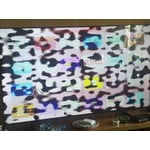
Hi Smurf, Thank you for your feedback regarding the screen abnormalities you're seeing on your TV. To help determine if the issue is related to the panel itself, we recommend starting with a Picture Test, which displays a high-definition image you can examine for flaws: Settings > Support > Device Care > Self Diagnosis > Picture Test If the issue appears during the test and across all sources (built-in apps, HDMI devices, etc.), it may indicate a panel-related concern. In some cases, unplugging the TV for a few minutes and rebooting it can help resolve stuck pixels caused by temporary display behavior. If the problem persists after these steps, the TV may require service. To set up a service appointment, please contact Samsung Support at 1-800-SAMSUNG (8AM – 9PM EST Mon – Fri, 8AM – 6PM Sat – Sun). LiveChat and additional support resources are also available through the Support link on our website. ~ Samsung Advisor
Great picture
[This review was collected as part of a promotion.] This TV has an amazing picture, and it looks beautiful hanging above my fireplace. Probably has the clearest picture. I have seen In a long time. But I already knew Samsung made a great TV. I had a plasma for many years made by a Samsung. May have to get me a smaller Samsung TV for my front porch!