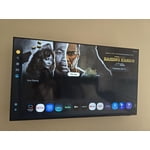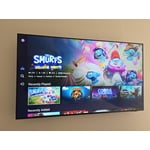
Customer reviews for SAMSUNG 55" Class U7900F Series 4K Crystal UHD Smart TV forMember photos


+654 images
Not nearly as good as the 20 year old Vizio i had
[This review was collected as part of a promotion.] The remote is unreliable sometimes it works other times it doesn’t. The smart things app usually does work. The sound is terrible using the internal speakers. I was forced to use a soundbar for adequate volume. Only two HDMI inputs is unacceptable. Overall I would not recommend this product and look forward to replacing it soon.
Hi JunkTV, We appreciate your feedback on the U7900 TV. If your TV is responding slowly or inconsistently to the remote, try the following steps: 1. Re-pair the remote – Stand within 1 foot of your TV and press Return and Play/Pause simultaneously for at least 5 seconds. A message should appear confirming it's connected. 2. Check the battery level – Go to: Home > left directional key > Settings > All Settings > General & Privacy > Remote Control 3. Ensure proper charging – SolarCell Remotes can charge using: o Room light or direct sunlight (solar panel should face light source) o USB-C cable (preferably Samsung-branded) 4. Update your TV’s firmware – Go to: Settings > Support > Software Update > Update Now 5. Run Device Care to clear memory and close background apps that may slow performance: Settings > Support > Device Care > Start Device Care If these steps don’t resolve the issue, please contact Samsung Support at 1-800-SAMSUNG, 8AM – 12AM EST, 7 days a week. LiveChat is also available through the ‘Support’ link on our website. ~ Samsung Advisor
Outstanding Quality
[This review was collected as part of a promotion.] I can't express how impressed I am with my new 55-inch Samsung TV. From the moment I unboxed it, the experience has been nothing short of exceptional. The setup was incredibly easy and straightforward; within minutes, we were connected to our Wi-Fi and streaming our favorite shows. The picture quality is what truly sets this television apart. The colors are so vibrant and lifelike, and the 4K resolution is astonishingly crisp and clear. The detail is so sharp that old movies feel like new again, and streaming our favorite nature documentaries is a breathtaking experience. Even with the lights on and some glare from the window, the image remains vivid and bright. The smart features are intuitive and seamless. Navigating between apps like Netflix, YouTube, and Amazon Prime Video is fast and responsive. The sleek, minimalist design is another huge plus; the ultra-thin bezel makes the screen feel even larger and more immersive, and when we're not watching TV, the Art Mode feature transforms it into a beautiful piece of art. For gamers, this TV is an absolute dream. The low input lag and fast response time make for a perfectly smooth and responsive experience. Paired with its clear and crisp audio, every game feels incredibly immersive. For the price, the combination of a stunning display, excellent smart features, and easy usability makes this Samsung TV an unbeatable value. This is easily the best TV we have ever owned.
Missing a very important feature
This 50" was a birthday gift from our son to my wife. It replaces our 44-yr old 600 lb set that just would not die. While we love the improved picture, the big drawback is that it doesn't automatically jump to the HD channel when you input the SD channel number that we have used forever. I needed to make a conversion chart we have to refer to whenever we turn it on or change the channel. Even our old cheapo sets can do this useful task automatically.
Hi Apollo11guy, We appreciate your purchase and for sharing your experience with us. Please know your feedback will be shared with our internal teams. If you have any questions or need help, we’re always here. Call 1-800-SAMSUNG from 8AM - 12AM EST, seven days a week, or connect with a LiveChat agent anytime by selecting ‘Support’ on our website. ~Samsung Advisor
Great picture and sound but tough to program
[This review was collected as part of a promotion.] We use this TV in our bedroom and want to leave it on with low volume while we sleep. We have not been able to turn off the auto off function and we wake up as soon as it shuts itself off. There seems to be no way to set it to manual always on.
Gamalot, We’re sorry to hear your TV is turning off on its own. Please try the following troubleshooting steps which may help resolve the issue: 1. Unplug the TV from the wall outlet or surge protector for at least 30 seconds. 2. Inspect the power cord for any visible damage. If damaged, the cord may need to be replaced. 3. Plug the TV directly into a wall outlet, bypassing any power strip or surge protector for now. 4. If the TV remains on long enough, try updating the TV’s software: Home > left directional key > Settings > Support > Software Update > Update Now. Note: If your TV powers off during the update, it could result in damage, so only proceed if the TV is stable. Next, check the TV’s Power and Energy Saving settings to ensure no timers or auto-off features are enabled: • Sleep Timer: Settings > All Settings > General & Privacy > Power and Energy Saving > Sleep Timer • Auto Power Off and Off Timer: Settings > All Settings > General & Privacy > Power and Energy Saving > Auto Power Off/Off Timer Also, if you have devices connected via HDMI, check if Anynet+ (HDMI-CEC) is enabled, as this can allow external devices to control the TV and may cause it to turn off: Settings > All Settings > General & Privacy > External Device Manager > Anynet+ (HDMI-CEC) = Off If your TV continues to power off unexpectedly, please call us at 1-800-SAMSUNG, 8AM – 12AM EST, 7 days a week. Our LiveChat agents are also available through the ‘Support’ link on our website. ~ Samsung Pro
Picture Skips
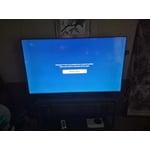
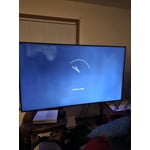
[This review was collected as part of a promotion.] Just bought the tv a couple weeks ago, and sometimes while watching tv, the picture skips, repeatedly sometimes. It’ll look like a person is going forward and backwards multiple times. Very annoying.
Hi ANTreu90, Thank you for sharing your experience. Buffering during streaming is typically related to internet speed or signal strength. This can happen when your connection isn’t able to deliver data quickly enough for smooth playback. We recommend the following steps to help improve streaming performance: 1. Use a 5GHz Wi-Fi connection, if available 2. Try a wired LAN connection for more stability 3. Reposition your router to minimize obstacles between it and the TV 4. Make sure your TV is running the latest firmware (Settings > Support > Software Update) 5. Run Device Care to optimize performance: Home > left directional key > Settings > Support > Device Care > Start Device Care If buffering continues, you may want to contact your internet service provider to check your current speed or explore upgrade options. If we can assist further, please call us at 1-800-SAMSUNG, available daily from 8AM - 12AM EST. You can also chat with a LiveChat agent by clicking the ‘Support’ link on our website for: • Live Chat • Manuals, Software, & Warranty Info • Creating a Service ticket ~ Samsung Advisor
Great Model
[This review was collected as part of a promotion.] We have really enjoyed this TV model; we have over 7 different properties and have stopped using projectors for our meeting rooms and use this model to help project information straight from our devices. This is perfect for anyone who wants to cast from their device onto this TV. During breaks, there is a screensaver option that casts jazz music along with panoramic views of areas from all over the world that really helps the crowd feel less overwhelmed after a day of convention seminars. Thanks Samsung!
Great Picture
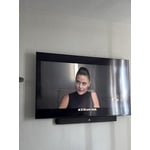
[This review was collected as part of a promotion.] The picture is very clear. I have always purchased Samsung TVs and they perform great. Crystal clear details, to the point you can see the actors pores and imperfections. Would highly recommend Samsung as a top choice.
SAMSUNG TV
[This review was collected as part of a promotion.] if you’re after a 65-inch screen that gives excellent everyday viewingTV shows, movies, streaming, family use with good color and good smart features at a reasonable price, the U8000F hits the mark. If you want ultra-high-end gaming features, extreme HDR brightness, or the absolute best contrast, you might want to spend more and step up into Samsung’s QLED or OLED lines.
THIS PRODUCT SHOULD BE SADSUNG
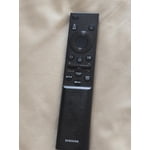
[This review was collected as part of a promotion.] it is quite frustrating with the use of such a small remote. the buttons dont light up and since my fios remote is not properly paired to the tv i am stuck having to use the small remote that came with the tv. i do not like how the tiles are all over the place which just makes things more difficult to find. the remote is not voice activated like most of the other newer ones i have seen and the volume is very awkwardly set up as well. to change channels and use the volume the buttons must be toggled a certain way which is also annoying. it makes the experience a lot more stressful than necessary. the tv also is constantly freezing and pixelating. it seems more blurry on multiple channels. it is not good for visually impaired or neurodivergent people who have disabilities.
Hi 1SADSUNG, We appreciate your feedback on the U7900 TV. To ensure performance is optimized on your TV, please check the Firmware is up to date. Go to Settings> Support> Software Update. To further optimize performance, try running Device Care, which checks memory, clears unused cached data, and closes background apps: Home > left directional key > Settings > Support > Device Care > Start Device Care. If you still notice blurring or pixelating on your channels, the issue you’re encountering may be related to network strength or stability. We recommend the following steps: 1. Connect to a 5GHz Wi-Fi network, if available 2. Use a wired LAN connection for increased stability 3. Reposition your router to reduce obstacles between the TV and the router Finally, if you need help setting up a third-party remote or have any questions, please do not hesitate to reach out to us. Reach out by calling 1-800-SAMSUNG between 8AM - 12AM EST, any day of the week. You can also chat with us online by visiting the ‘Support’ section of our website. ~ Samsung Advisor
85" Crystal UHD
[This review was collected as part of a promotion.] Great TV so far, the colors and sound quality is exceptional. My only issues are that i am not a fan of the main screen, kinda hard to navigate i feel like there's too much going on. The older version with the apps on the bottom was better. Also the remote is small and hard to hold because of my big hands. No major complaints